STACK the Flags 2020
Writeup for STACK the Flags 2020

STACK the Flags 2020 Writeup
4th December 2020 2100 - 6th December 2020 2245
This was the first official CTF that I competed in, and marks the start of a new venture into practical cybersecurity skills through gamification. Having had a good foundation in cybersecurity, the transition to CTFs was still fairly awkward, given the varied application of relevant skills.
I found myself humbled by this experience, and at times, handicapped by the categories that were foreign to me. Big shoutout to SMU's Whitehats Society for the preparation prior to the CTF, giving us a glimpse into Binary Exploitation, Reverse Engineering and Web attacks.
During this CTF, I attempted the Forensics, OSINT and Misc. challenges. Although I didn't find much success with the memory analysis challenge, I felt that it was already an achievement to be able to complete majority of the OSINT and Misc. challenges. Initially the team was at full capacity (4 members), but due to academic commitments, we were reduced to 2. This definitely made it harder for us moving into the last 12 hours of the CTF where fatigue and the lack in diversity of skills meant that we were essentially stagnating. Nonetheless, it was an honour to have been able to place 72nd in our category of about 200 active teams.
Moving forward, I hope to explore some Mobile as well as Binary Exploitation challenges. These will be the categories that I'll be reading up and practising on, shifting my focus here in hopes of diversifying my skillsets. GLHF!
iPhantasmic
Forensics
Walking down a colourful memory lane
Points: 1000
Prompt: "We are trying to find out how did our machine get infected. What did the user do?"
File(s) provided: "forensics-challenge-1.mem"
Hint: "Understanding Windows memory"
My Attempt
Volatility is the go-to tool for memory analysis, this is what we will be using to perform this investigation. I was running a native version of Volatility on Kali Linux, but you could just make use of the Python version, it would work just as well.
Upon obtaining the memory image, the first thing that I did was to identify the OS in which this memory image was taken from. This is crucial because every OS does its memory addressing differently (even between some versions).
volatility -f forensics-challenge-1.mem kdbgscan volatility -f forensics-challenge-1.mem imageinfo
For this, my personal SOP and preference is to run imageinfo since it performs a kdbgscan as well. From the results of imageinfo, Win7SP1x64 is the first profile that is given, the list provided usually tends to be accurate and we can check this by simply running pslist. In the event where no processes show up, the profile is likely to be incorrect.
Suggested Profile(s) : Win7SP1x64, Win7SP0x64, Win2008R2SP0x64, Win2008R2SP1x64_24000, Win2008R2SP1x64_23418, Win2008R2SP1x64, Win7SP1x64_24000, Win7SP1x64_23418
                     AS Layer1 : WindowsAMD64PagedMemory (Kernel AS)
                     AS Layer2 : FileAddressSpace (/home/kali/Desktop/forensics-challenge-1.mem)
                      PAE type : No PAE
                           DTB : 0x187000L
                          KDBG : 0xf800029fb0a0L
          Number of Processors : 1
     Image Type (Service Pack) : 1
                KPCR for CPU 0 : 0xfffff800029fcd00L
             KUSER_SHARED_DATA : 0xfffff78000000000L
           Image date and time : 2020-12-03 09:12:22 UTC+0000
     Image local date and time : 2020-12-03 17:12:22 +0800
From here on, every command would be preceded by:
volatility -f forensics-challenge-1.mem --profile==Win7SP1x64
Since the prompt mentioned the user doing something, I first ran pslist to obtain all running processes in memory. Taking a quick look through pslist, there didn't seem to be any malicious processes off the bat. Although, there was a significant number of chrome tabs open (he must've been busy with STACK the Flags 2020 as well).
To better visualise the parent-child process relationships, we can run pstree. The output of pstree shows us chrome.exe (PID: 2904) opening many other child processes of chrome.exe, logically for me it would make sense to take a look at the parent process first:
volatility -f forensics-challenge-1.mem --profile==Win7SP1x64 memdump -p 2904 --dump-dir=./

# This gives us the memory dump for the parent process chrome.exe with PID of 2904
From the memdump, we can strings it to find any visited links and any other meaningful data:
strings 2904.dmp > chrome_string_dump.txt
In the output, I just searched through looking for any interesting links. This was the beginning of my downfall as I spent several hours going through various avenues to no avail. Below is a list of the commands I've ran and the rationale behind each:
-
I attempted to take a look at the notepad.exe memory dump and see if there were any text files opened in notepad that could potentially contain the flag.
volatility -f forensics-challenge-1.mem --profile==Win7SP1x64 memdump -p 3896 --dump-dir=./ strings 3896.dmp | grep .txtThe output did give me some interesting text files.
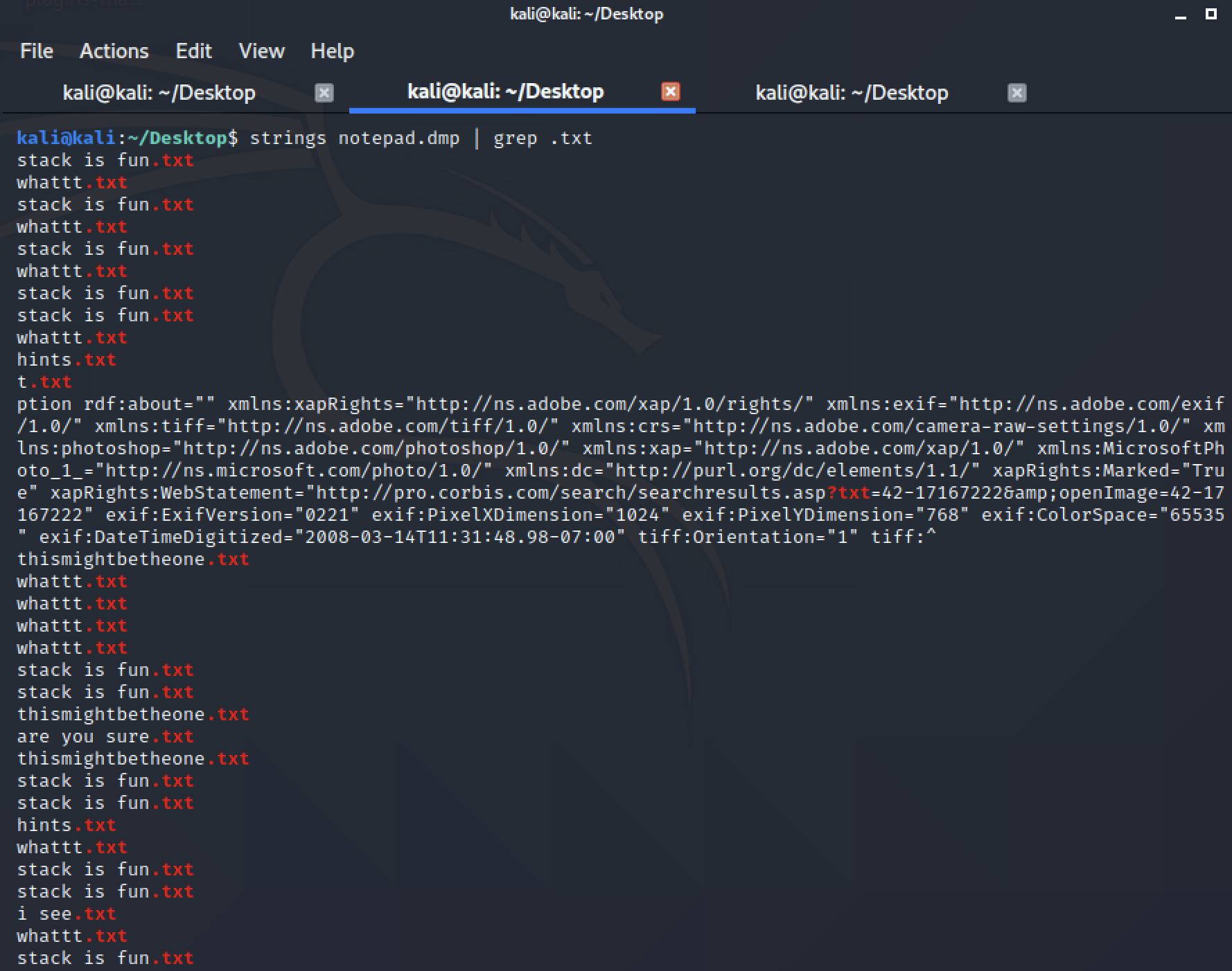
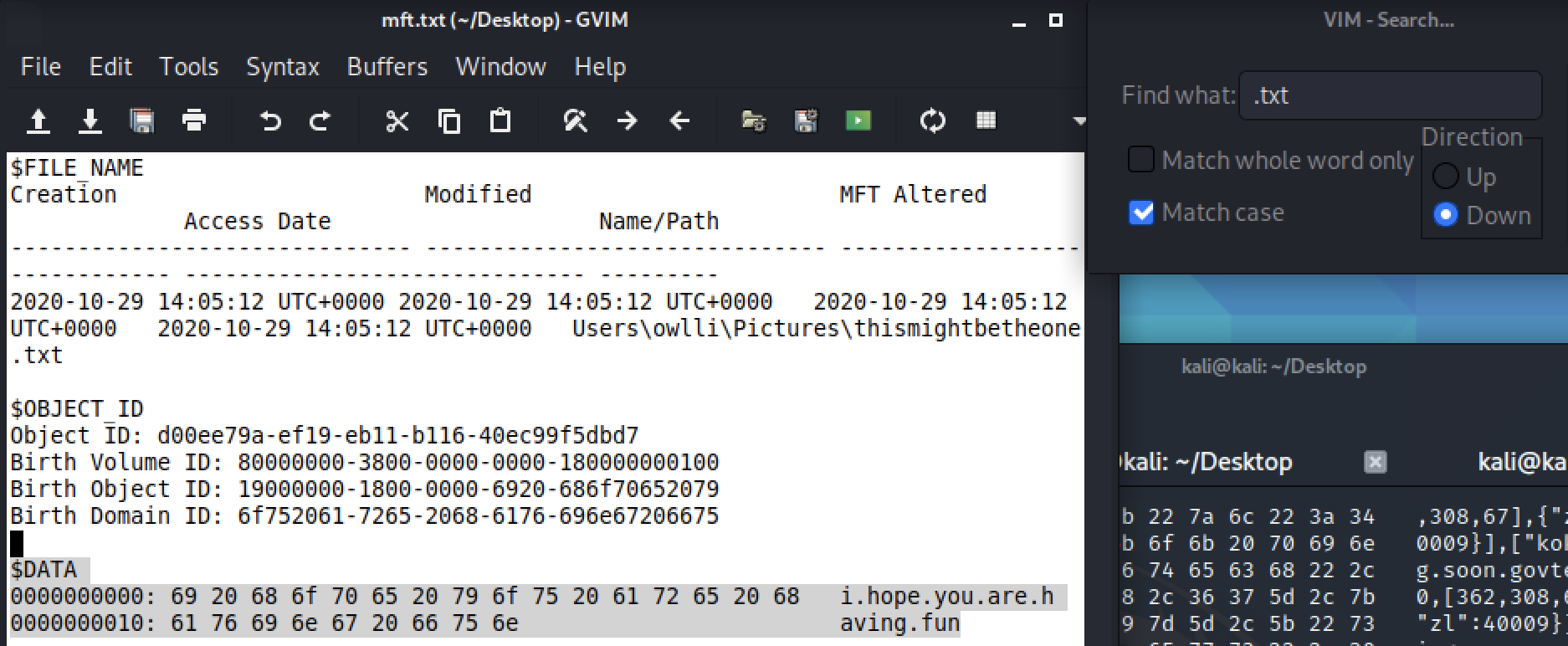
This led me to run mftparser, since text files are usually relatively small (<1024 bytes), they would be resident in the MFT. We can then look at them through the output in the $DATA section.
volatility -f forensics-challenge-1.mem --profile==Win7SP1x64 mftparser > mft.textOf course, we got baited by the contents..
-
Next I took a jab at iehistory in hopes of finding any browsing history. Nothing too intersting here, though it did show us some files accessed by explorer.exe. This behaviour can be explained since iehistory "applies to any process which loads and uses the wininet.dll library, not just Internet Explorer. Typically that includes Windows Explorer as well", as per Part 3 of Andrea Fortuna's guide to Volatility.
-
The last thing I did was to run a scan through memory with YARA rules using the string "govtech-csg" in hopes of finding the flag somewhere in memory.
That was it for my attempts for this challenge, went on to other challenges as I felt this was taking up too much time without any clear leads.
Community Solution
At the end of the CTF, I visited the Discord channel for some spoilers to see where I went wrong, only to realise that I had everything that was necessary to find the flag.
The output of running strings (chrome_string_dump.txt) already showed us a mediafire URL at the top of the file, this is the lead necessary to find the flag. Searching for mediafire, there would eventually be a link to a .png image hosted on mediafire.
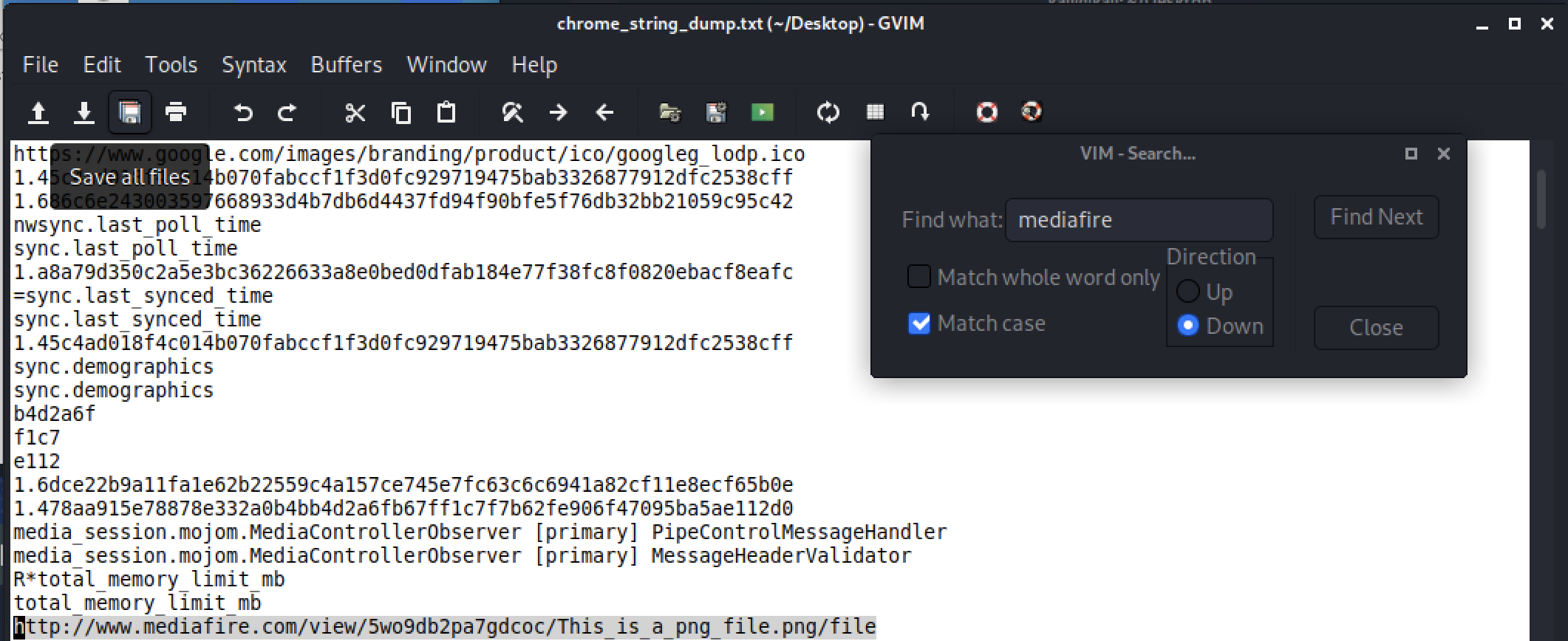
Opening the image gives almost nothing. This is where the word "colourful" in the title of the challenge hints us to the RGB values where the flag is encoded in. Using a png to rgb converter, I downloaded the converted .rgb file.
Now, running strings on This-is-a-png-file.rgb we would get the flag:

govtech-csg{m3m0ry_R3dGr33nBlu3z}
Miscellaneous
Welcome Challenge
Points: 1000
Prompt: Welcome to STACK the Flags 2020! This is a welcome challenge to get you started. Can you find the flag hidden on our website? (Please DO NOT attack/scan the web service! The challenge does not require you to attack the site, subdomains, or root domain!)
Addendum: Treat the website as a starting point. The goal is to gain enough prerequisite knowledge to be able to find the flag "on" the website. Treat this challenge similar to an OSINT challenge, find out more about the website.
My Attempt
Challenge might seem very tough at the start since there really isn't much information to go off except the website that we should be looking at. With the addendum's use of the word "on" makes it a little bit clearer as to where we should proceed. Much like one of the OSINT challenges that requires us to look at http://developer.tech.gov.sg/, one would realise that something similar is going on here.
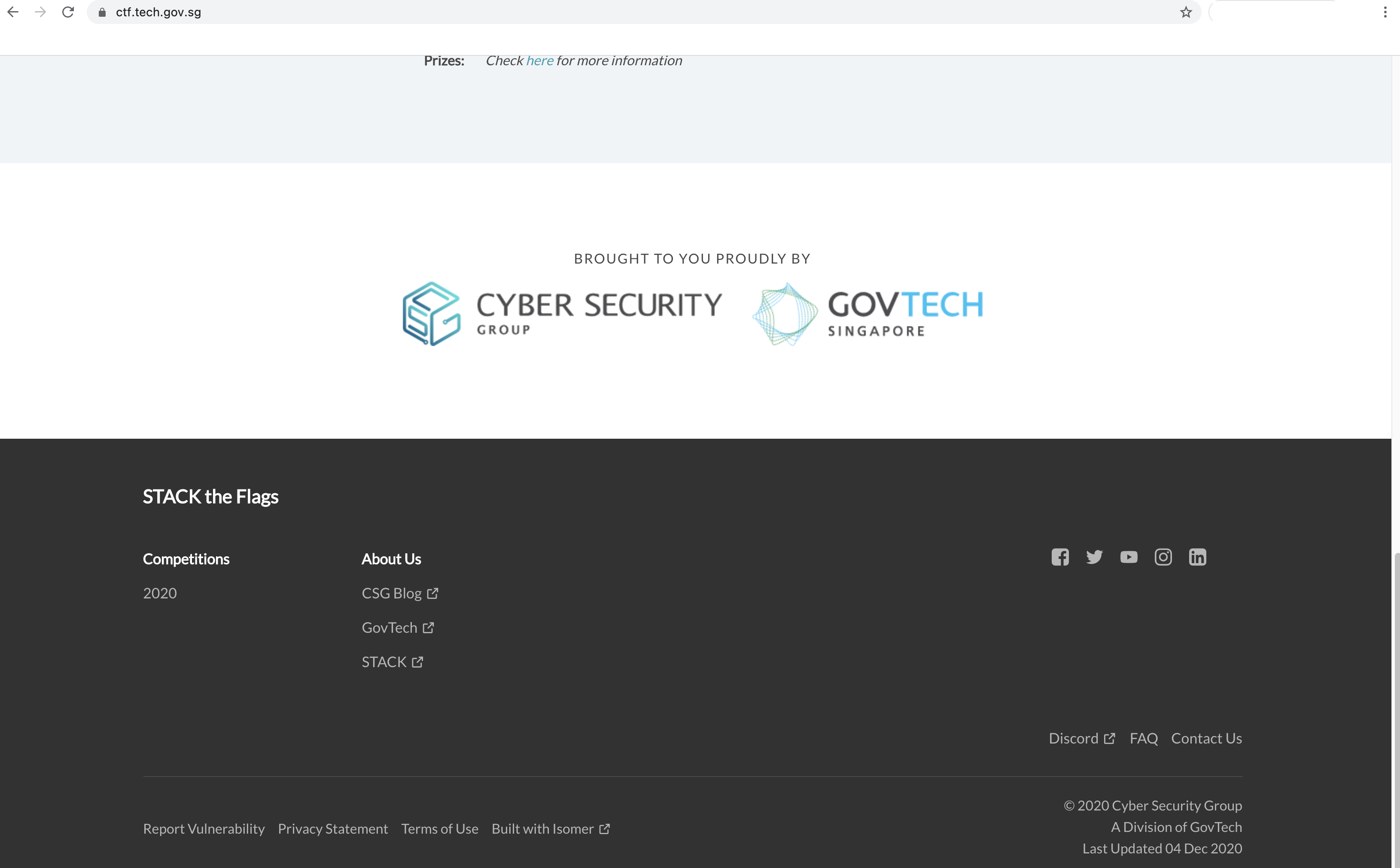
The template for http://developer.tech.gov.sg/ can be found on Github, where they push and make changes using a web framework of sorts. It is at the bottom of https://ctf.tech.gov.sg that we see the website is "Built with Isomer", a similar concept of having a template for rapid deployment of websites.
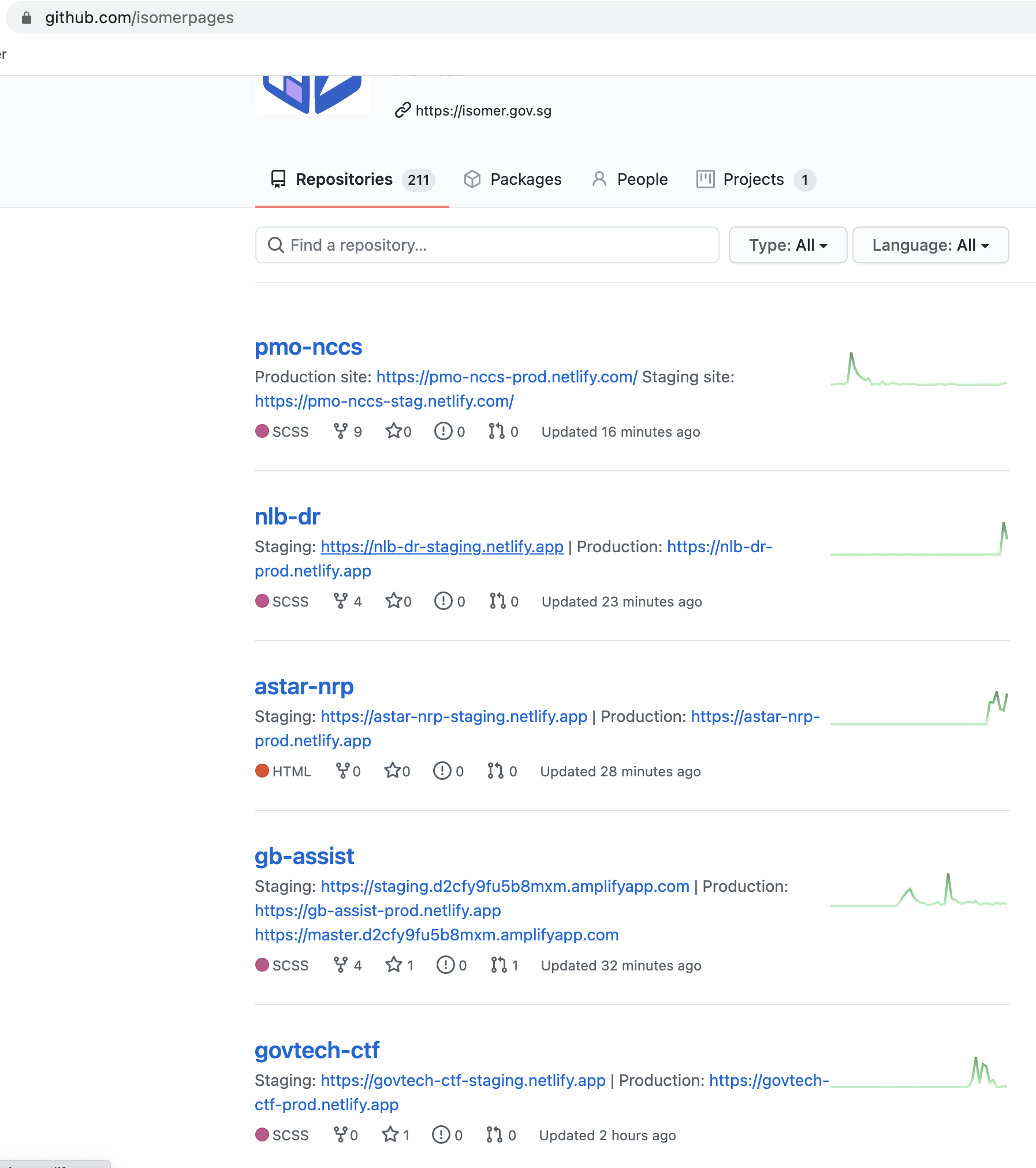
Now, we just have to find the Github page for Isomer, which with a simple Google search would yield us: https://github.com/isomerpages
Scrolling through we would see the govtech-ctf repository that is likely to be hosting the webpage given to us.
Viewing the repository, we have the flag in the README.md.
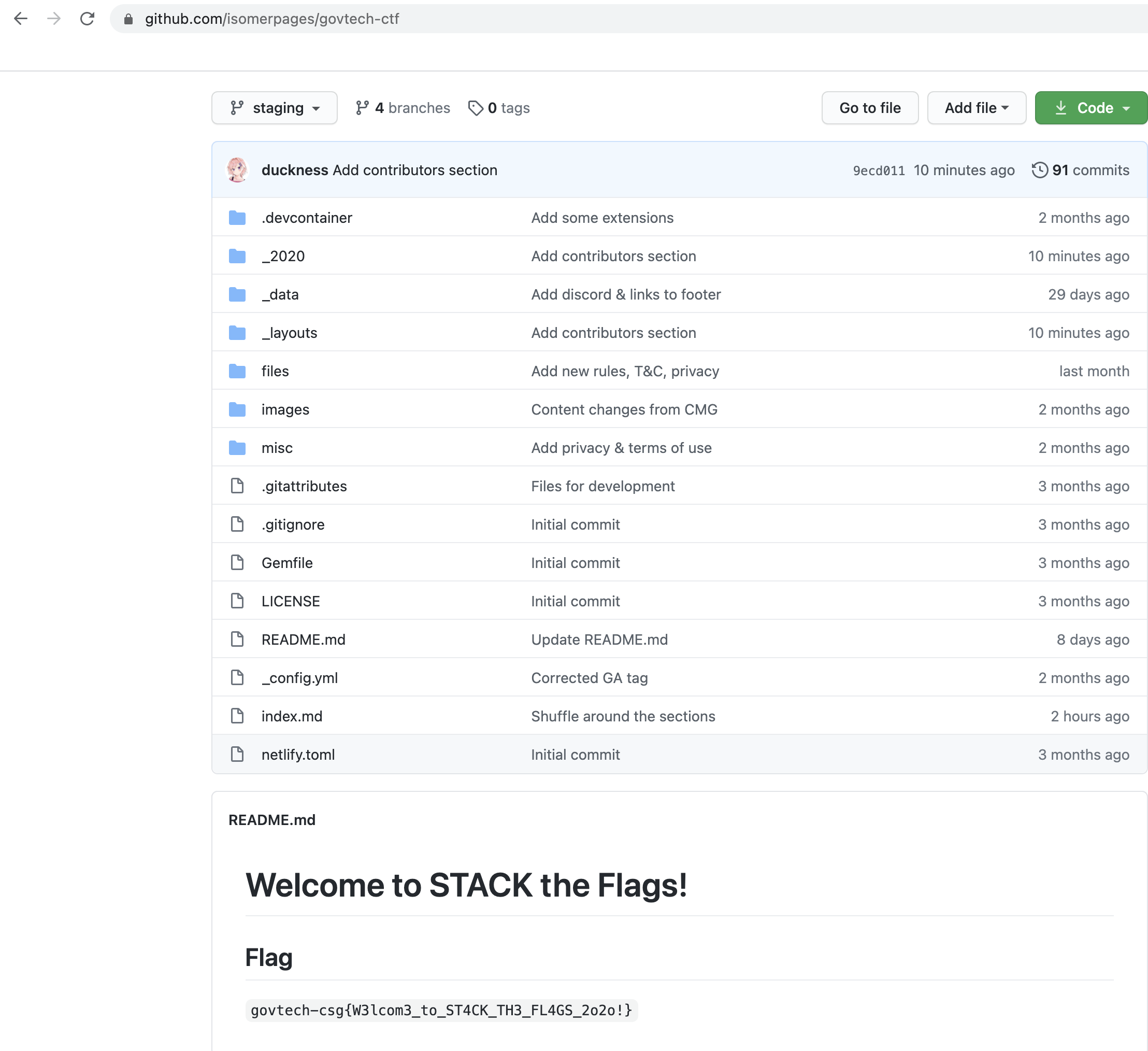
govtech-csg{W3lcom3_to_ST4CK_TH3_FL4GS_2o2o!}
Beep Boop
Points: 1000
Prompt: As part of forensic investigations into servers operated by COViD, an investigator found this sound file in a folder labeled "SPAAAAAAAAAAAAAAAAAACE". Help us uncover the secret of the file.
File(s) provided: "misc-challenge-2.wav"
Hint 1: Apollo 7, 8 and 9 transmitted images in this way!
Hint 2: Easter eggs transmission sound that was found in popular games like Portal / Portal 2!
Hint 3: Take a look at Google Play store for useful tool!
My Attempt
As I just so happened to explore some of picoCTF's 2019 challenges, this challenge drew some similarities with one that I managed to complete. Particularly the use of the word "SPAAAAAAAAAAAAAAAAAACE" as the folder name, as well as the given audio file.
To walk us through, Apollo 7, 8, 9 made use of Slow Scan TV (SSTV) as means of transmitting images back to Earth. As such, what we need is a decoder for SSTV audios.
Following the same process as the m00nwalk challenge, I ran the following commands:
apt-get install qsstv #install the sstv decoder
pactl load-module module-null-sink sink_name=virtual-cable #creating a virtual cable that outputs to null
pavucontrol #ensuring we are outputting to null qsstv

paplay -d virtual-cable misc-challenge-2.wav #playing the audio into qsstv
pactl unload-module #cleaning up
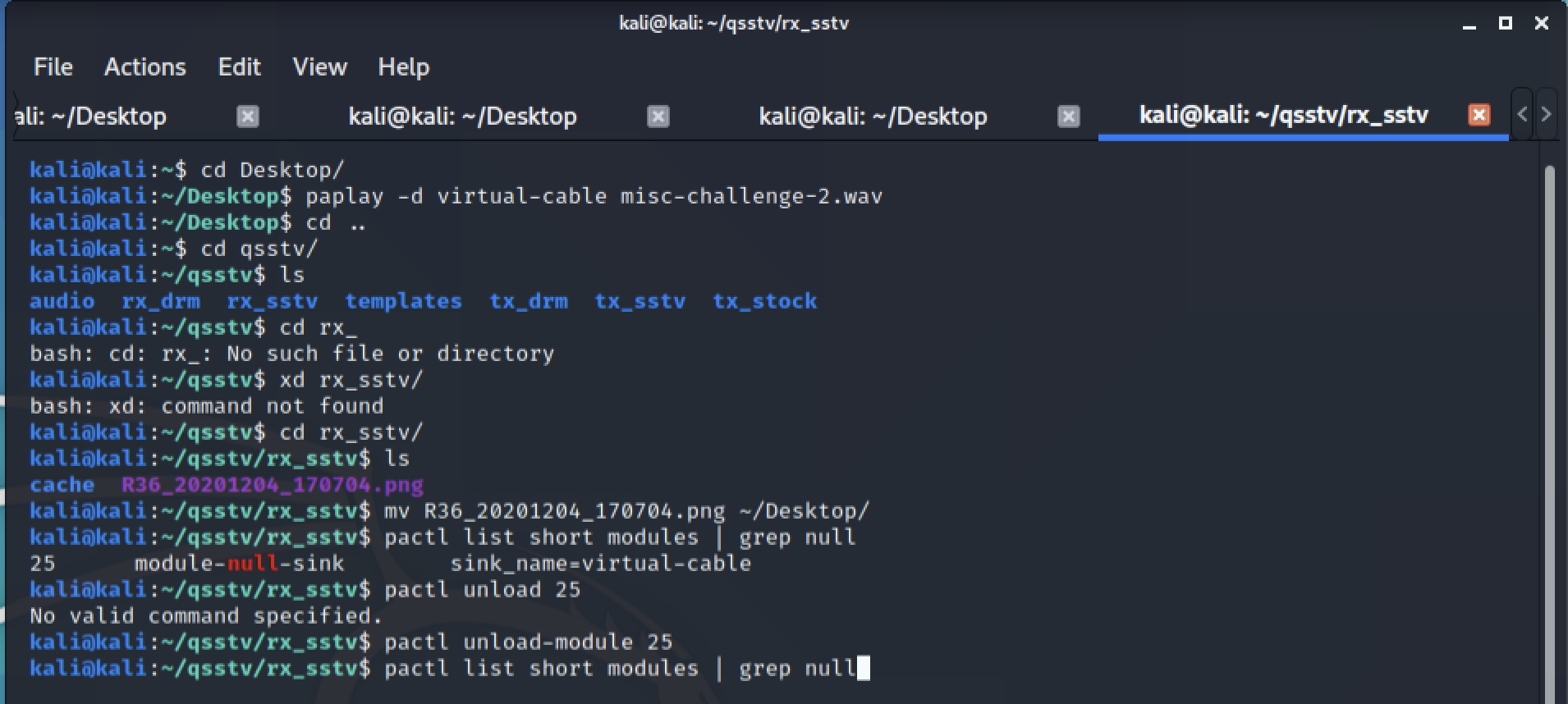
This should be the output from qsstv, which we can then download the image to get a better view of the flag.
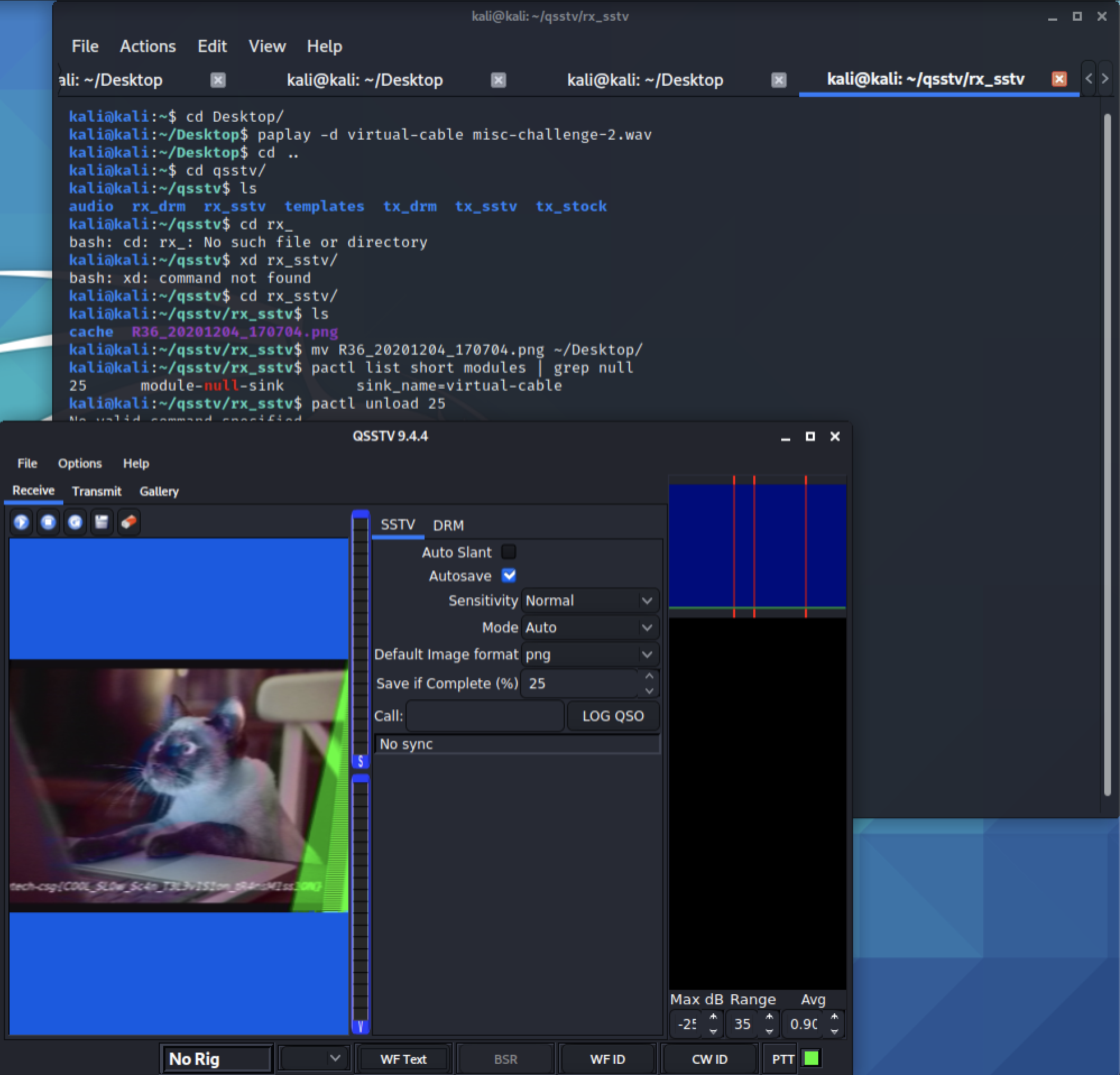
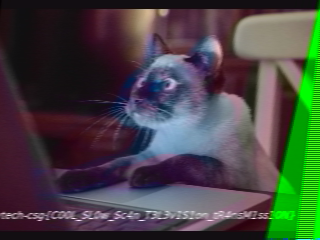
govtech-csg{C00L_SL0w_Sc4n_T3L3v1S1on_tR4nsM1ss10N}
FWO FWF
Points: 1000
Prompt: As part of forensic investigations into servers operated by COViD, an investigator found this web server containing a hidden secret. Help us find the contents of this secret.
Addendum: If you're having trouble, check your capitalization.
My Attempt
Opening up the webpage, we see a bunch of characters, particularly the FWO FWF on the first line. There doesn't really seem to be much on this webpage, so let's inspect it.
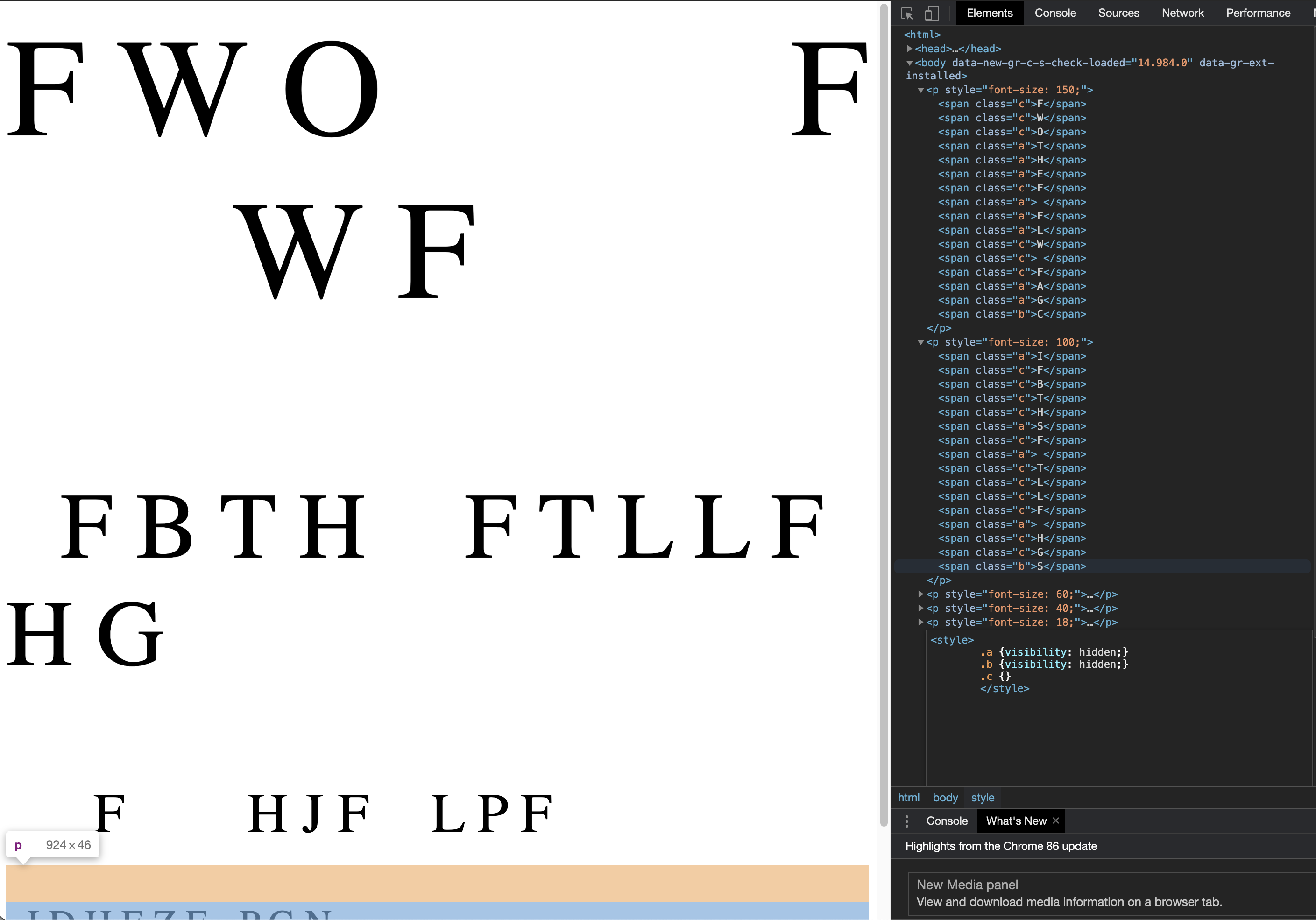
What we see here is several HTML object classes, with each character tagged to a particular class. There is also an element that controls the visibility of the classes 'a', 'b', 'c'.
Instinctually, let us play around with the visibility, since it seems that there are other characters not displayed, for good reason. Toggling the class 'b' and 'c' to be hidden, we get the following message: ”the flag is hidden in a file”.
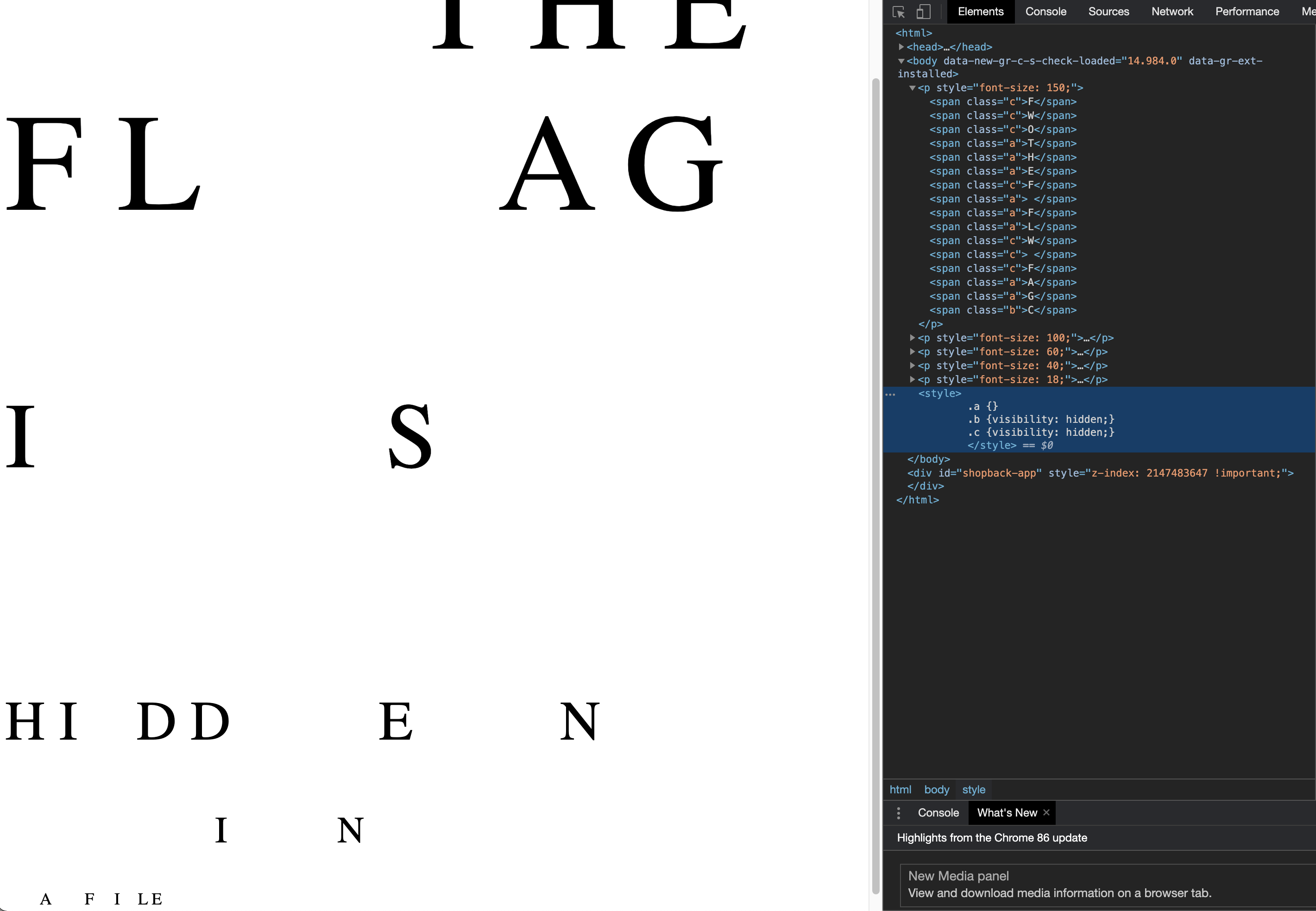
Now the real question is where is this file on the webserver? We would need to know the name of the file to begin with. Accessing sitemap.xml or robots.txt gave us nothing in terms of indexing the webserver's contents.
That is when I noticed the '.' characters when none of the classes are hidden.. Could it be that the filename is hiding under our nose just like the clue we found? Changing the class 'a' and 'c' to be hidden, we now see what looks to be a filename: CSG.TXT
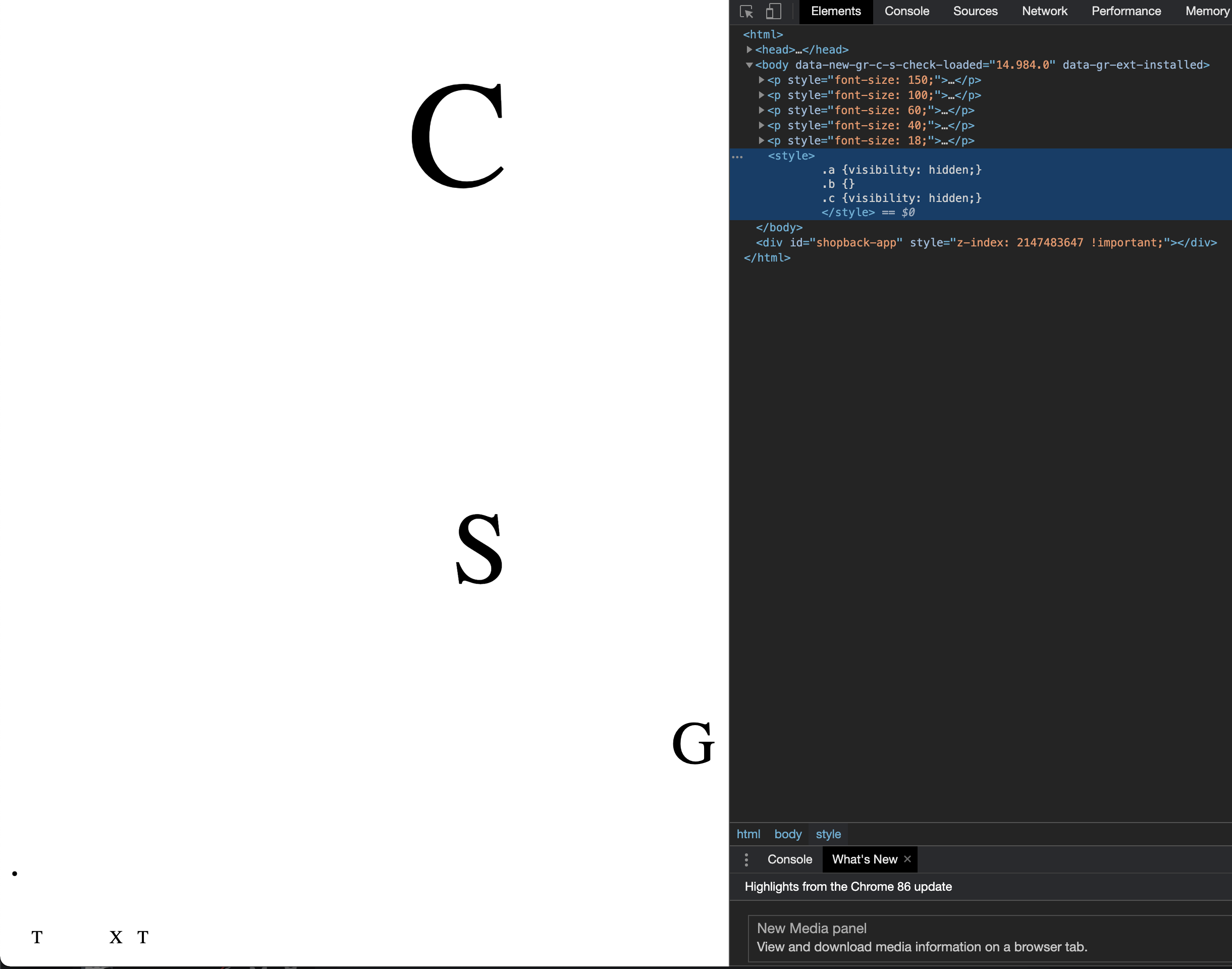
Accessing /CSG.TXT, we would then obtain the following base64 encoded string: Rmo0Y19HdTNfZkdsWTNfaTFmMW8xWTFHbAo=

Let us open up CyberChef and decode this string to ASCII.
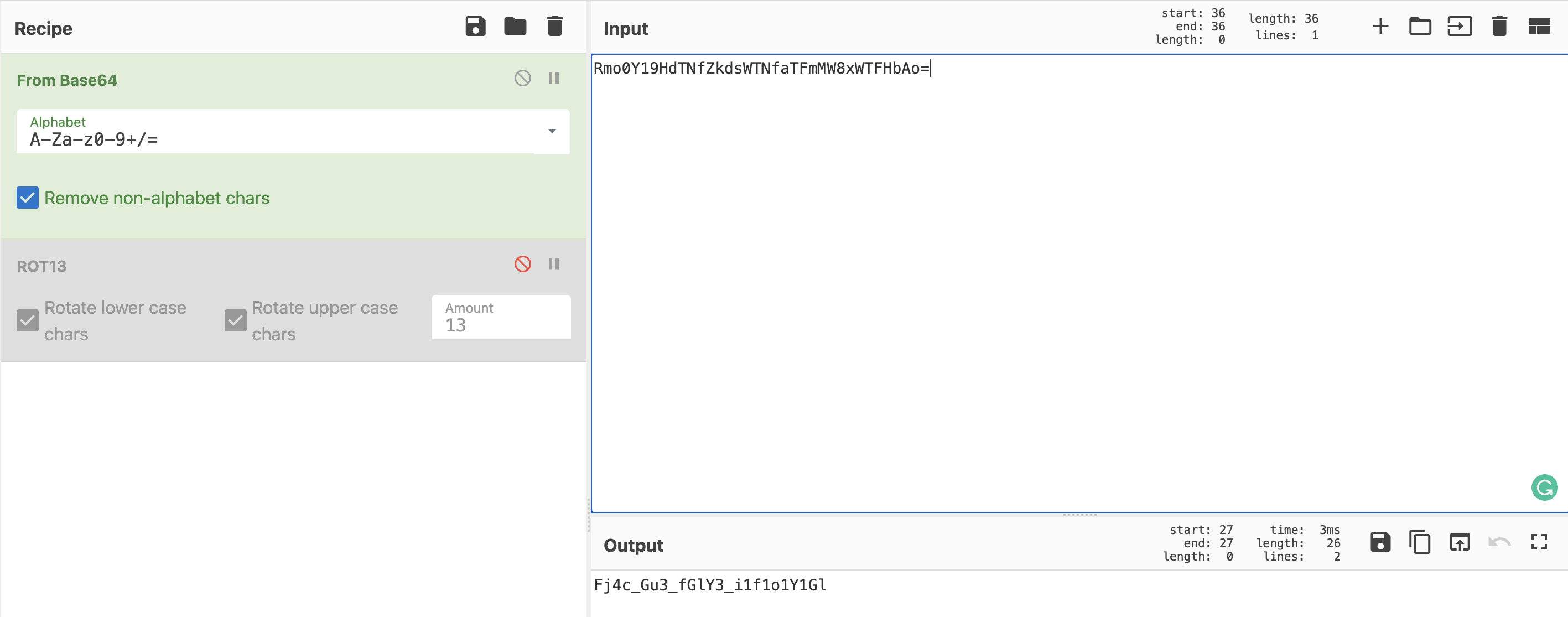
Something still seems off, '_' exists but the alphabets look jumbled up. Perhaps a ROT13?
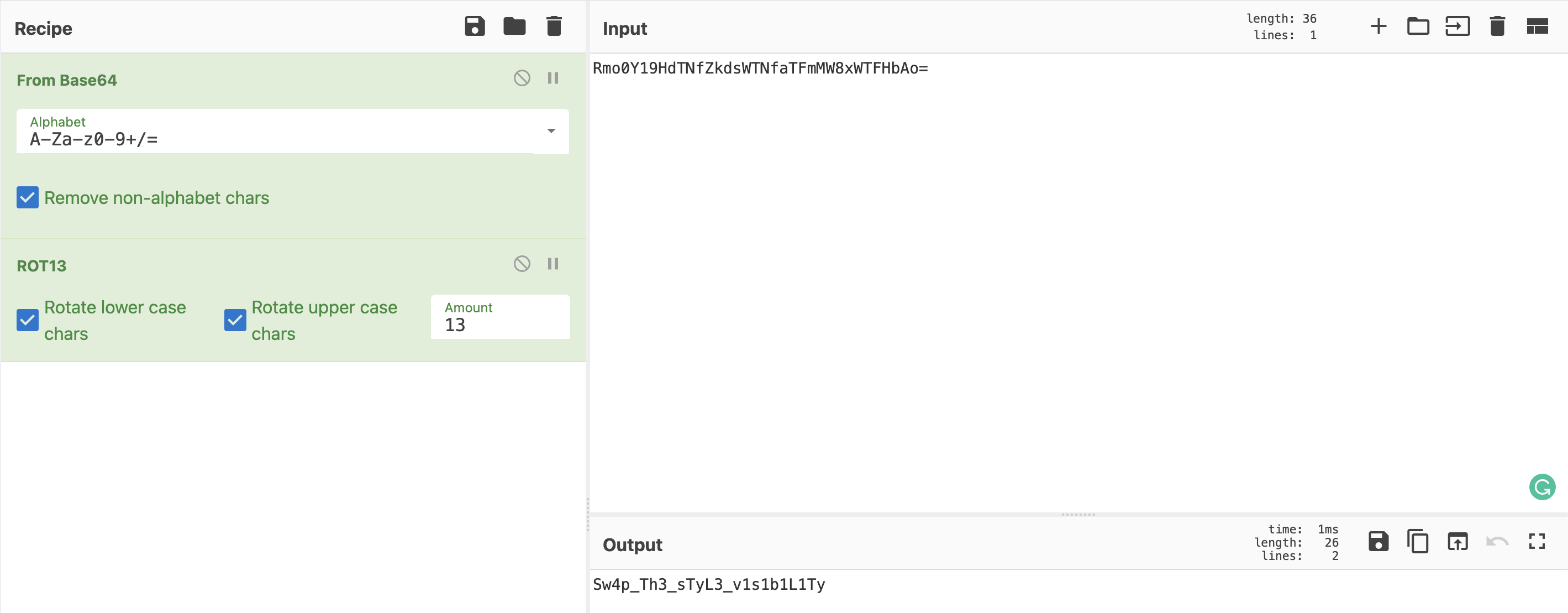
govtech-csg{Sw4p_Th3_sTyL3_v1s1b1L1Ty}
REconstrucQ
Points: 1000
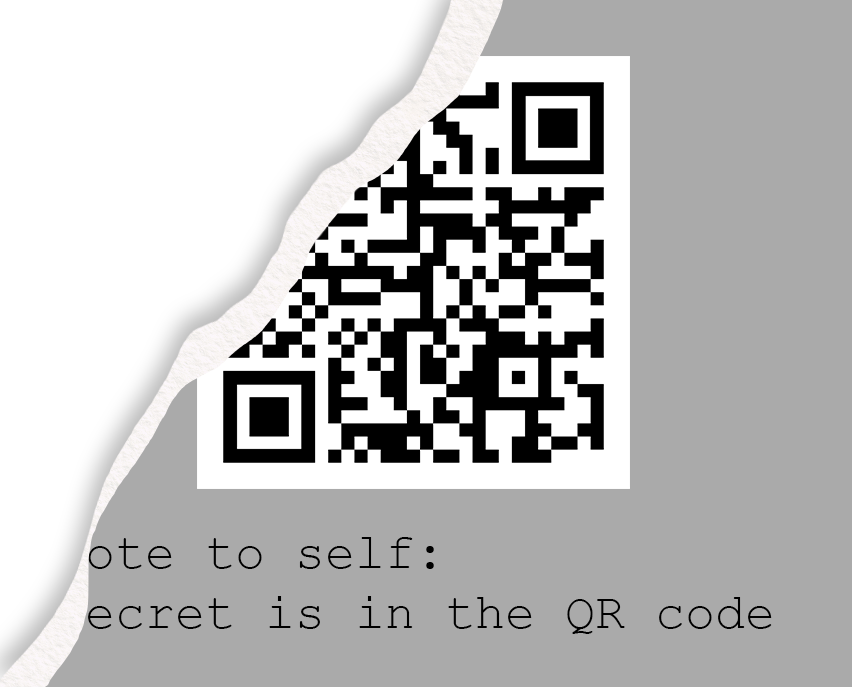
Prompt: As part of forensic investigations into servers operated by COViD, an investigator found this picture of a partially torn paper containing a QR Code. Can you recover the data within the QR Code?
File(s) provided: "misc-challenge-4.png"
My Attempt
Looks like we are presented with a damaged QR code and the flag is stored within..
Doing a quick Google search on damaged QR codes, we can find some articles on how QR codes are actually decoded. This link on wounded QR codes provides us an understanding of how much damage a QR code can take before it can no longer be used.
My teammate decided to check for stego on the file, hoping to find something of use. He used StegoSolve to do it, but I found an online tool called StegOnline that works the same. We first can get the desired image by removing the transparency.
Interestingly, we would find a part of the image that has been cut off.
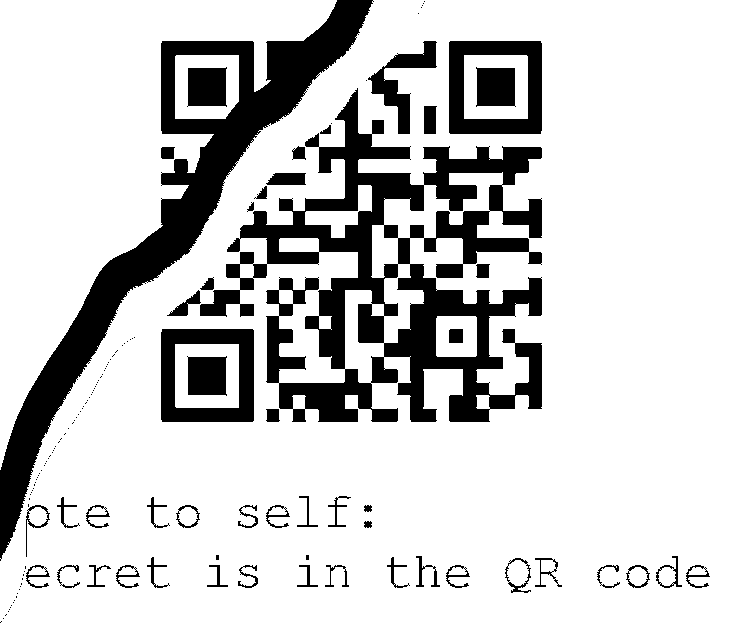
This actually makes it a lot easier for us to reconstruct this QR code. Initially, I attempted to reconstruct and manually decode the data in the QR code. (Reference)
Now all we have to do, since we know from the first blogpost that QR codes have strong levels of error recovery, we just need to fill up any gaps and remove any extraneous black markings as in the case of the "tear". Any image editing software would work for this. Hence we get the following:
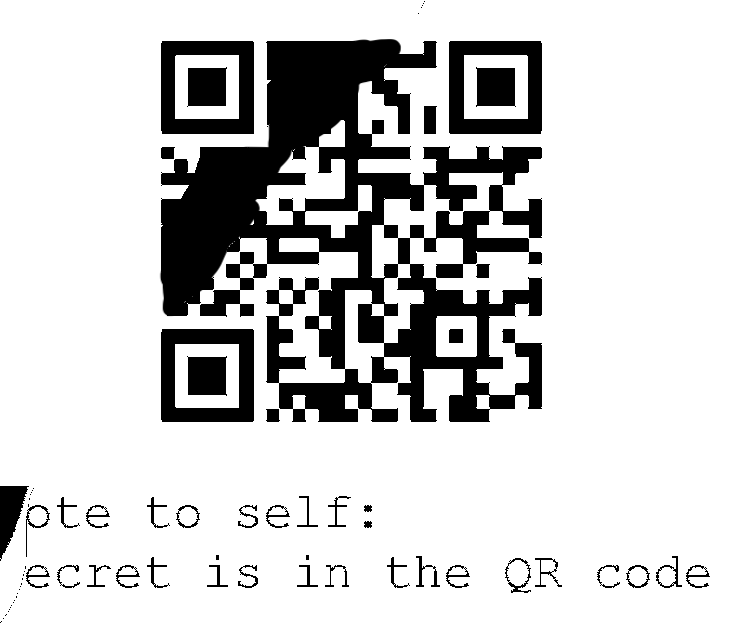
Scanning it on my phone, we would then get the flag stored in the QR code.
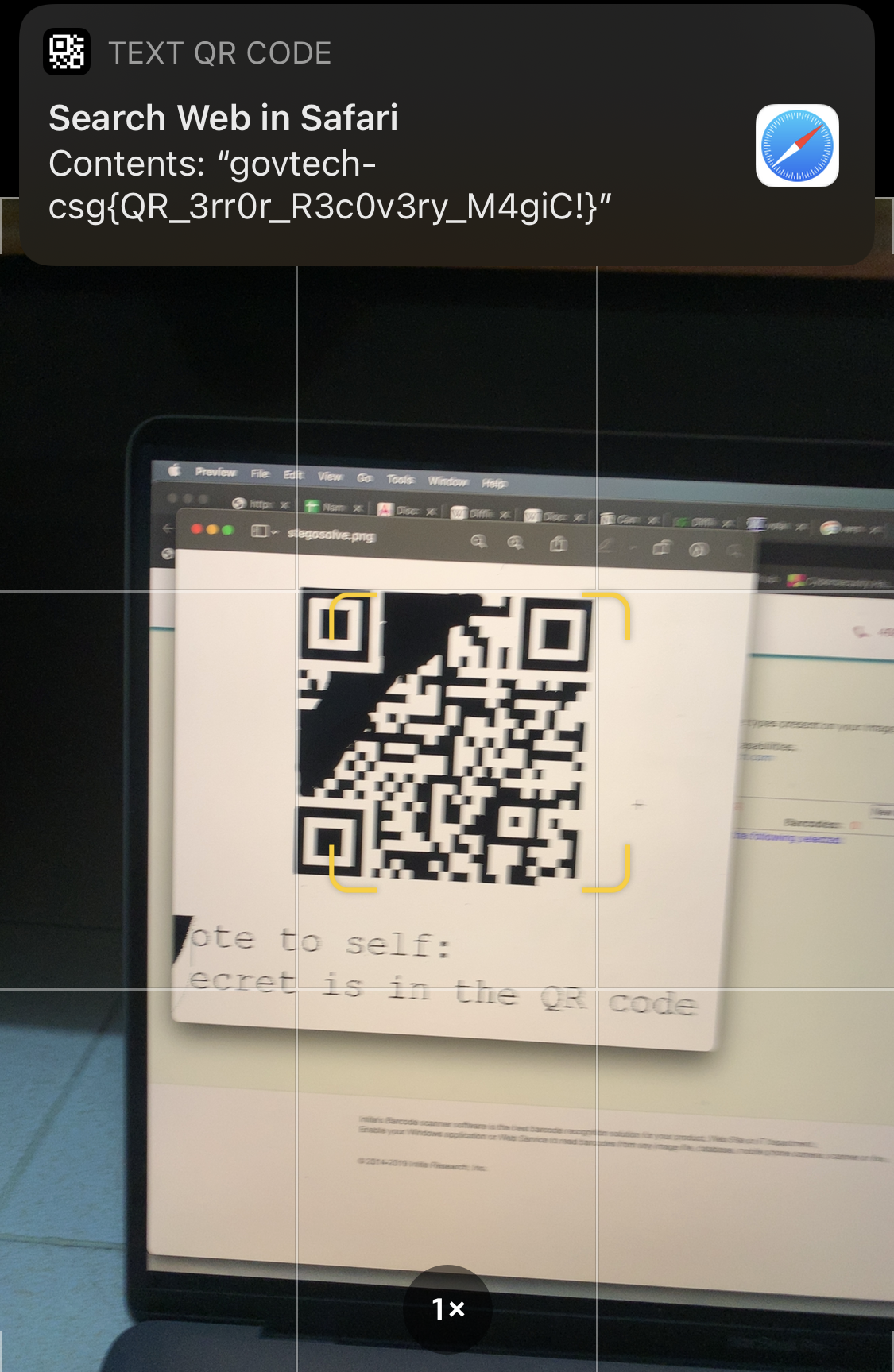
govtech-csg{QR_3rr0r_R3c0v3ry_M4giC!}
Diving in
Points: 1000
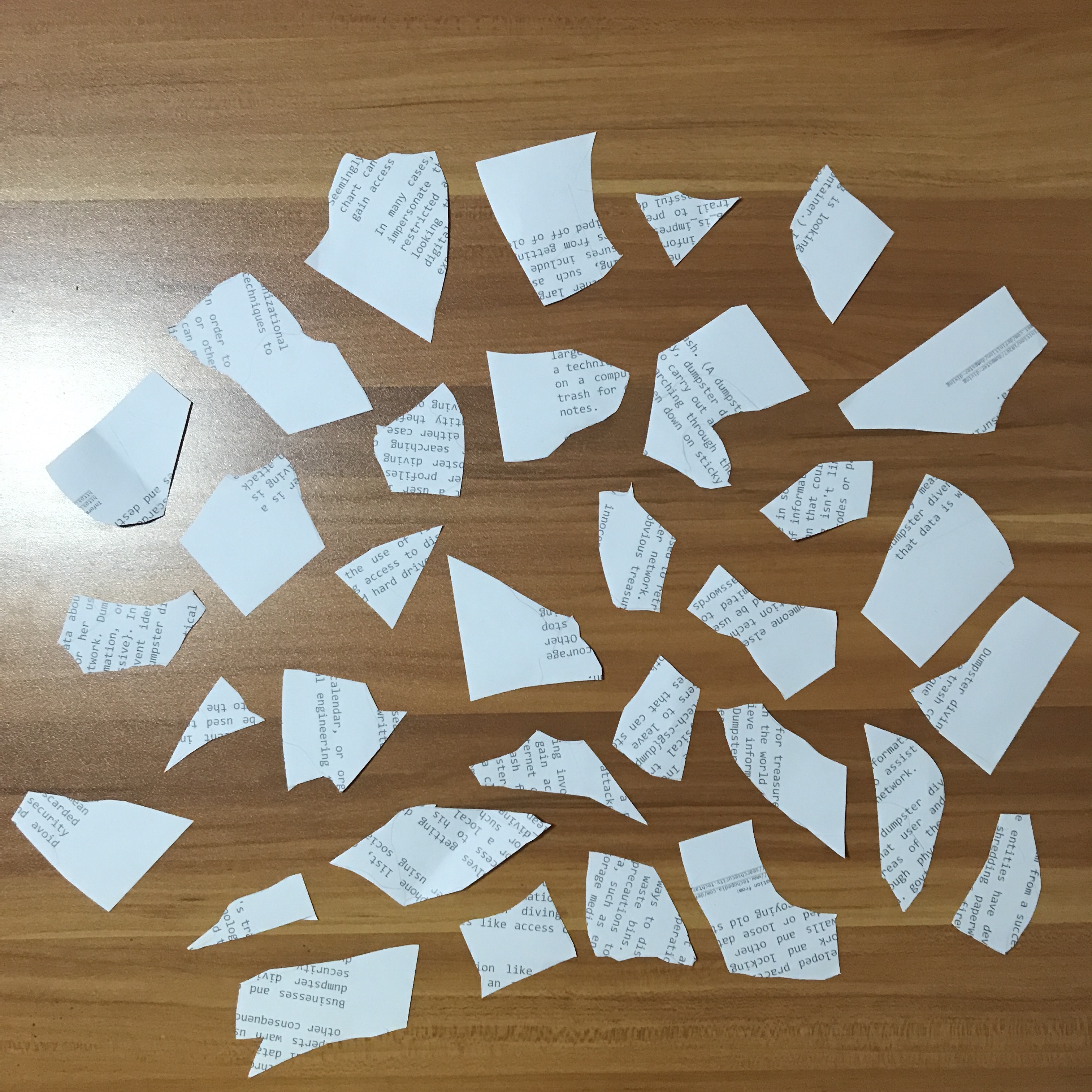
Prompt: We found some papers in the bin. Retrieve the flag!
File(s) provided: "misc-challenge-6.jpeg"
My Attempt
Looks like the flag has been separated into various fragments of this paper.
Looking through each fragment, we can identify the structure of a flag from '_', 'govtech-csg' and '{}'. What I then did was to open up a Word document, and cut out fragments that contained these elements, pasting them into the Word document. I then rotated them to be upright, and we can begin to see what looks to be the flag.
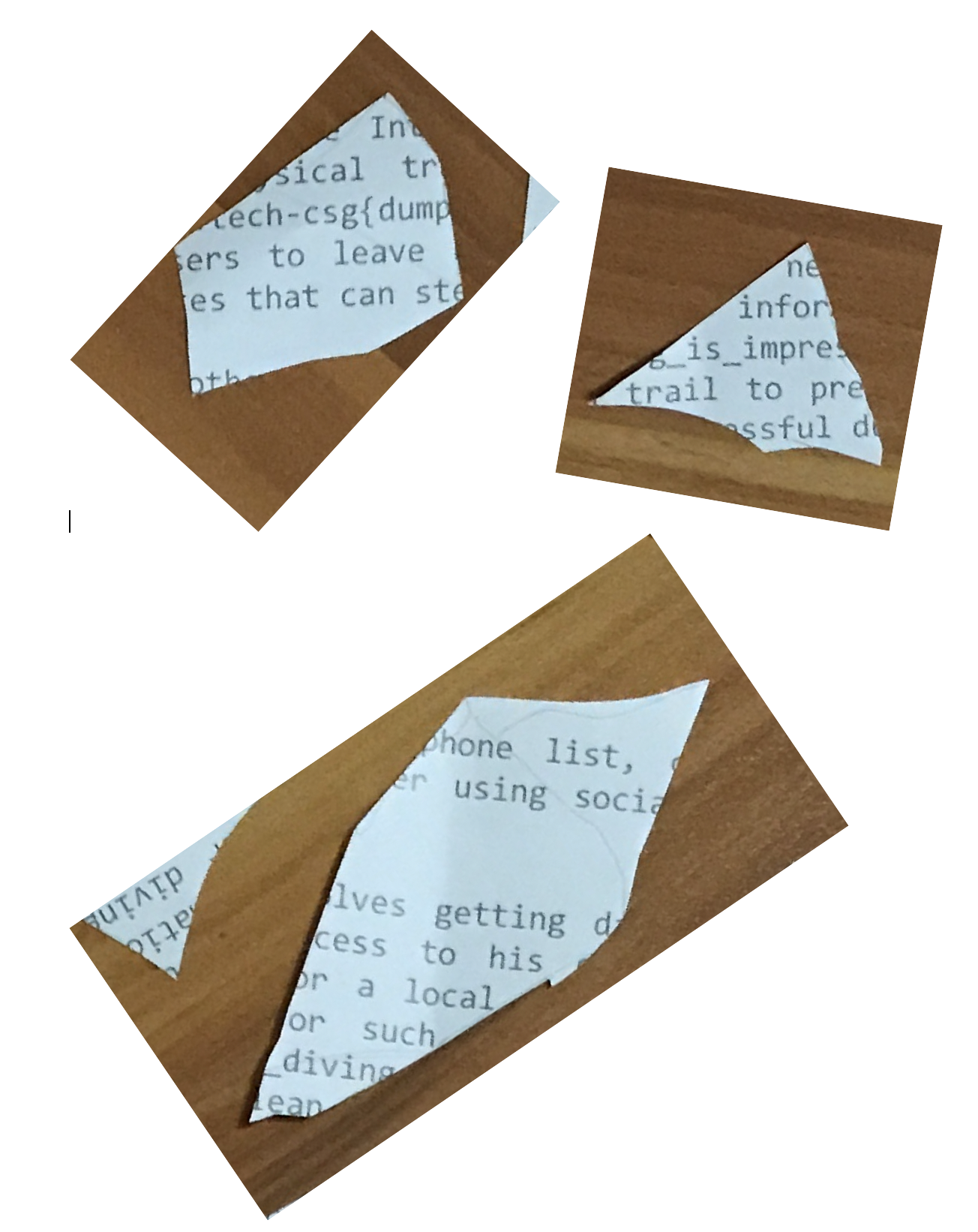
Might have missed out some fragments but making an educated guess gives the following: dumpster_diving_is_impressive
govtech-csg{dumpster_diving_is_impressive}
Where’s the flag?
Points: 1000
Prompt: There's plenty of space to hide flags in our spacious office. Let's see if you can find it!
File(s) provided: "misc-challenge-7.png"

My Attempt
The prompt uses the words "plenty of space to hide flags", which seems to suggest that there is some sort of embedded file within the given image.
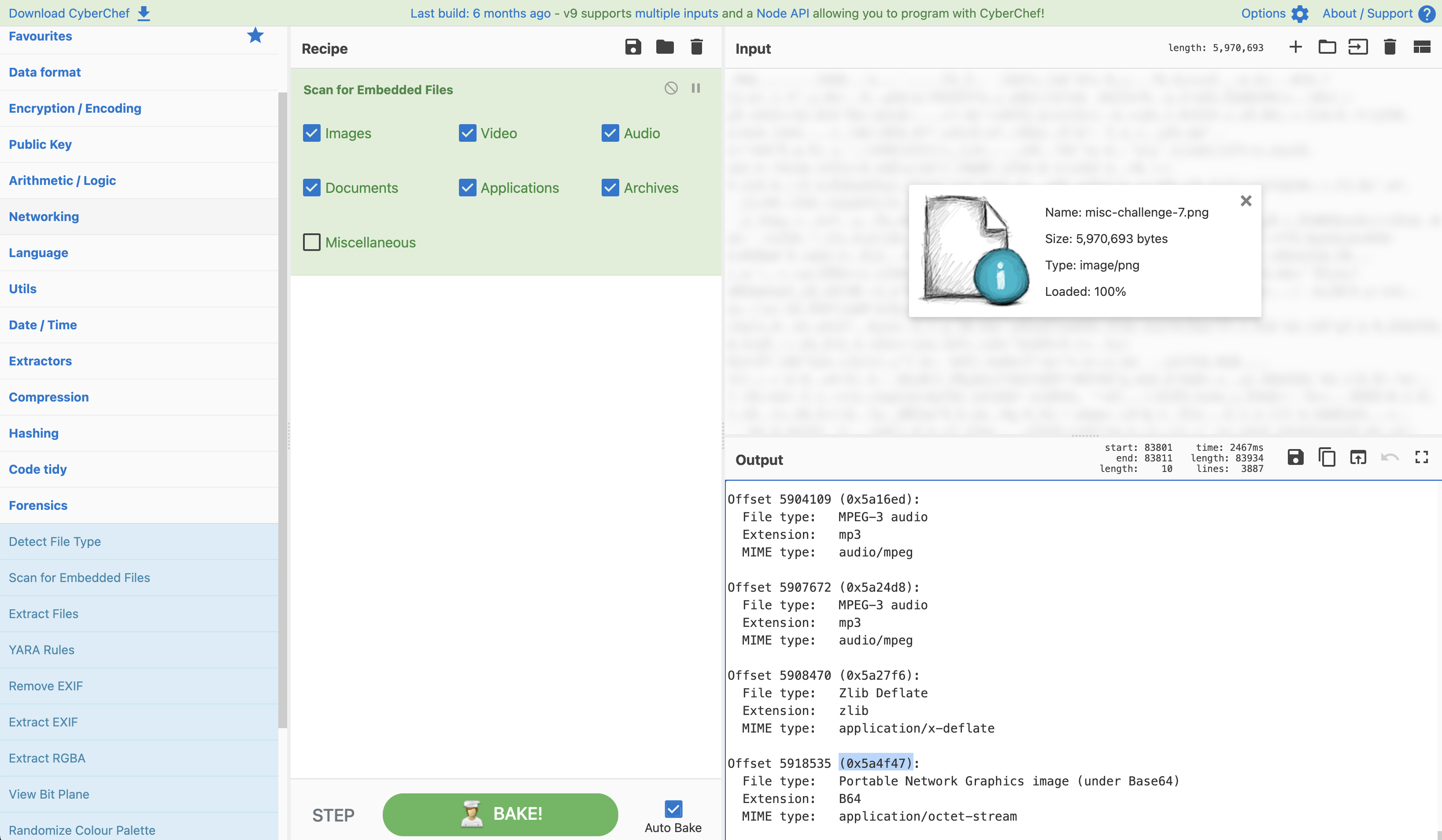
Opening up CyberChef we can make use of the "Scan For Embedded Files" recipe to dig further and confirm our suspicions. Without surprise, we see that there is actually a hidden PNG image at the Offset 5918535 (0x5a4f47), we now just need to extract this file. It is worth noting that the PNG is base64 encoded, as such we would need to decode it to obtain the image.
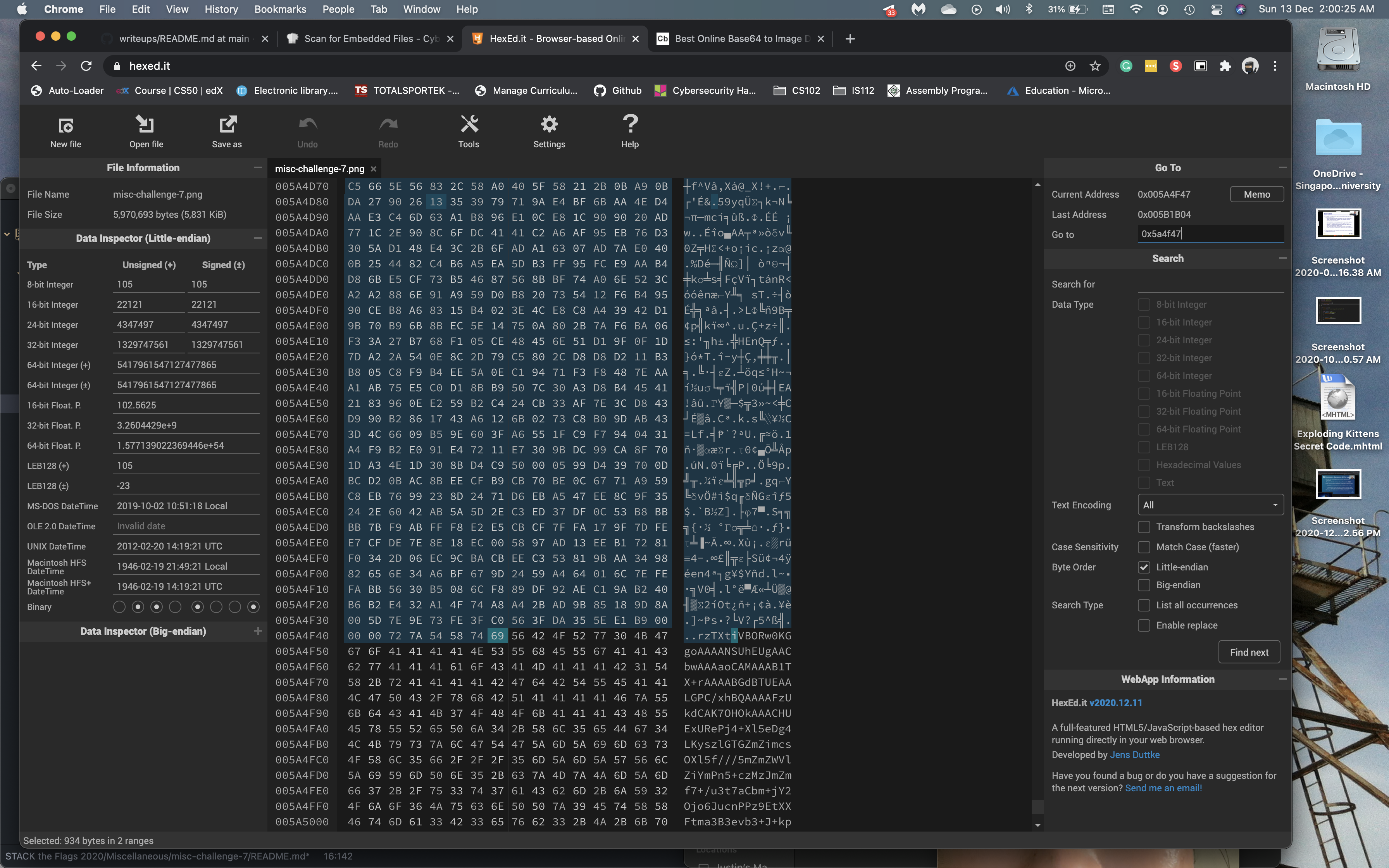
To get this base64 string, we can open the image in a hex editor, hexed.it would be sufficient for this task. The first thing we do is to navigate to 0x5a4f47 and to delete everything before it since we know that our image starts here. (Alternatively, you could copy every byte from there to EOF)
The last thing we need to do is to delete the bytes that belong to the original PNG image, the "IEND" chunk marker as well as any null bytes.
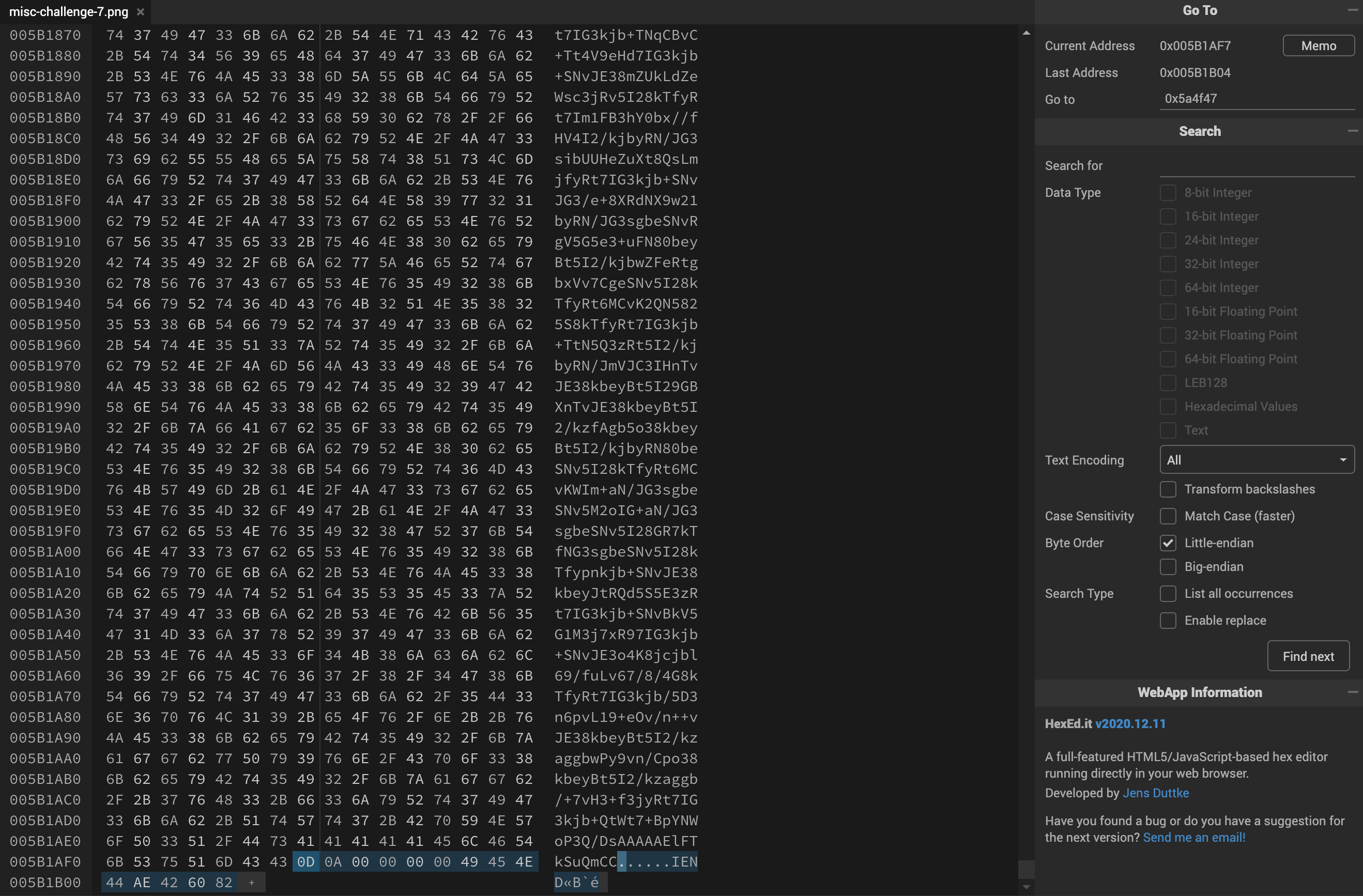
Now just save this as a .txt file and we will then copy the contents into a base64 to image decoder.
This would then give us the following image:

Throwing this into the stegsolve tool we can check if there is any embedded flag within the image of a flag. Looking through the various planes, we would eventually see the flag in the Random Colour Maps section.
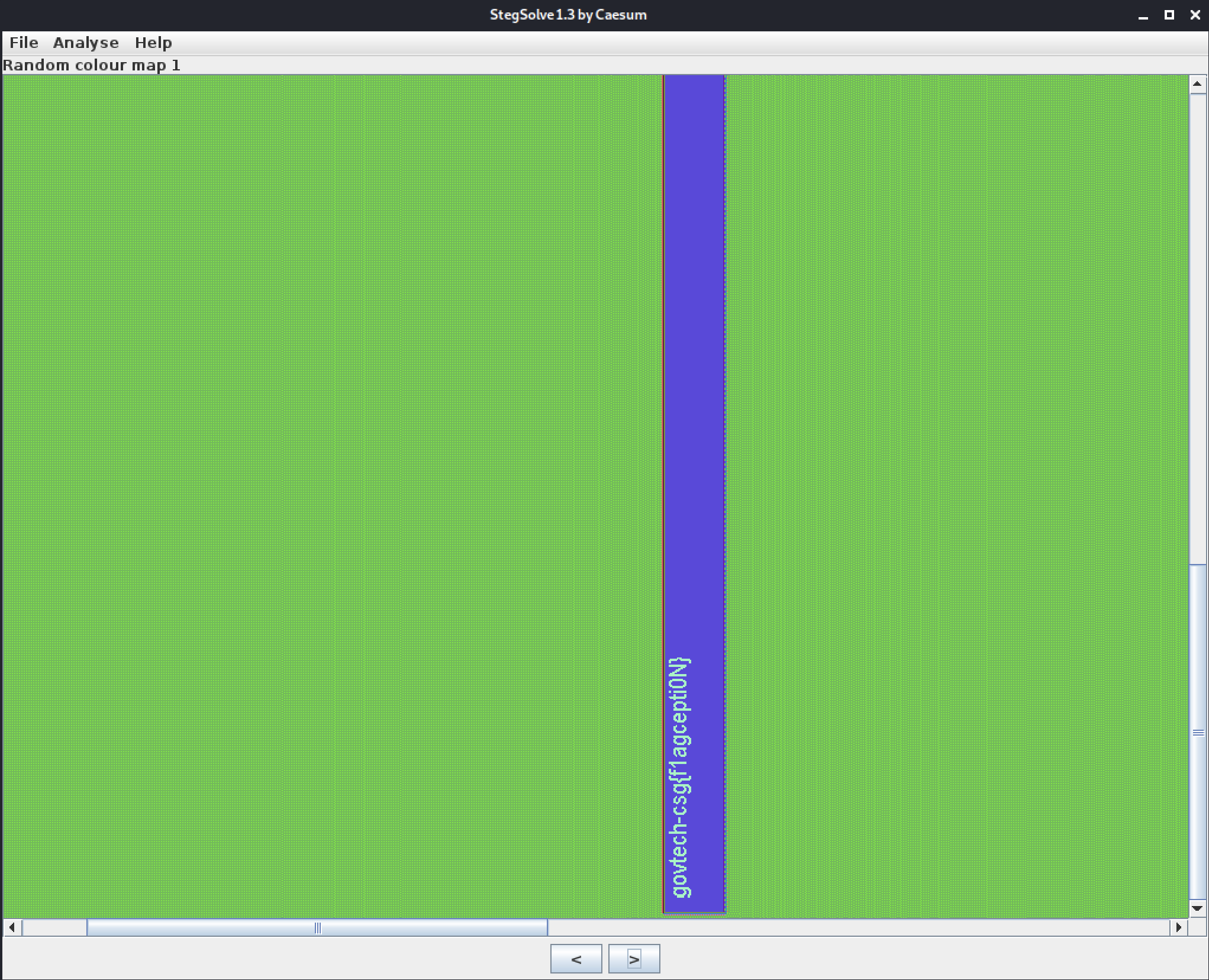
govtech-csg{f1agcepti0N}
OSINT
What is he working on? Some high value project?
Points: 1000
Prompt: The lead Smart Nation engineer is missing! He has not responded to our calls for 3 days and is suspected to be kidnapped! Can you find out some of the projects he has been working on? Perhaps this will give us some insights on why he was kidnapped…maybe some high-value projects! This is one of the latest work, maybe it serves as a good starting point to start hunting.
Flag is the repository name!
Developer's Portal - STACK the Flags
Note: Just this page only! Only stack-the-flags-2020 page have the clues to help you proceed. Please do not perform any scanning activities on www.developer.tech.gov.sg. This is not part of the challenge scope!
My Attempt
Going to the Developer's Portal, we are faced with some information with regards to STACK the Flags 2020. However, that is all we see at face value, no leads, social media handles, or links to direct us elsewhere.
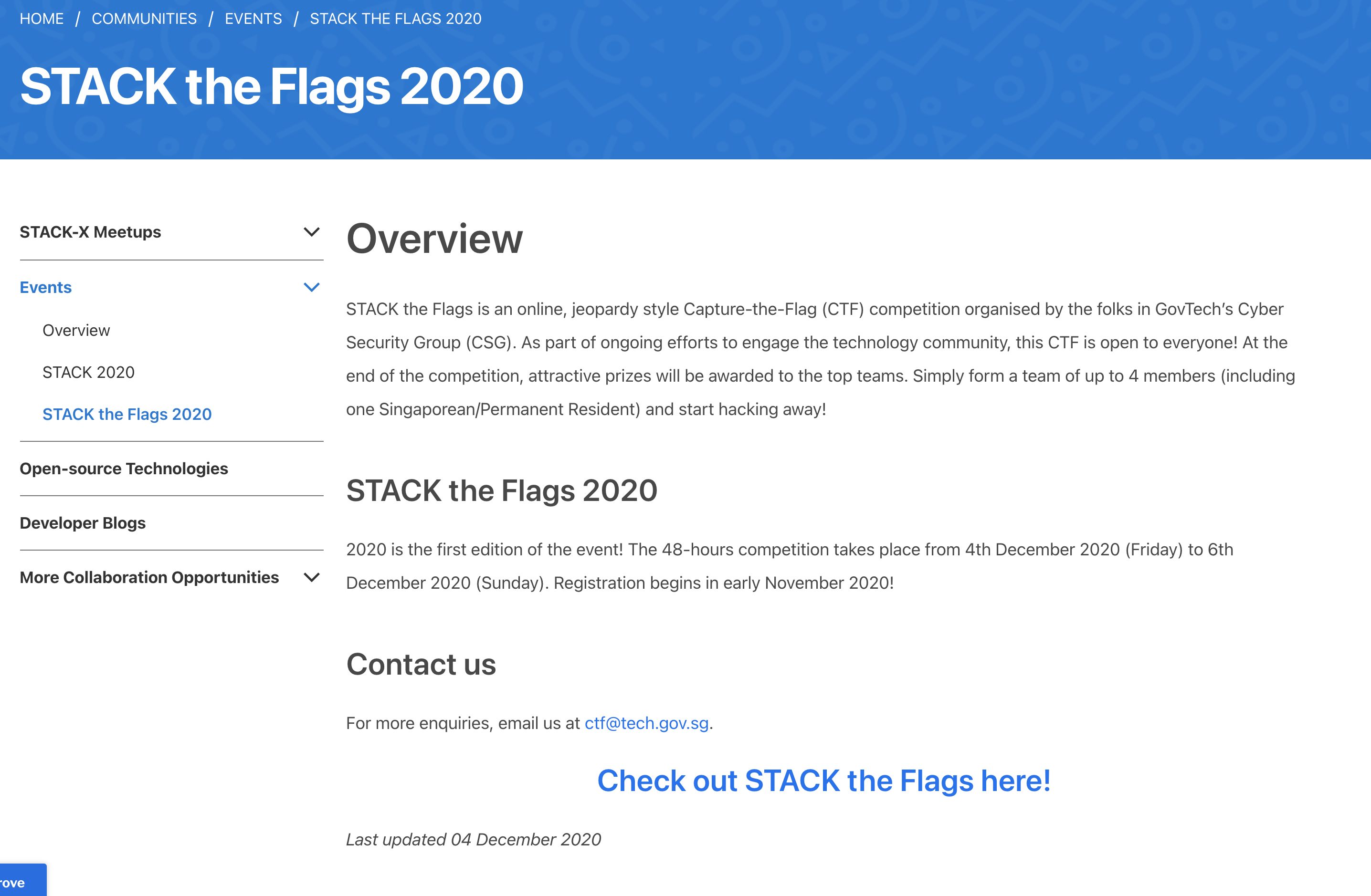
Seeing as the advise was to just stick to the page, perhaps it is something that we are not seeing.. Inspecting the HTML code for the page, we then notice something after some digging around, what looks to be a note left by a developer?
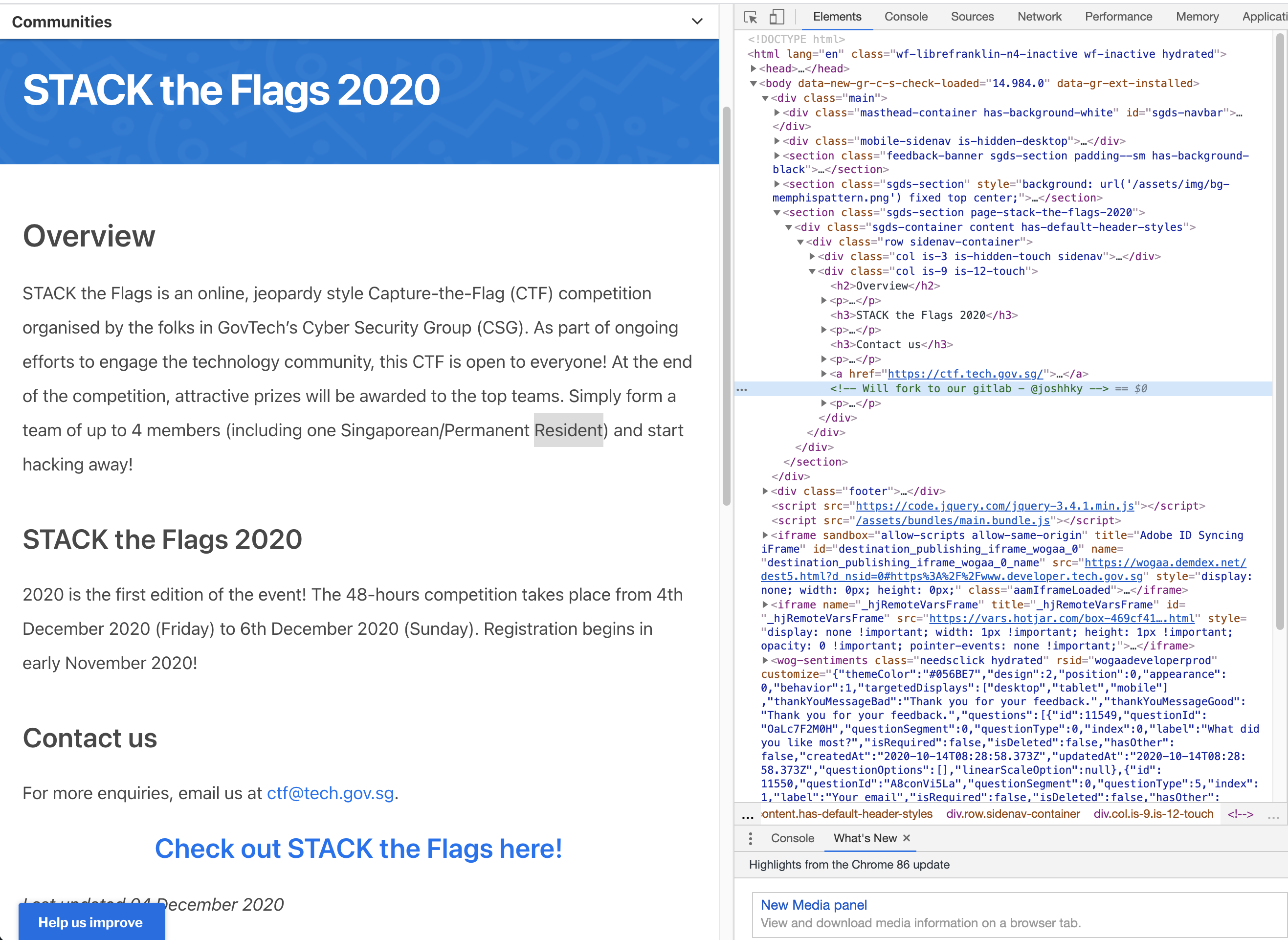
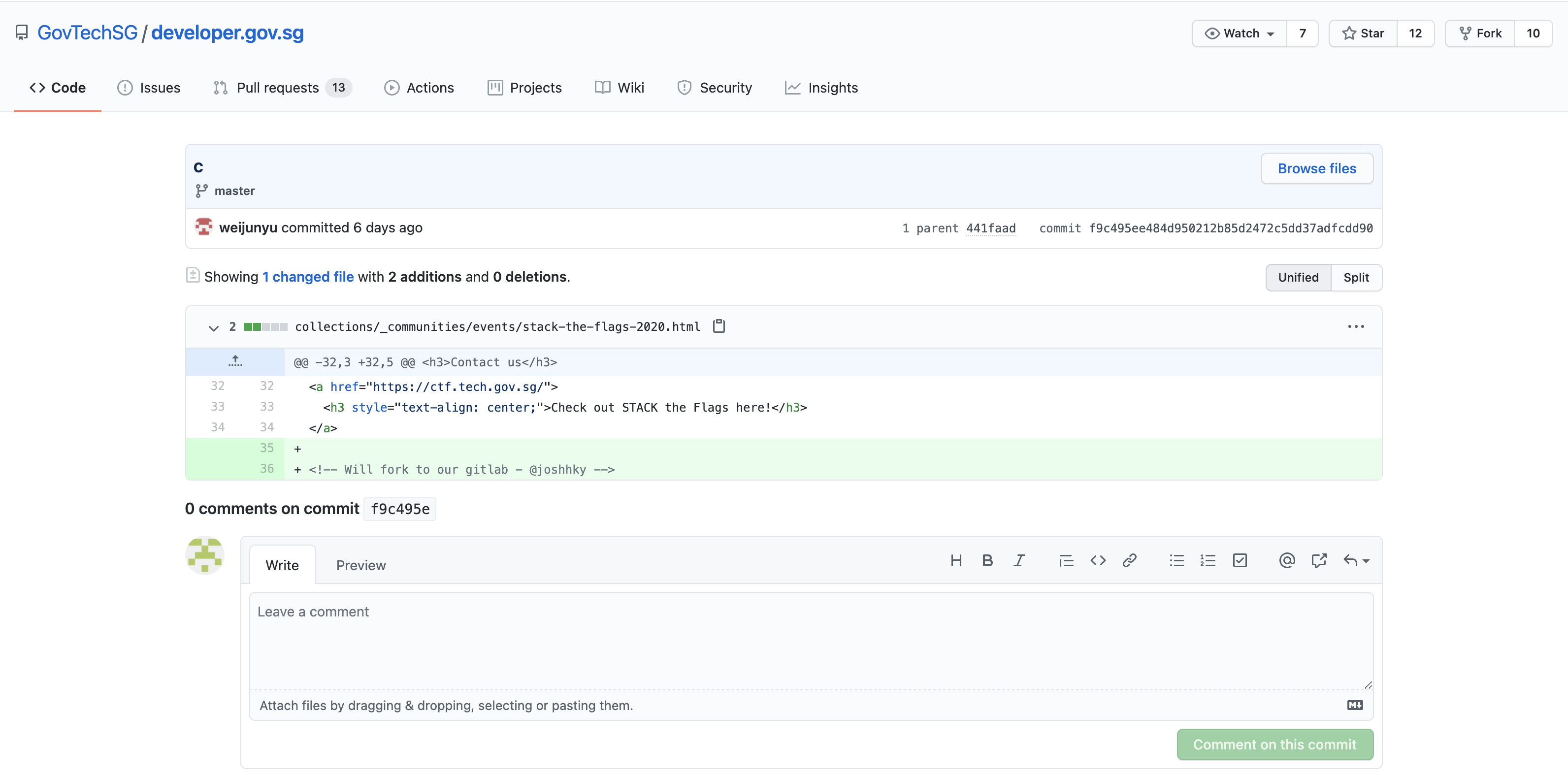
"Will fork to our gitlab - @joshhky"
Interestingly, the webpage can be found on GovTech's Github under the developer.gov.sg webpage.
Now let's bite onto that lead and explore @joshhky's gitlab, perhaps we could find the high value project as mentioned by the challenge prompt.
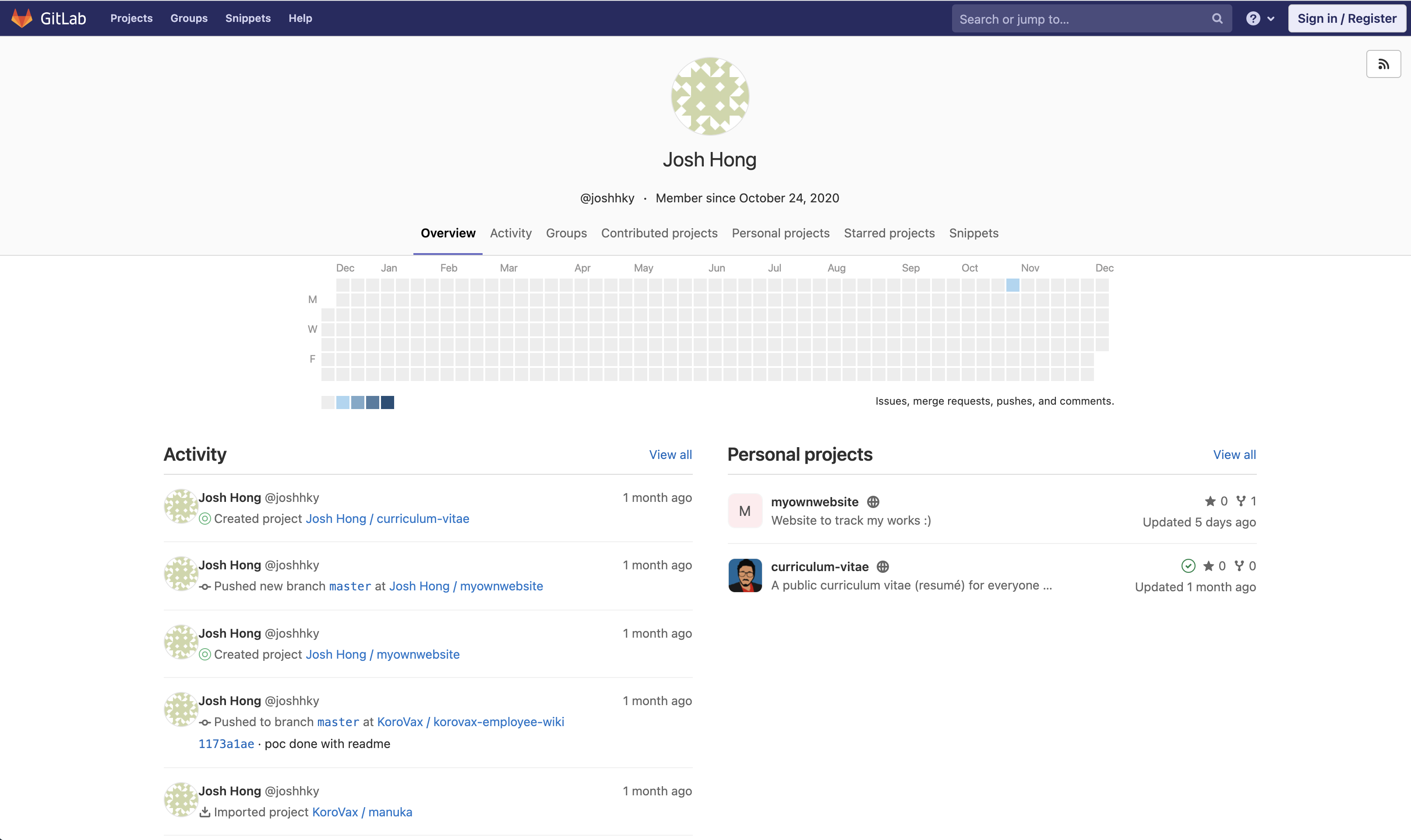
He seems to have quite some contribution to this "korovax-employee-wiki" repository, especially since he is involved in creating a POC.
Taking a look at that repository and its README.md, we see that @joshhky was assigned to take care of the krs-admin-portal repository which should not be made public.
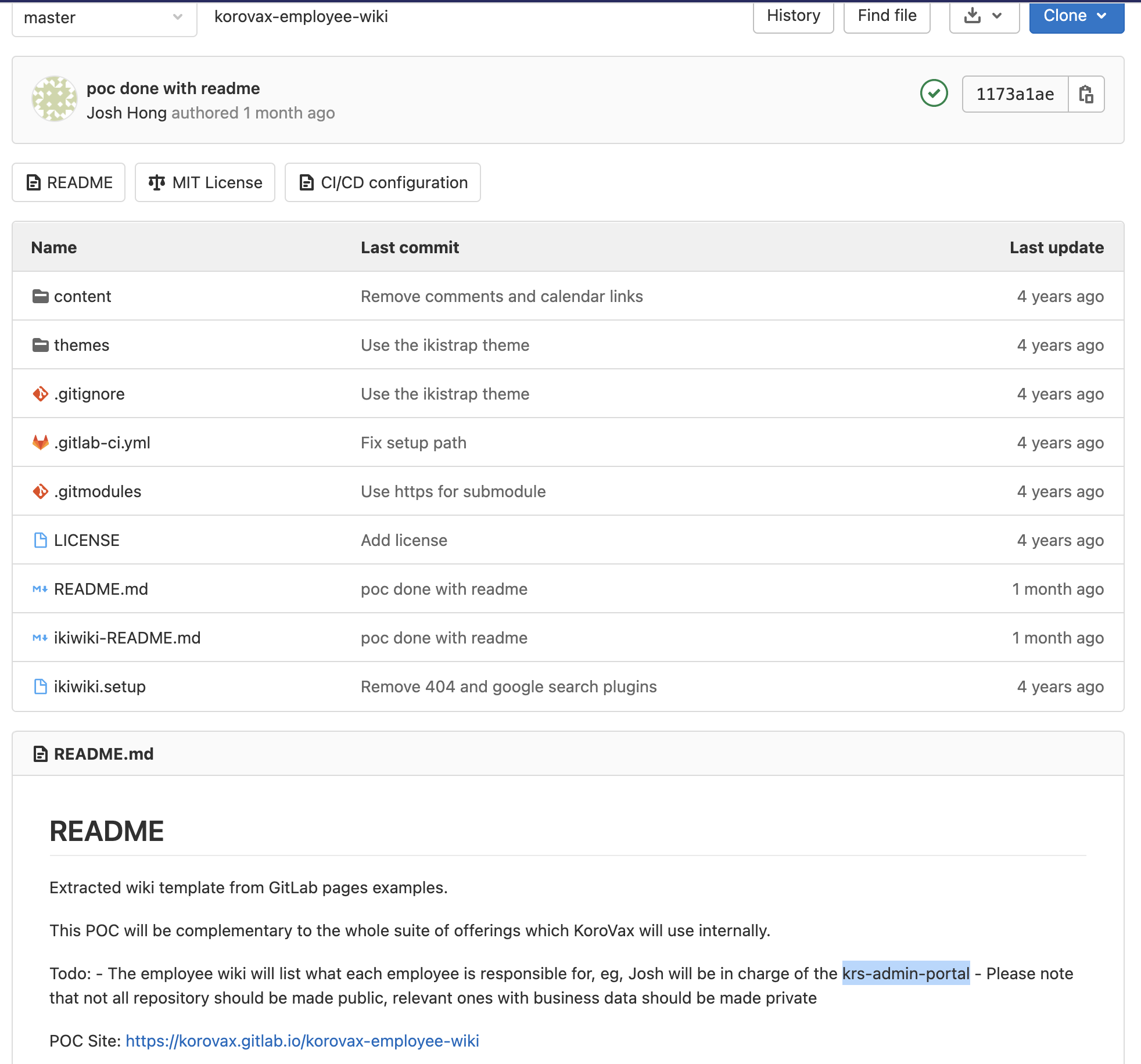
Seems like @joshhky is part of the Korovax (sounds like corona vaccine) project, hence this could be why COV1D is targeting him for his contribution to a repository containing business data.
govtech-csg{krs-admin-portal}
Where was he kidnapped?
Points: 1000
Prompt: The missing engineer stores his videos from his phone in his private cloud servers. We managed to get hold of these videos and we will need your help to trace back the route taken he took before going missing and identify where he was potentially kidnapped!
You only have limited number of flag submissions!
Flag Format: govtech-csg{postal_code}
File(s) provided: video-1.mp4, video-2.mp4, video-3.mp4
My Attempt
We will systematically look through each video and situate the movement of our missing engineer. In the first video, we see that he seems to be boarding bus 117, heading towards Punggol Interchange, and is currently in the Yishun Ave. 2 area.
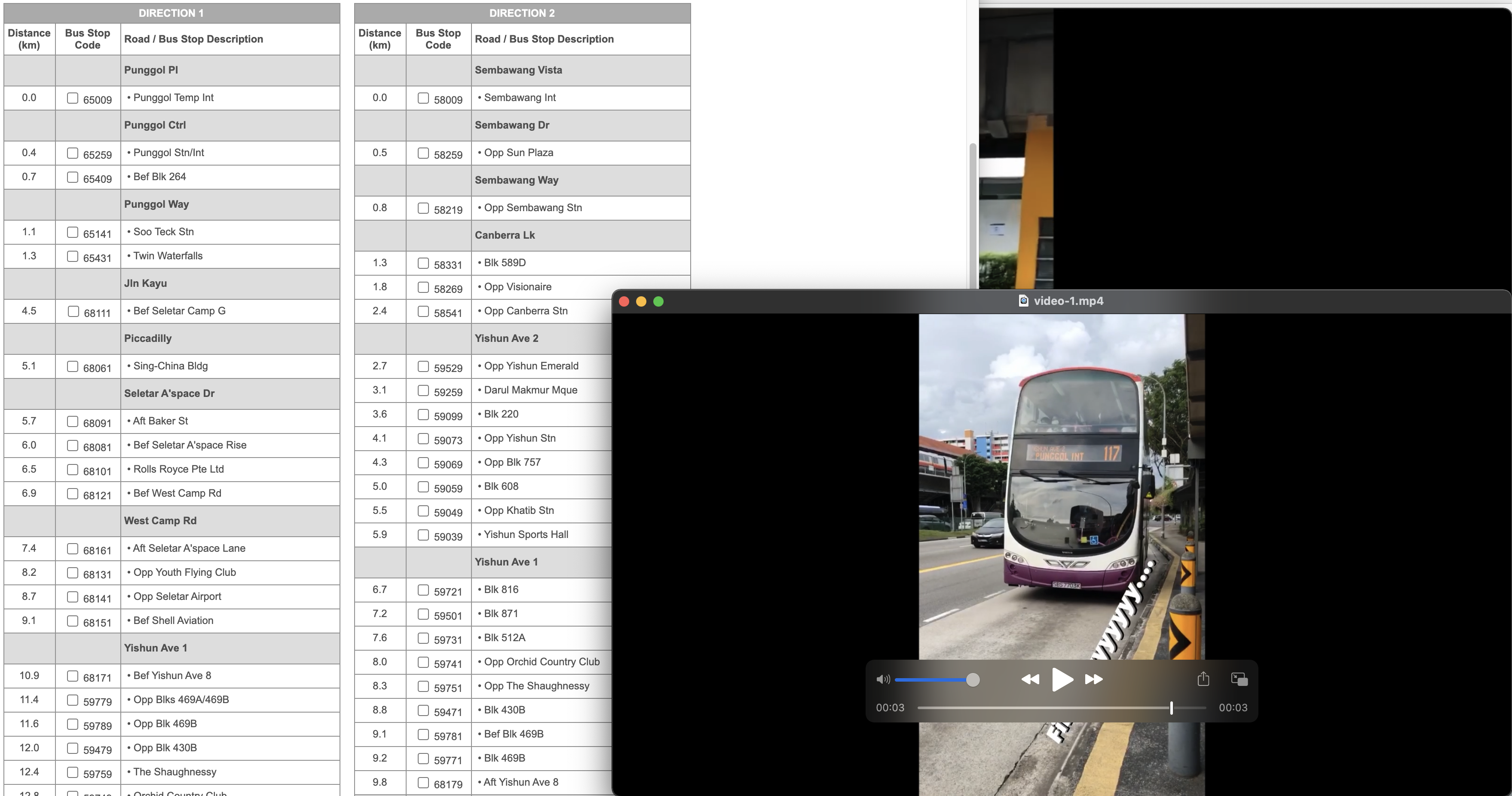
We can open up the bus 117 service route guide by TransitLink to narrow down his current location.
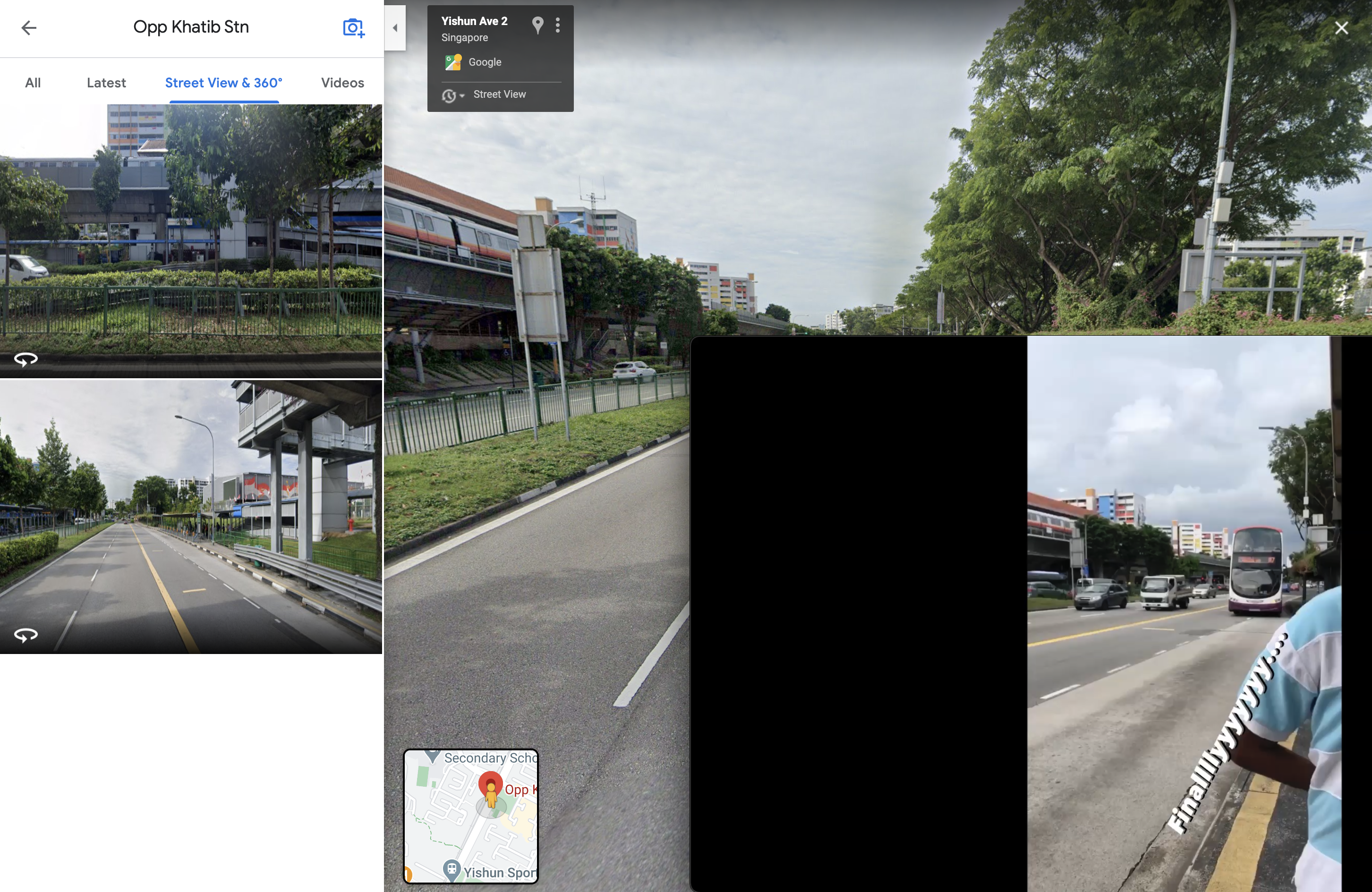
We also notice that the bus stop is right beside an MRT station, which leaves us with 2 options, Yishun and Khatib MRT. Opening up Street View, we now know for sure that he was at Opp Khatib Station, given the similarities in features of the MRT station.
In the second video, we see that he is walking into a residential area with a distinctive yellow pillar structure. Suppose that our missing engineer took the bus, we can follow his route and look out for this feature in Google Street View. We first map out his route in Google maps by placing the destination to be Punggol Int and our starting destination as Opp Khatib Stn.
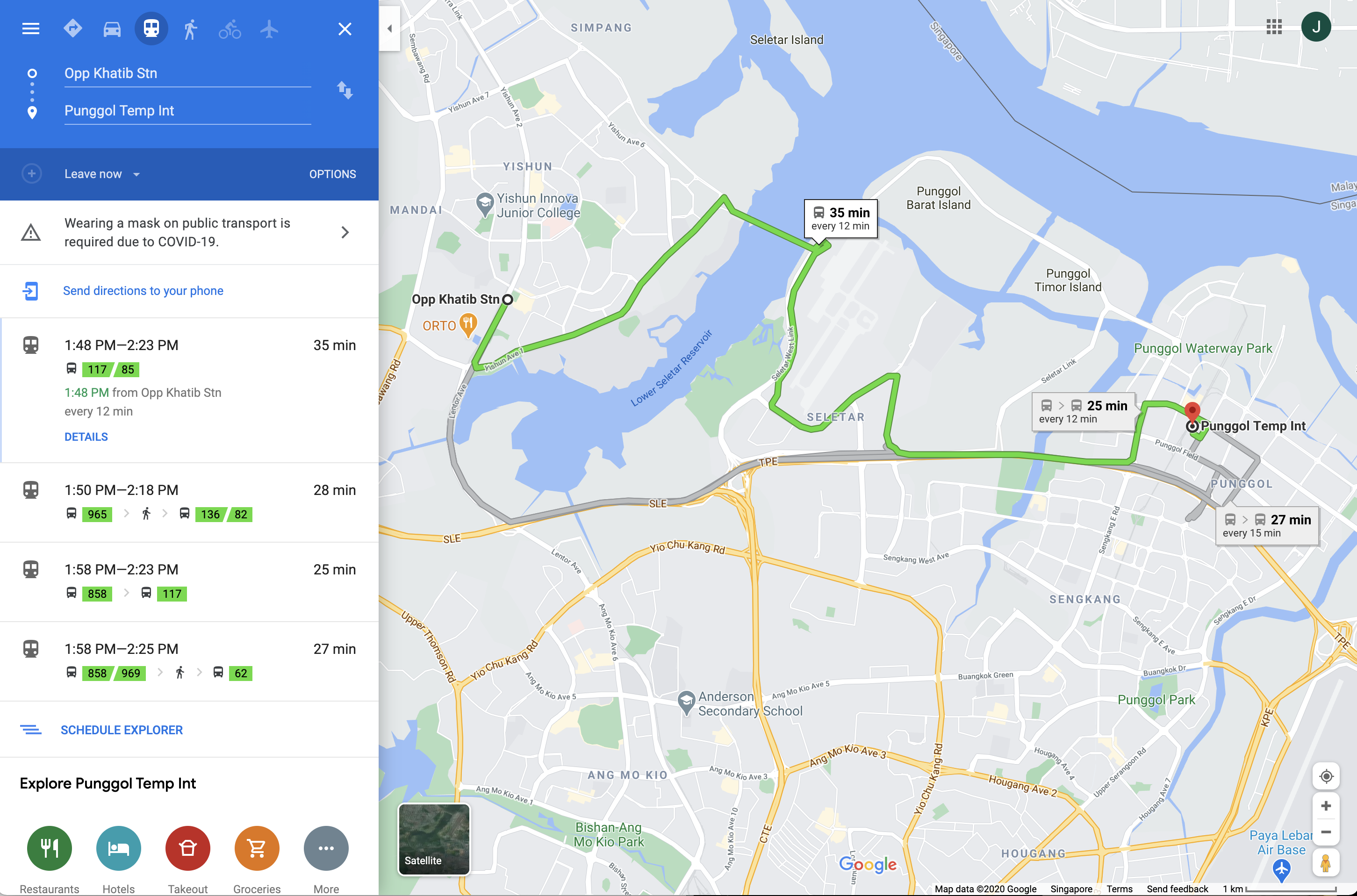
Thankfully, he didn't travel far, and in Street View, we see that he seems to have alighted at Blk 871 where the yellow pillars reside.
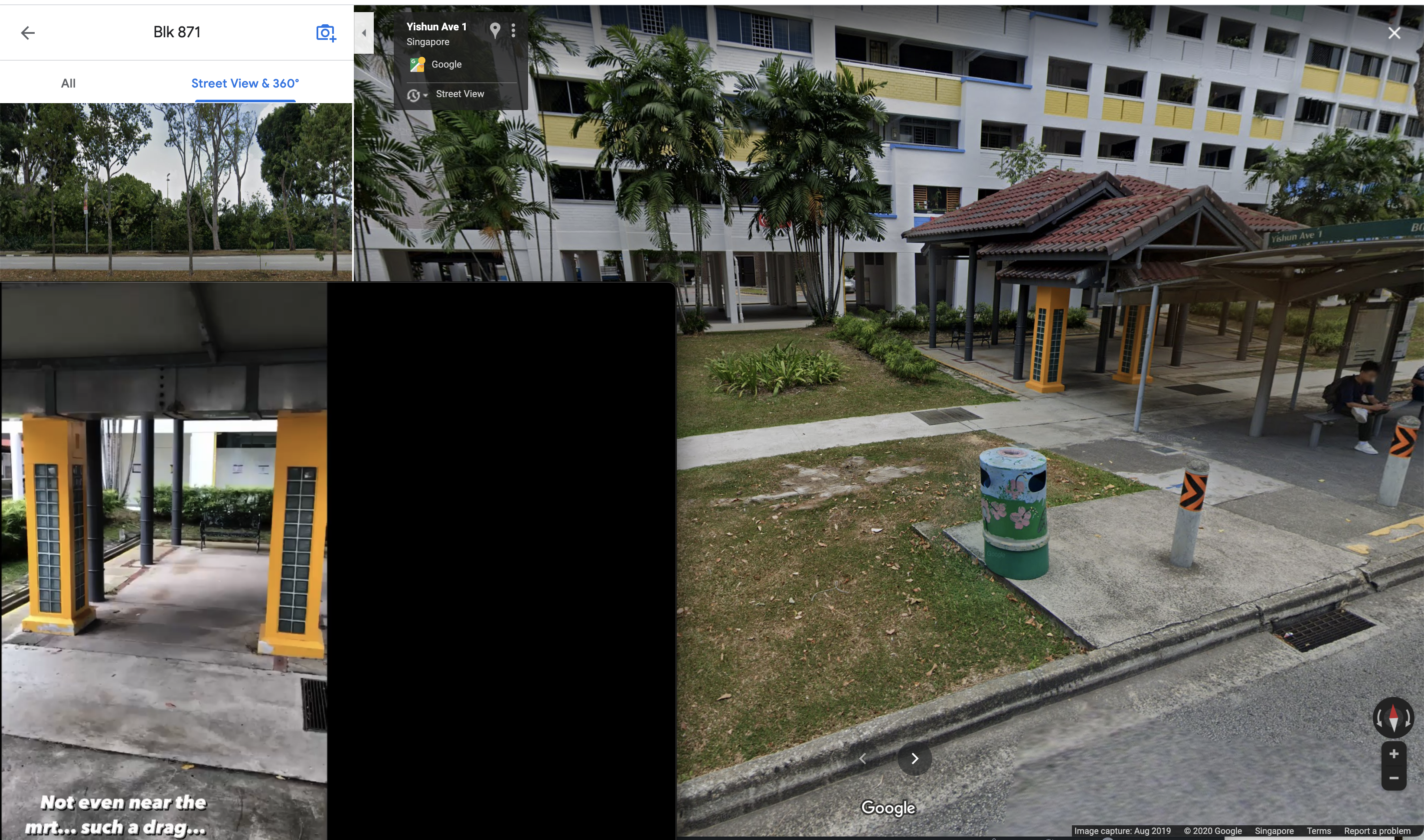
On to the final video, we see that he was under one of the void decks that had a circular table as well as some greenery behind.
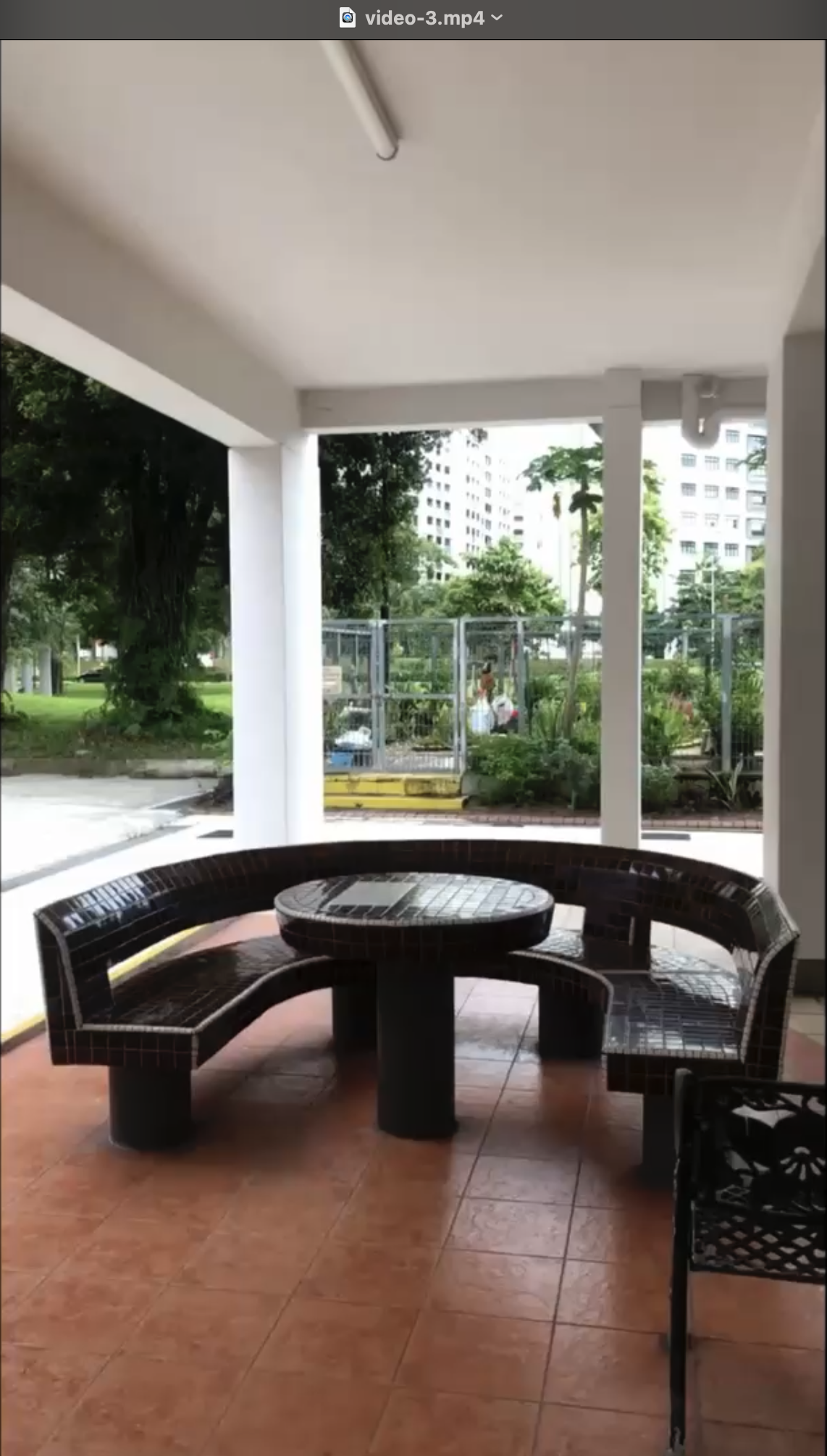
We also know that he walked inwards from the Blk 871 bus stop, this information would be useful for us to find out which block he was kidnapped.
Going back to Street View, we see a Blk 870 just behind the bus stop. Taking a look at the carpark, it seems like we have found the circular table that matches with the video, along with some greenery in the background.
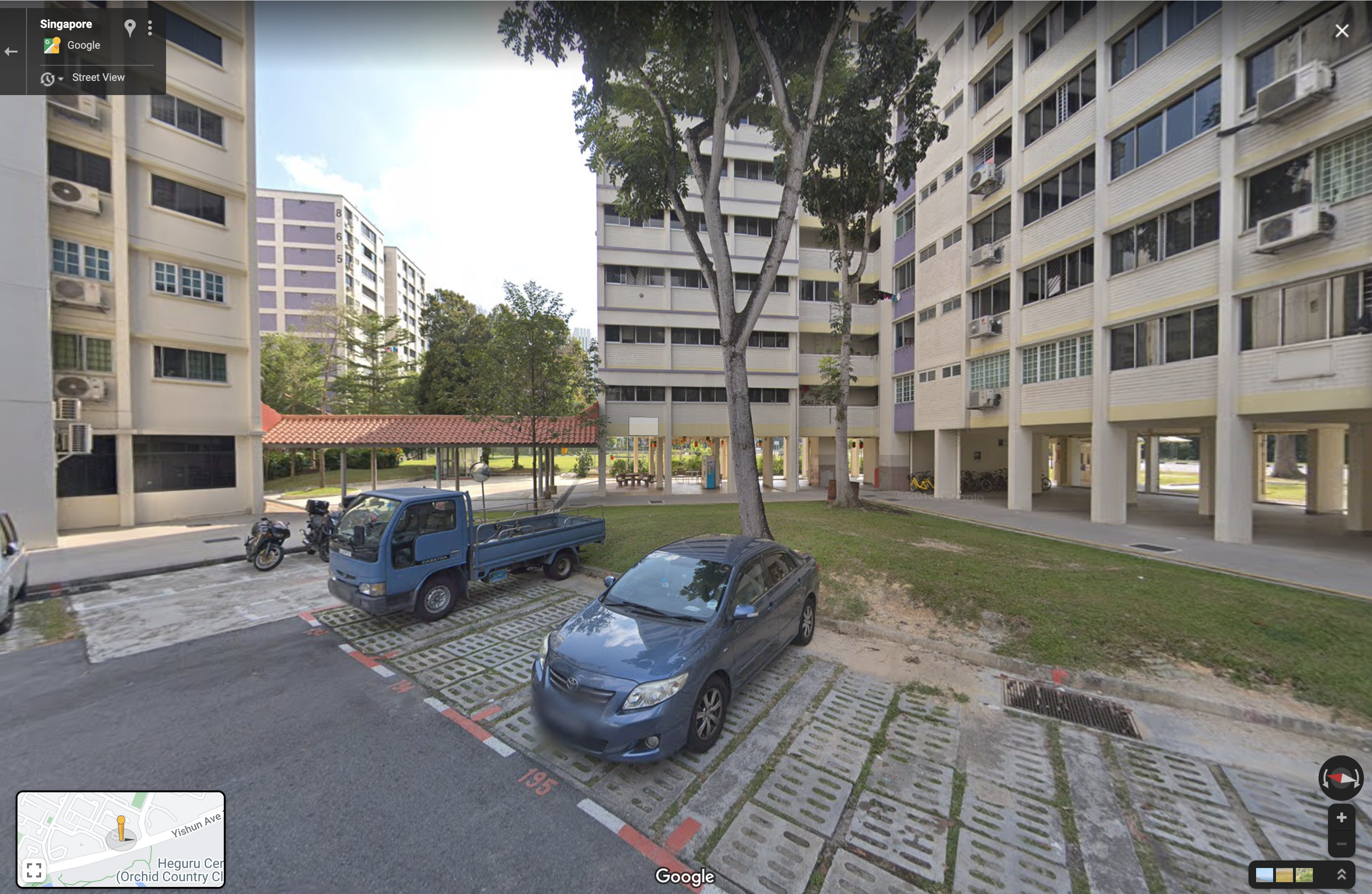
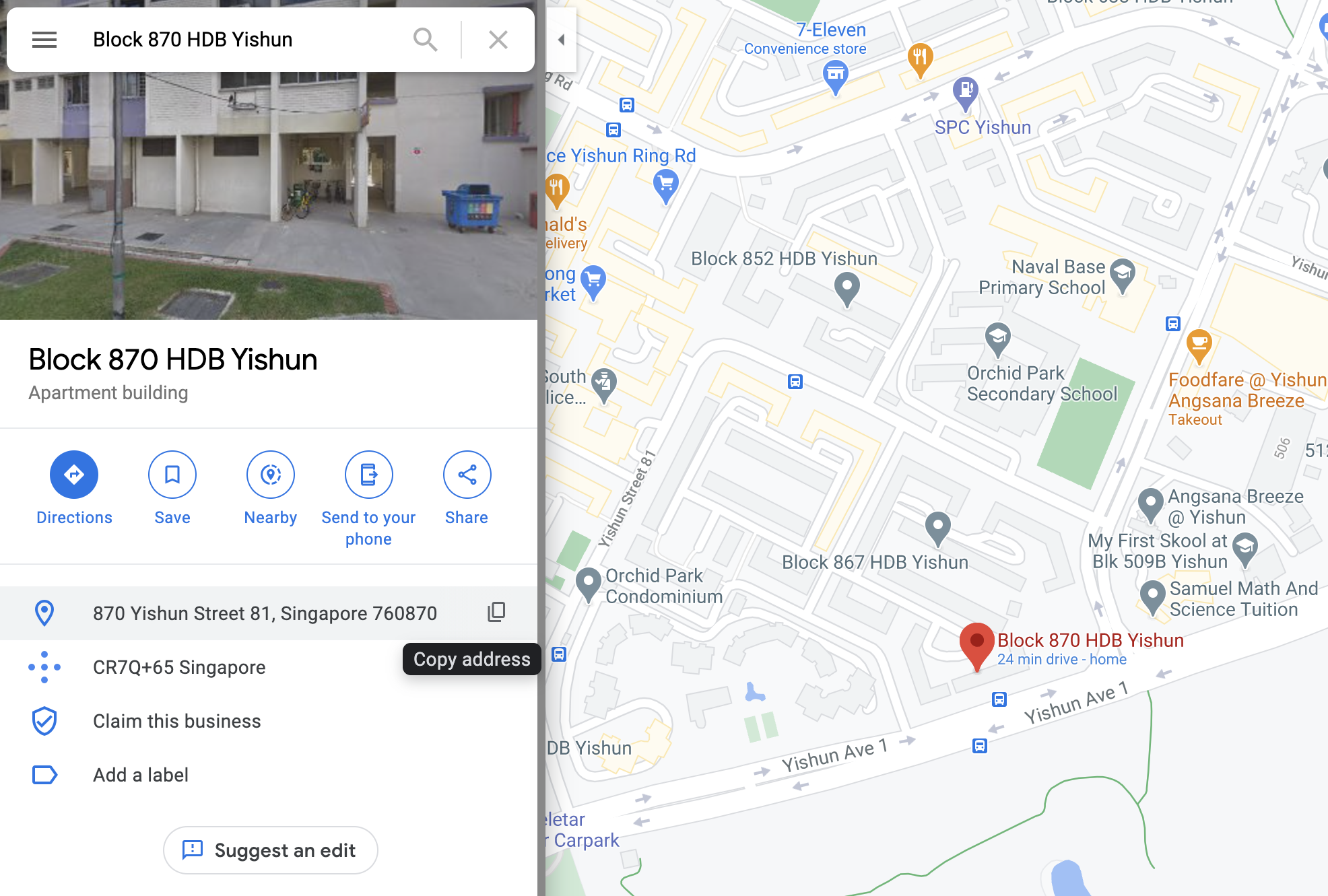
Thus, we now know that he was kidnapped at Blk 870 Yishun Street 81 with postal code 760870.
govtech-csg{760870}
Only time will tell!
Points: 1000
Prompt: This picture was taken sent to us! It seems like a bomb threat! Are you able to tell where and when this photo was taken? This will help the investigating officers to narrow down their search! All we can tell is that it's taken during the day!
If you think that it's 7.24pm in which the photo was taken. Please take the associated 2 hour block. This will be 1900-2100. If you think it is 10.11am, it will be 1000-1200.
Flag Example: govtech-csg{1.401146_103.927020_1990:12:30_2000-2200} Use this calculator!
Flag Format: govtech-csg{lat_long_date_[two hour block format]}
Addendum:
- The amount of decimal places required is the same as shown in the example given.
- CLI tool to get something before you convert it with the calculator.
File(s) provided: "osint-challenge-6.jpg"
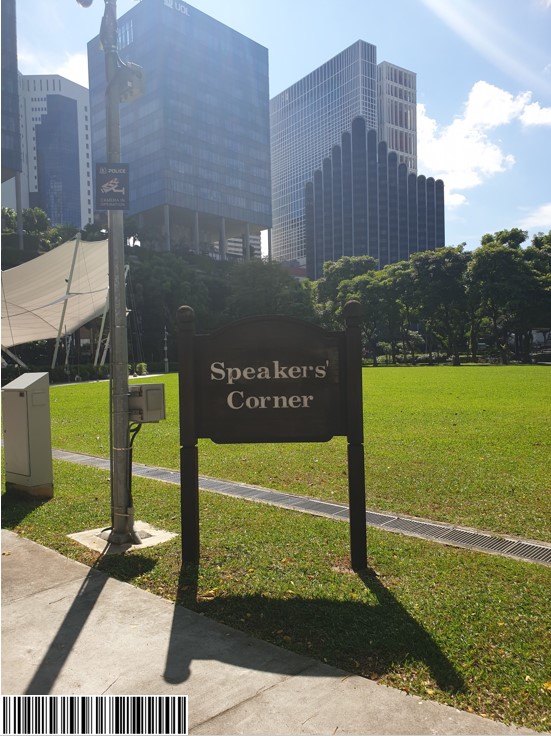
My Attempt
By breaking down the challenge, we can simplify it into 3 parts: Coordinates, Date, Time.
Let us first check if there is any location data in the metadata of the image. Opening it on MacOS, we can see the coordinates.
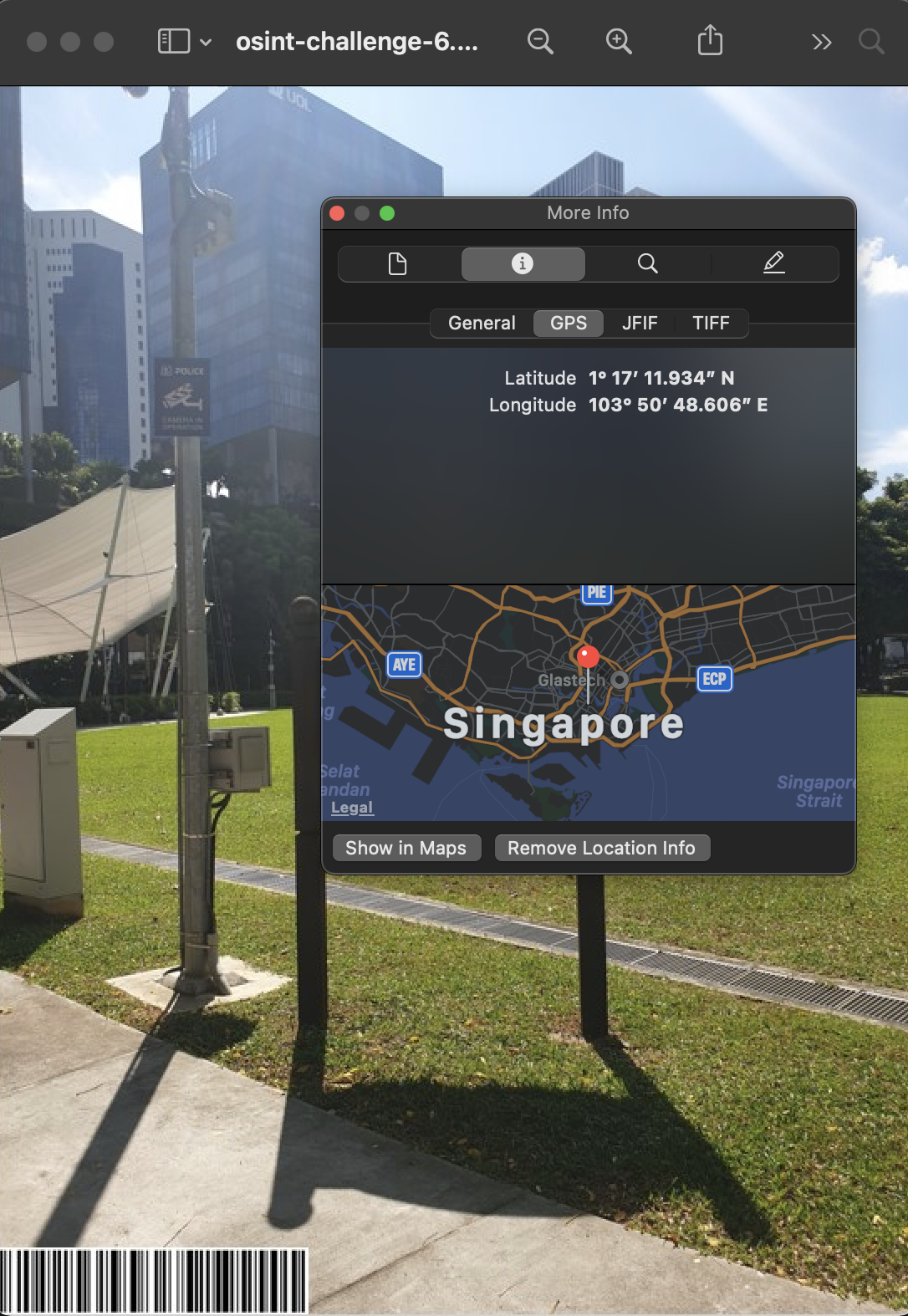
Putting these coordinates into the calculator yields the following:
Latitude: 1.286648, Longitude: 103.84685
These would turn out to be incorrect, but more on that later.
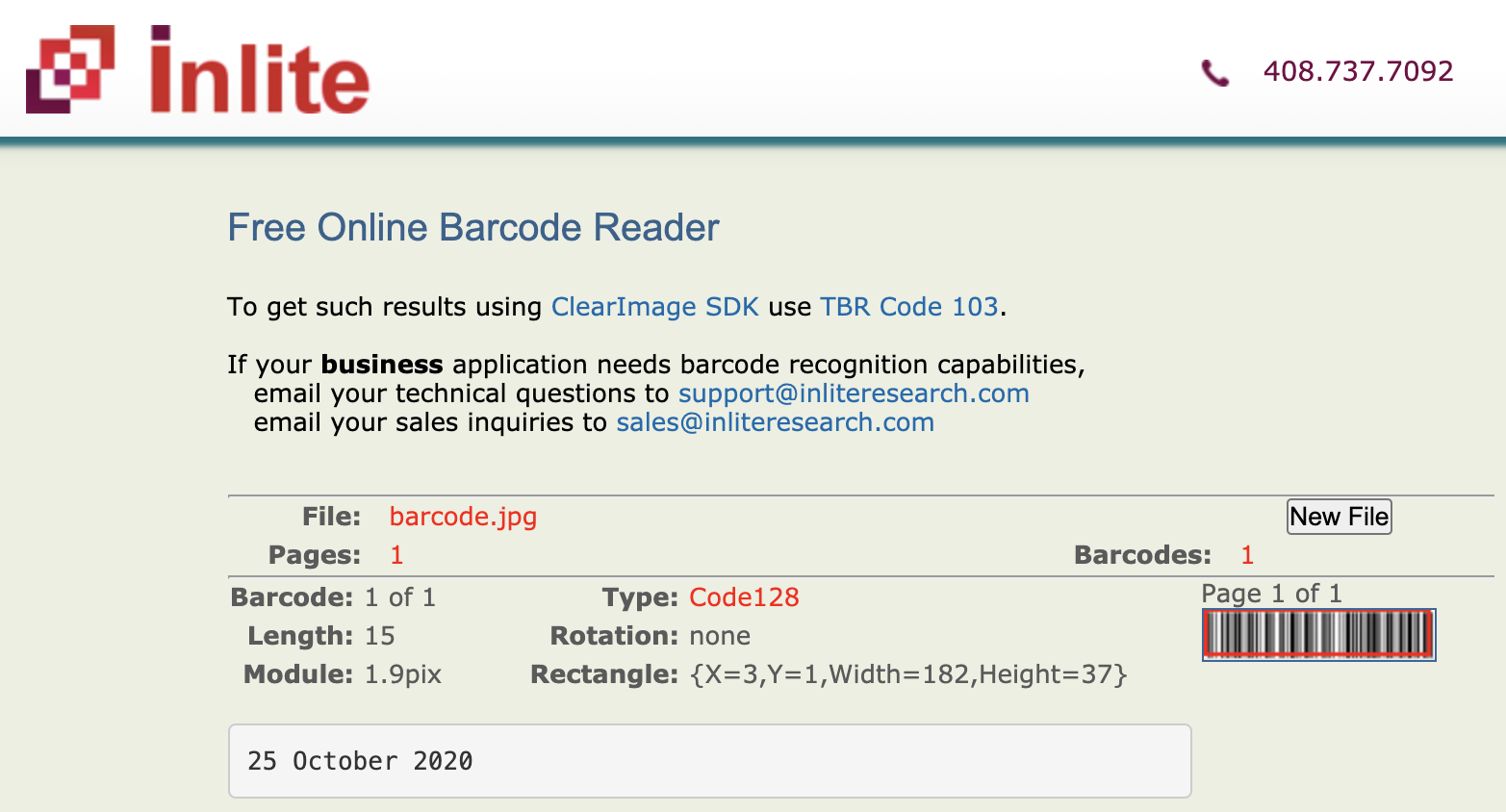
Next, I went on to find out what was in the barcode. Cropping it out and uploading it to an online barcode scanner returned the date 25 October 2020. This is likely to be the date for when the picture was taken.

Now, we would need to determine the time in which this picture was taken. Of course, we could just bruteforce all possible timings from when the sun is up, but what fun would that be. This Medium article illustrates how we will go about finding the timeframe that the picture was taken.
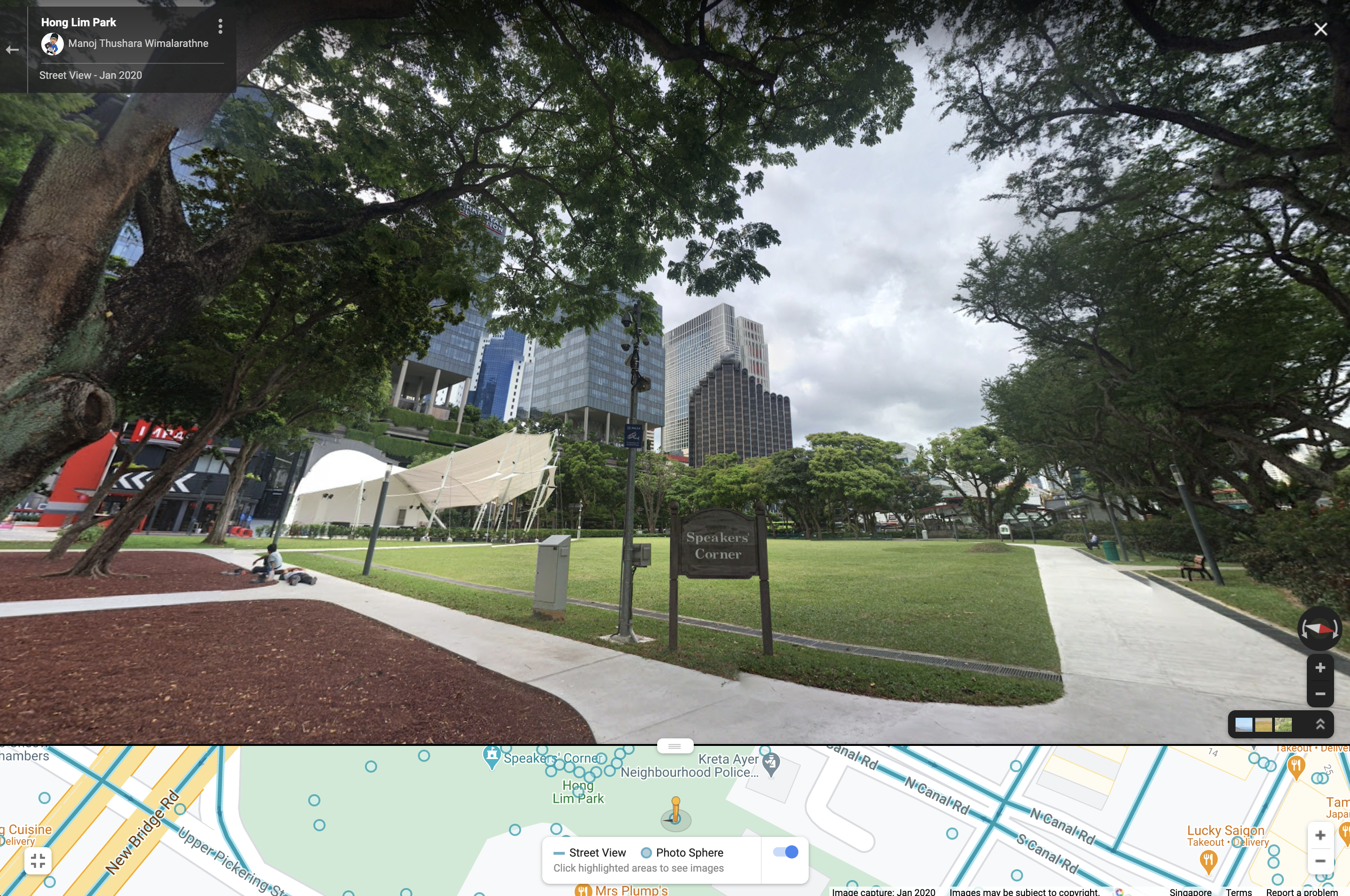
Following the steps, we first key in the coordinates into Google Maps to situate ourselves. We then use Street View to identify any landmarks in the background of the image. We now know that there is a Parkroyal as well as the UOL building directly behind the Speaker's Corner.
As the shadow in the given image is coming from the back, we can use this information in SunCalc. After keying in the coordinates and the date derived from the barcode, we shift our focus to the slider at the top of the webpage. We will drag it until the position of the sun aligns with the Parkroyal and UOL building, this would generate the desired shadow in the given image.
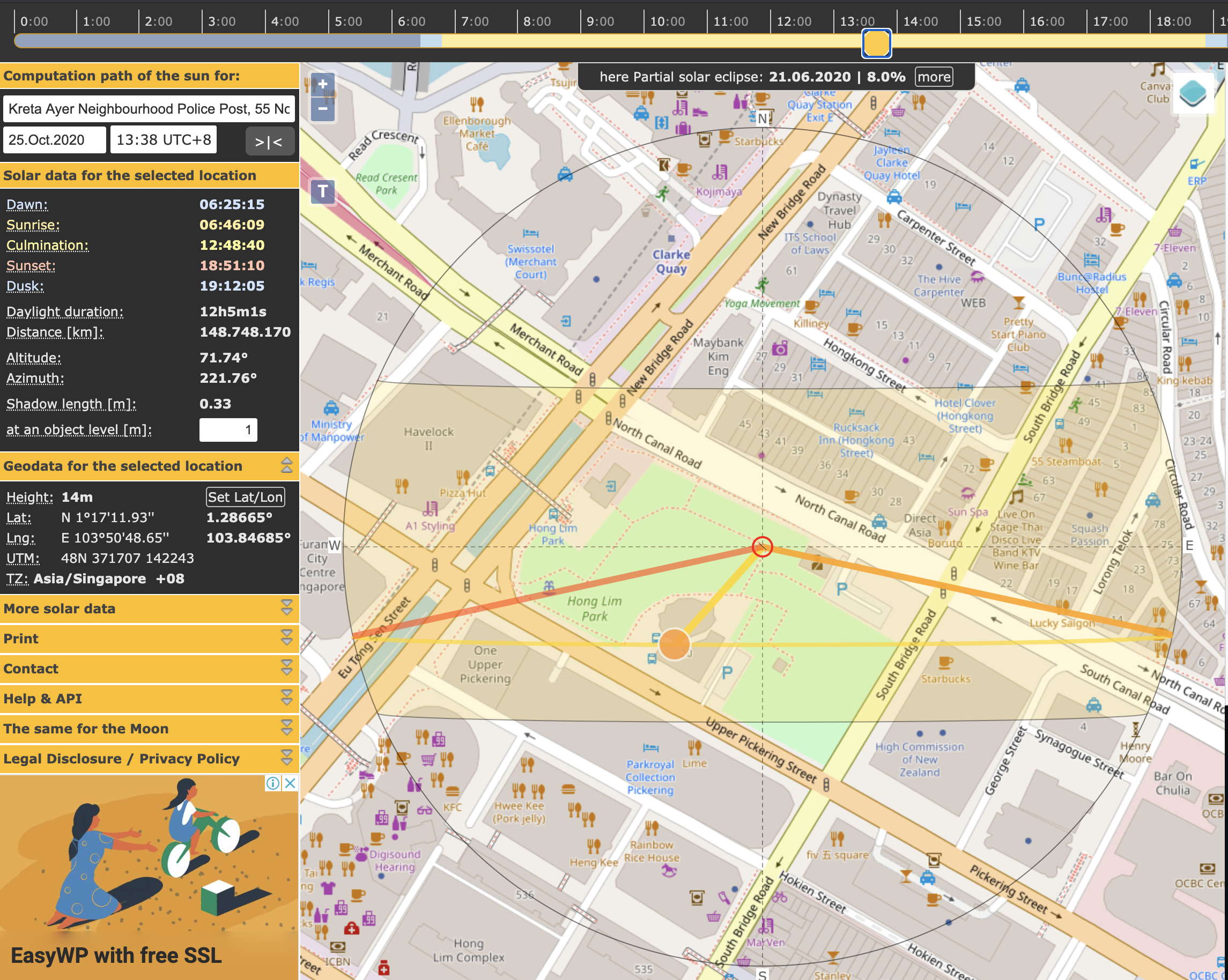
Here we see that the time is at about 1338, which would give us the 2 hour block of 1300-1500.
Constructing the flag using the format given, we now have: govtech-csg{1.286648_103.84685_2020:10:25_1500-1700}
However, this wasn't the correct flag, and in troubleshooting this, the addendum said to use a CLI tool, directing me to exiftool. Interestingly, using exiftool gave us a slightly different Lat/Long, likely due to the decimal place rounding which resulted in different coordinates when we put it into the calculator.
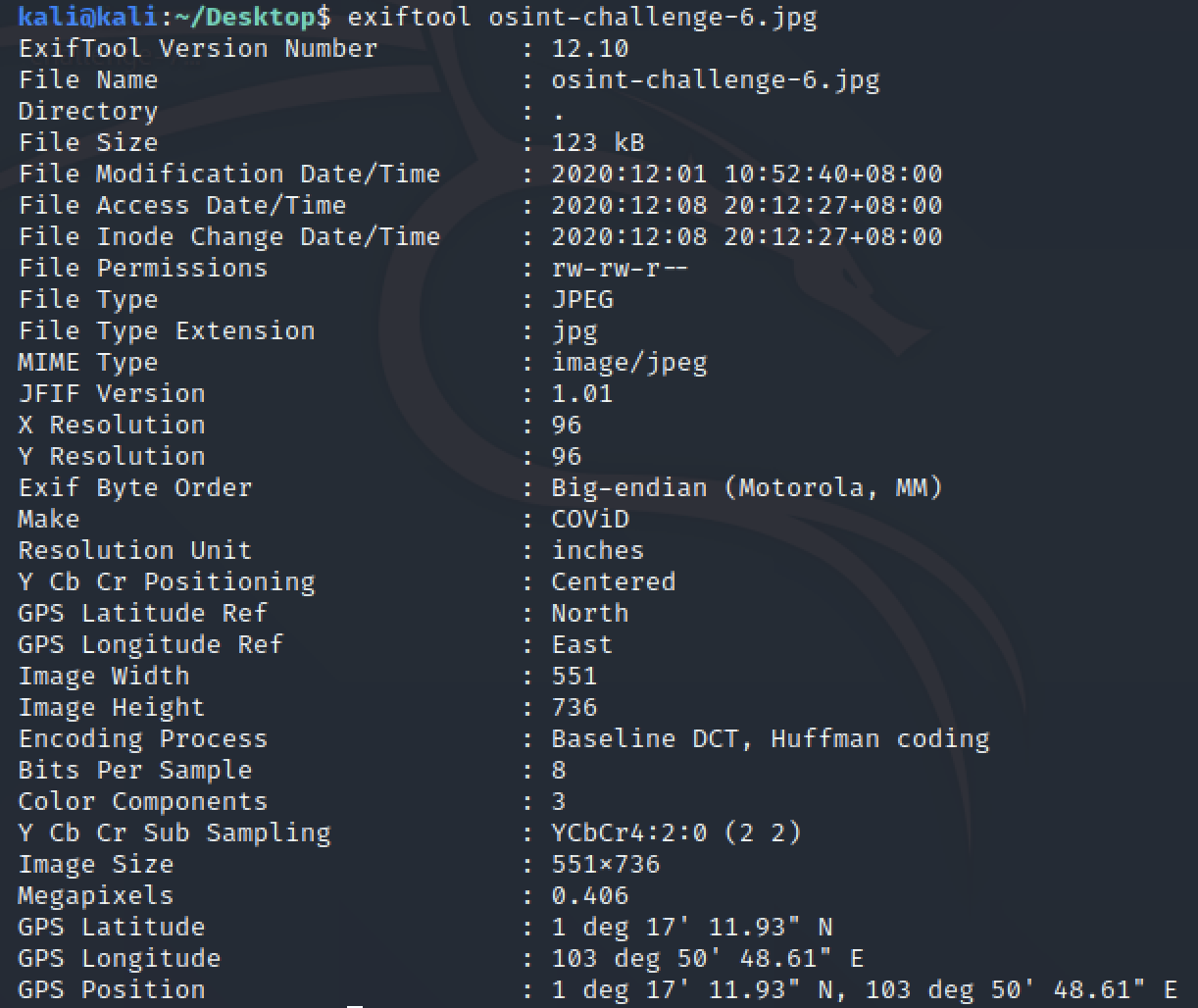
This time, we got the following:
Latitude: 1.286647, Longitude: 103.846836
govtech-csg{1.286647_103.846836_2020:10:25_1500-1700}
Sounds of freedom!
Points: 1000
Prompt: In a recent raid on a suspected COViD hideout, we found this video in a thumbdrive on-site. We are not sure what this video signifies but we suspect COViD's henchmen might be surveying a potential target site for a biological bomb. We believe that the attack may happen soon. We need your help to identify the water body in this video! This will be a starting point for us to do an area sweep of the vicinity!
Flag Format: govtech-csg{postal_code}
File(s) provided: "osint-challenge-7.mp4"
My Attempt
We are provided with a video, showcasing the location of COViD's potential bomb site. The end goal is to identify the water body as shown in the second half of the video.
There really isn't much to go off, especially since there is quite a number of water bodies in Singapore. The limited view of the water body makes judging its size difficult. Enumerating all water bodies no longer becomes a viable option..
One thing that stuck out to me was the audio, it sounded like a rumbling that many would find annoying as the National Day Parade (NDP) rehearsals take place annually. This is supported by the clue in the title of the challenge, "Sounds of freedom".. Perhaps we could look for water bodies nearby airbases.
From our results, we can effectively eliminate the West side of Singapore as there are no airbases with water bodies nearby.
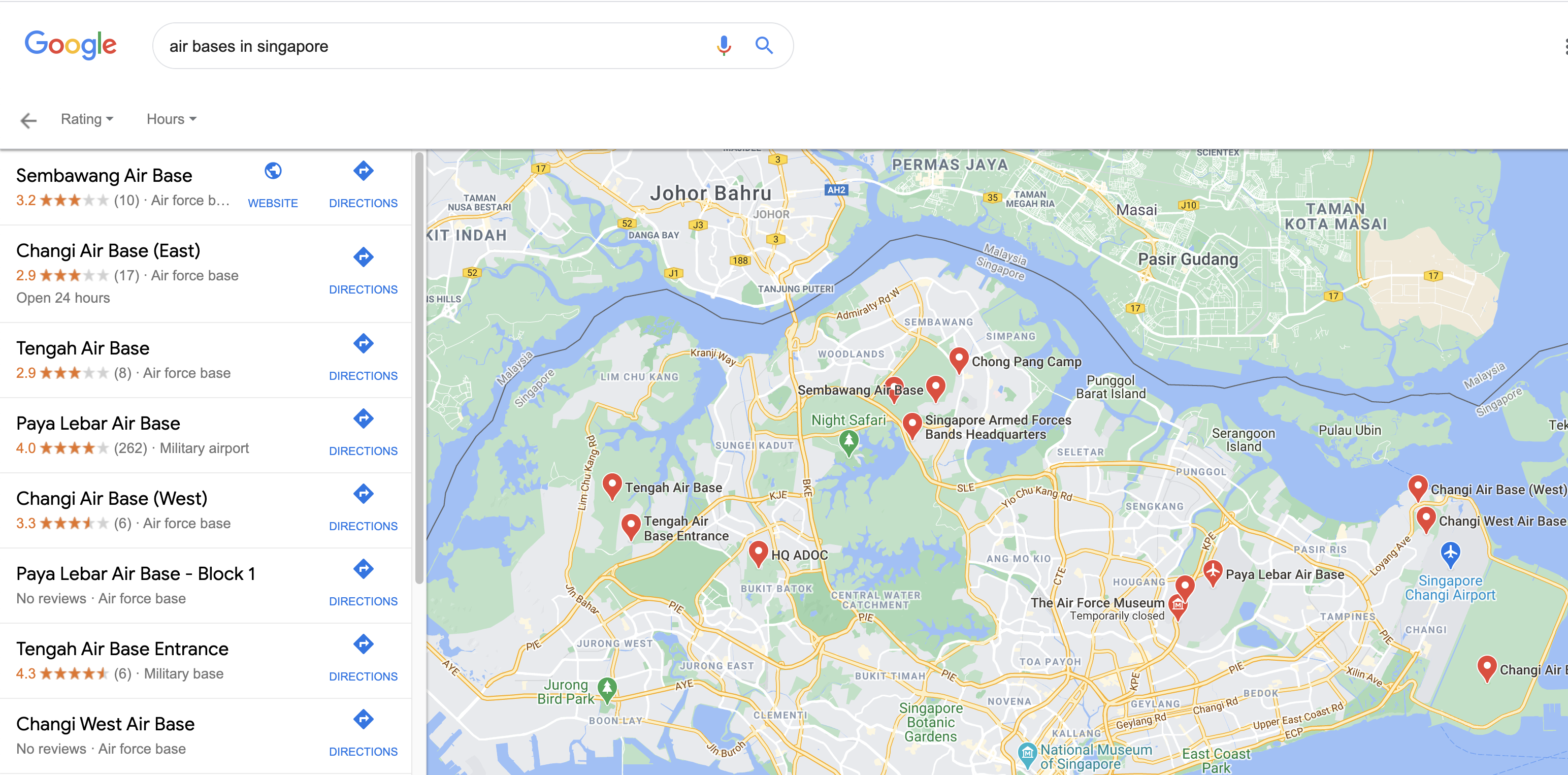
To the keen-eyed, we would need to find a water body with plenty of greenery nearby, alongside some residential areas, as seen in the background of the video. This would then eliminate Sembawang Air Base and Changi Air Base from our list of candidates.
This leaves us with Paya Lebar Air Base, the last of the 4 airbases in Singapore. Zooming in, we can see that there is Punggol Park just above, and to confirm our findings, we can make use of Google Street View to identify any landmarks. The following image provides a point of view that matches many of the features in the video.
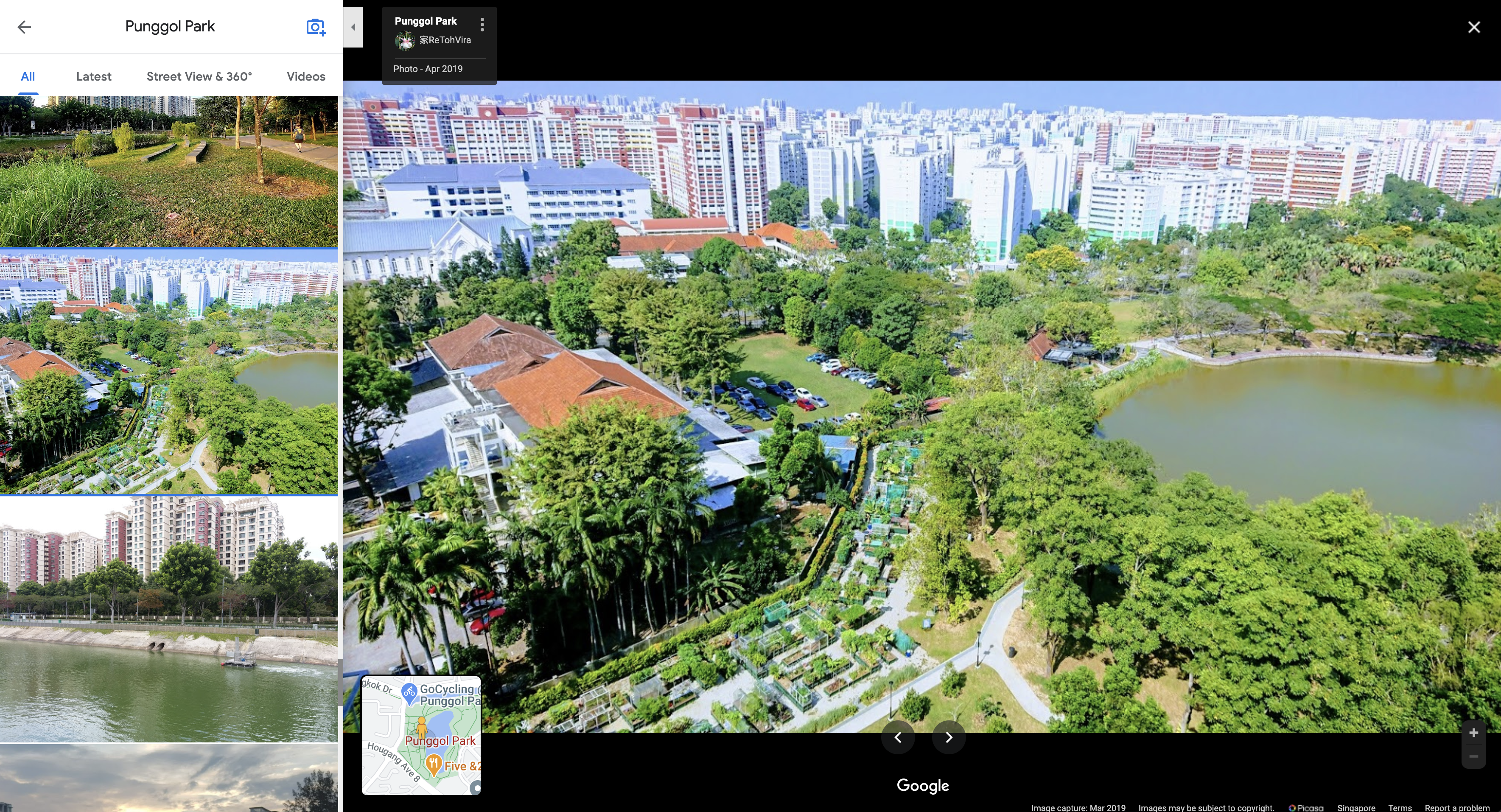
We can see the green and white residential buildings, alongside the red-tiled roofs with plenty of greenery surrounding the water body.
To further confirm our findings, we can identify the residential building in which the video was taken from. Using Google Maps, we just need to identify the bus stop right beside Punggol Park, since there was one at the bottom of the building in the video.
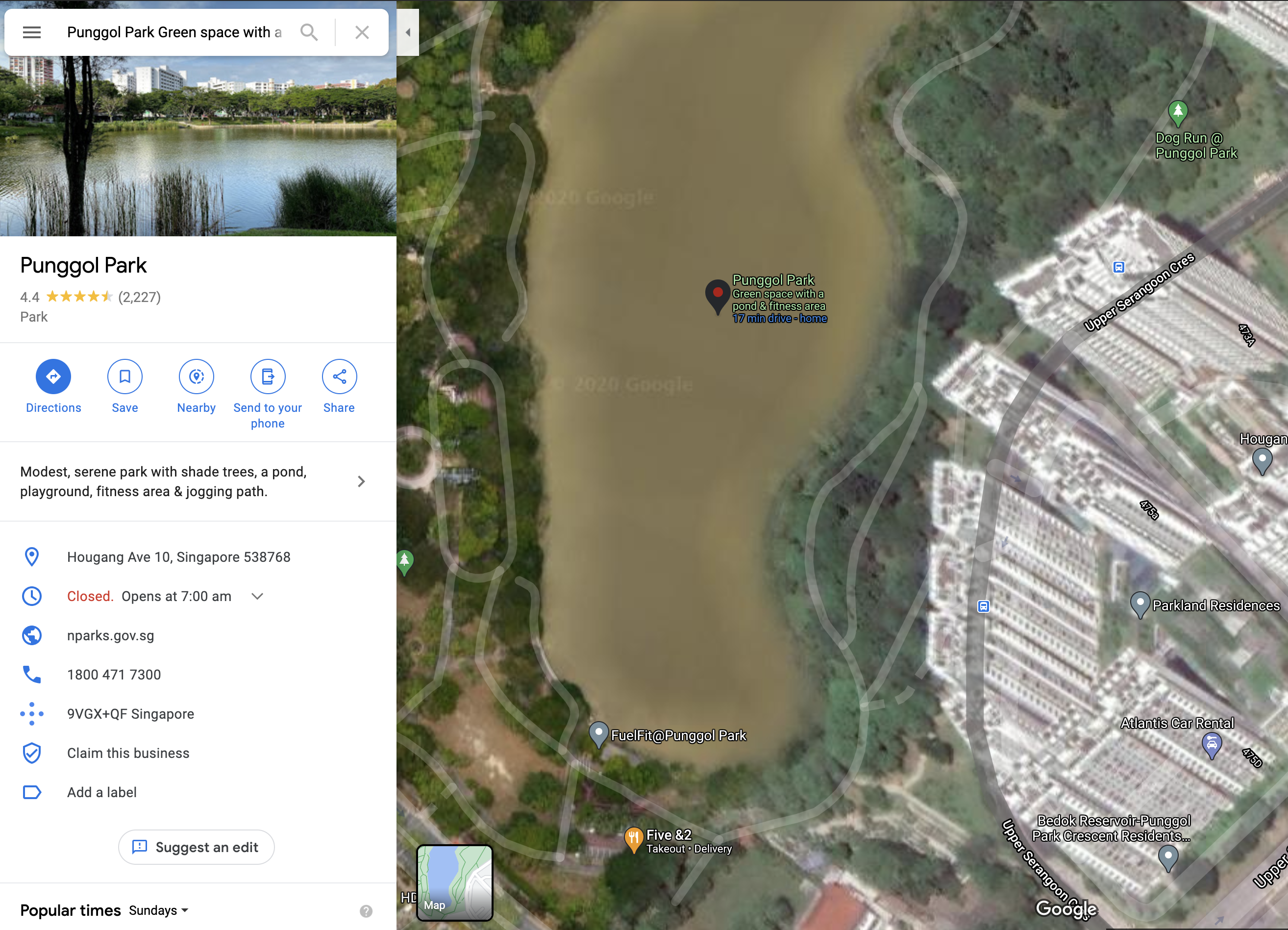
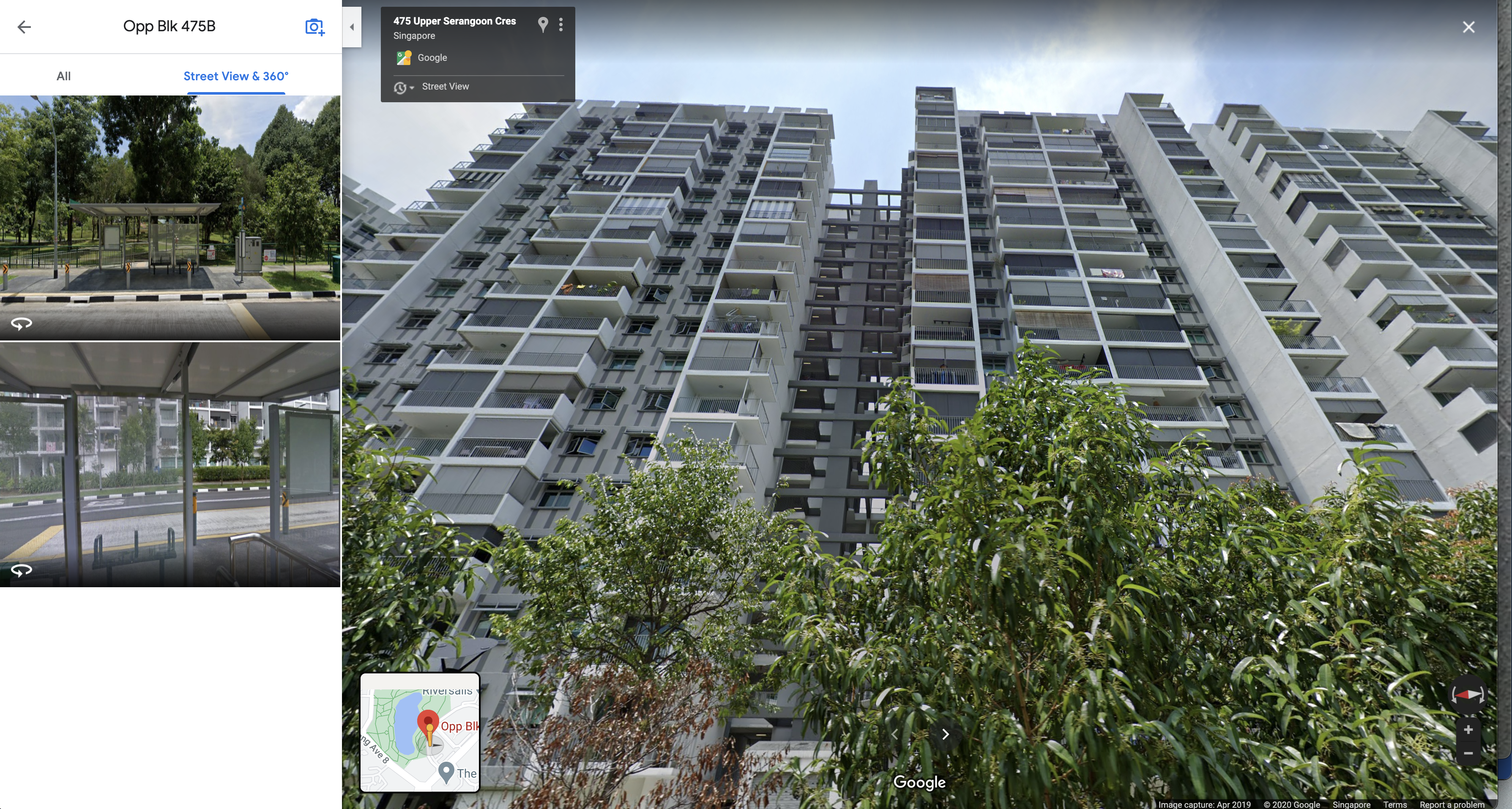
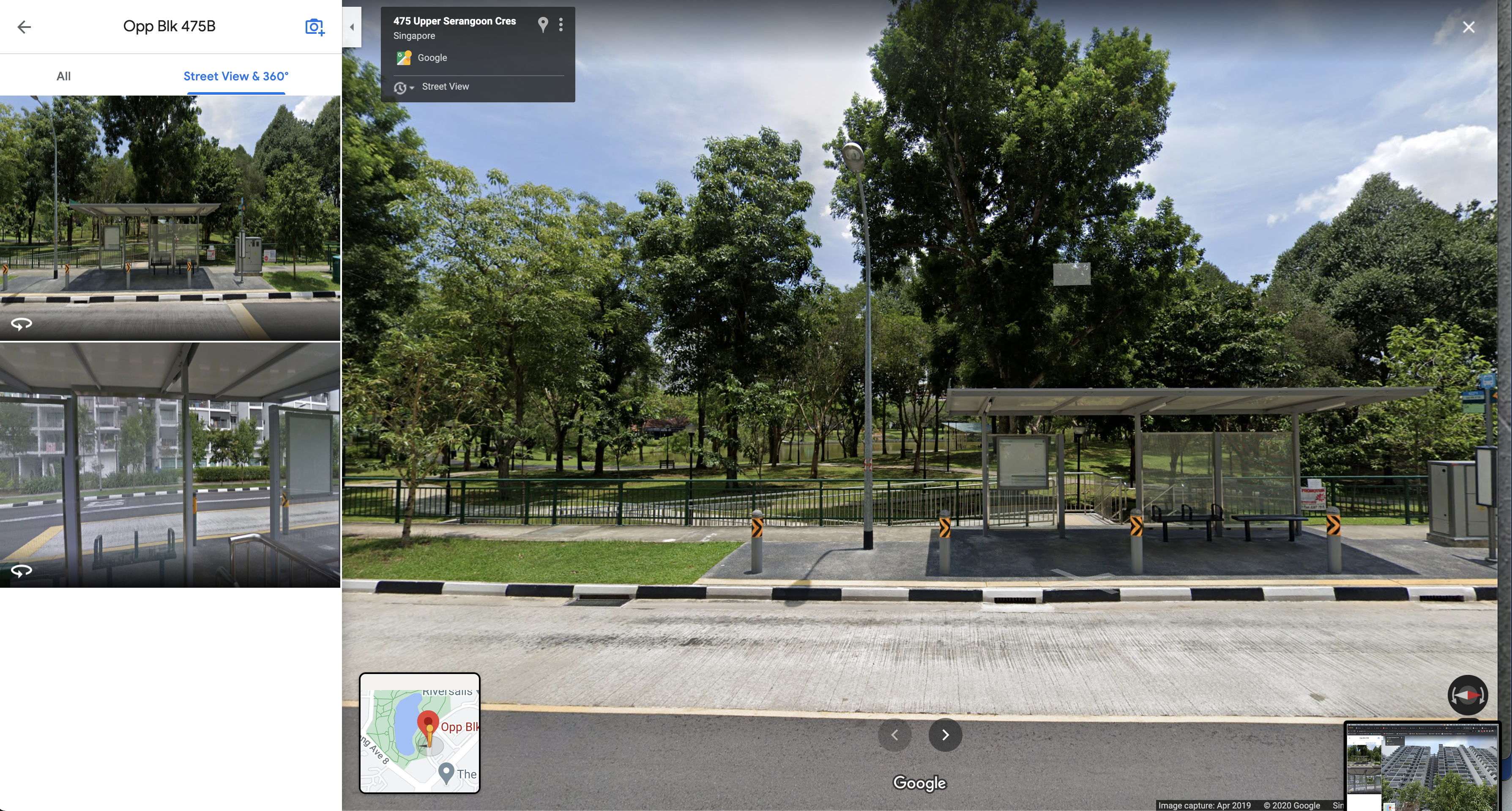
From these images, we can see how the architectural features match up exactly with our video.
Hence, we can get our flag as shown below.
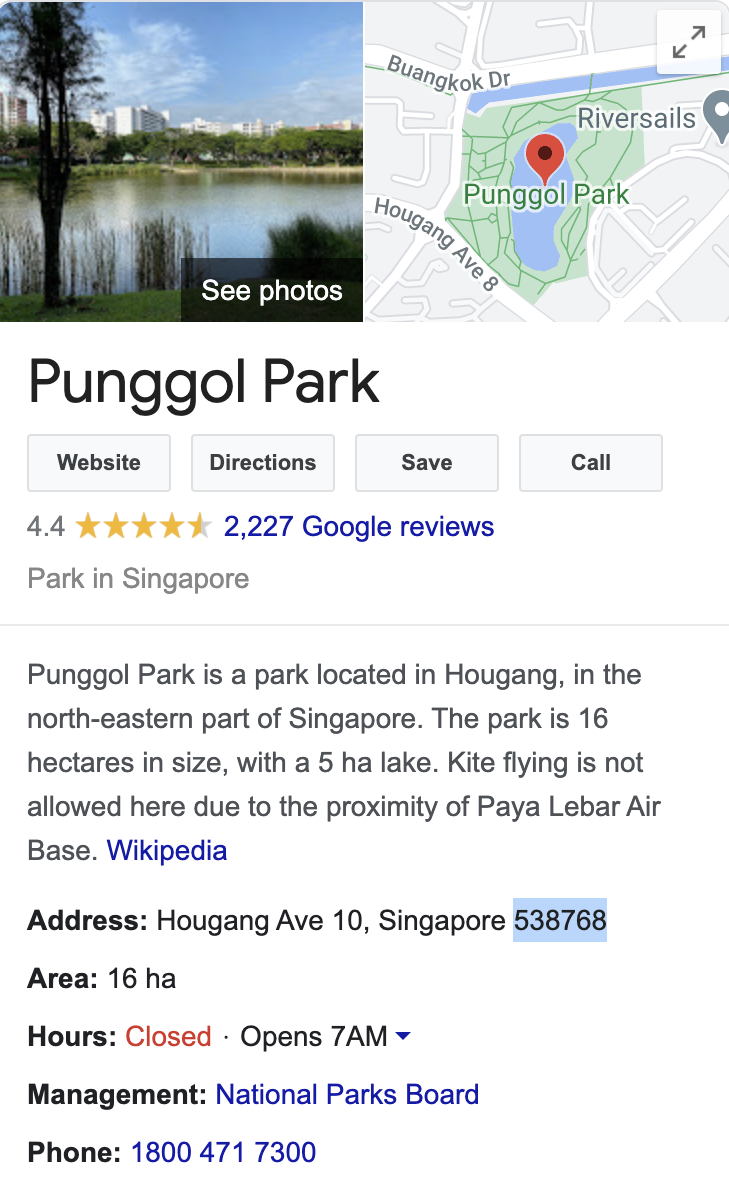
govtech-csg{538768}
Hunt him down!
Points: 1000
Prompt: After solving the past two incidents, COViD sent a death threat via email today. Can you help us investigate the origins of the email and identify the suspect that is working for COViD? We will need as much information as possible so that we can perform our arrest!
Example Flag: govtech-csg{JohnLeeHaoHao-123456789-888888}
Flag Format: govtech-csg{fullname-phone number[9digits]-residential postal code[6digits]}
File(s) provided: "osint-challenge-8.eml"
My Attempt
We are first provided with a .eml file, this is a file that usually contains raw email data. In forensics, we might be faced with a large number of .eml files, and parsing them can be a trouble. This Python eml parser tends to be a good package for automating the parsing of a large number of .eml files.
Seeing as this file is small and just a single email, we can just cat it to take a look at the contents.
cat osint-challenge-8.eml
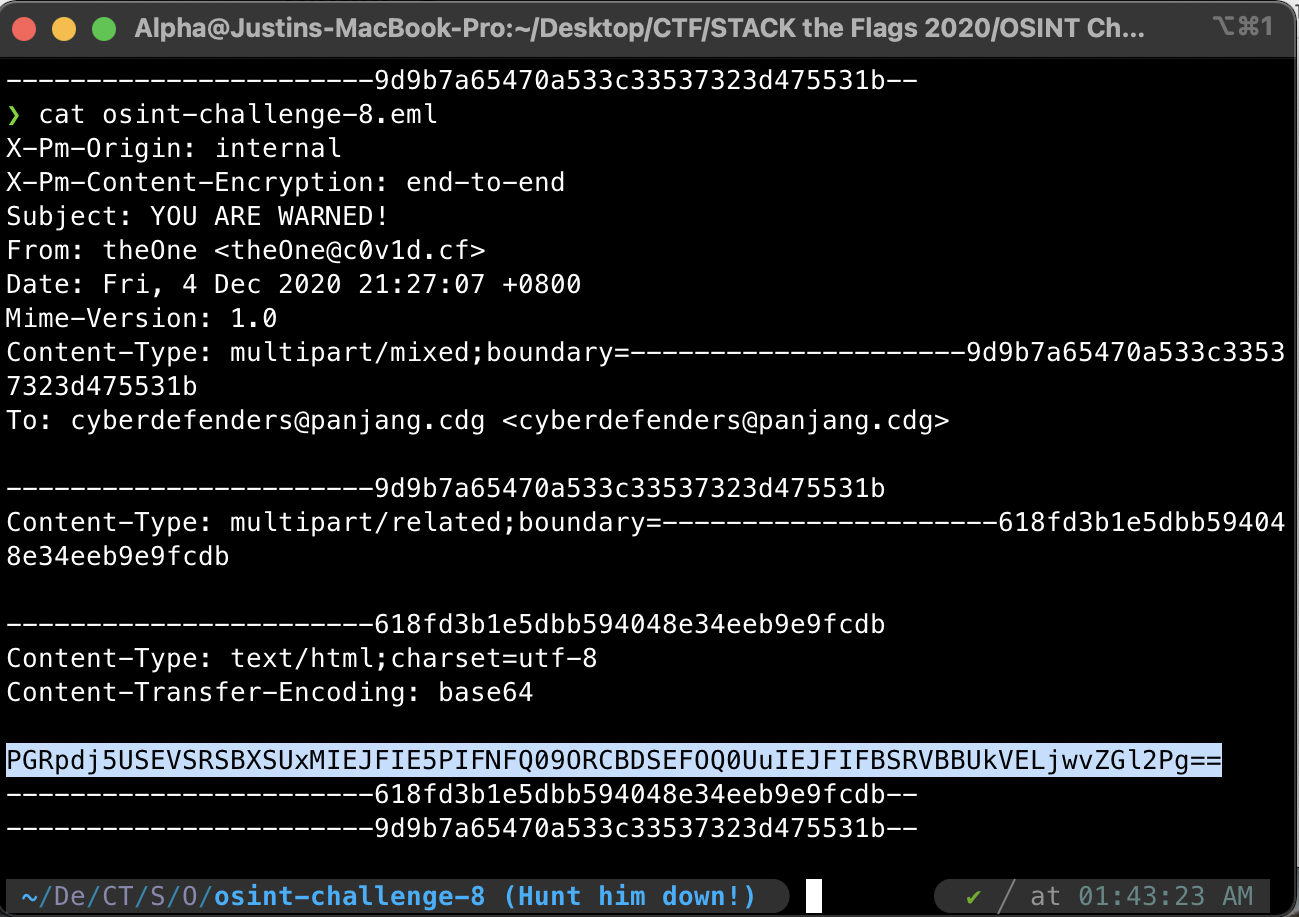
From the email, we can gather the following information:
- Subject: YOU ARE WARNED!
- From: theOne [email protected]
- To: [email protected]
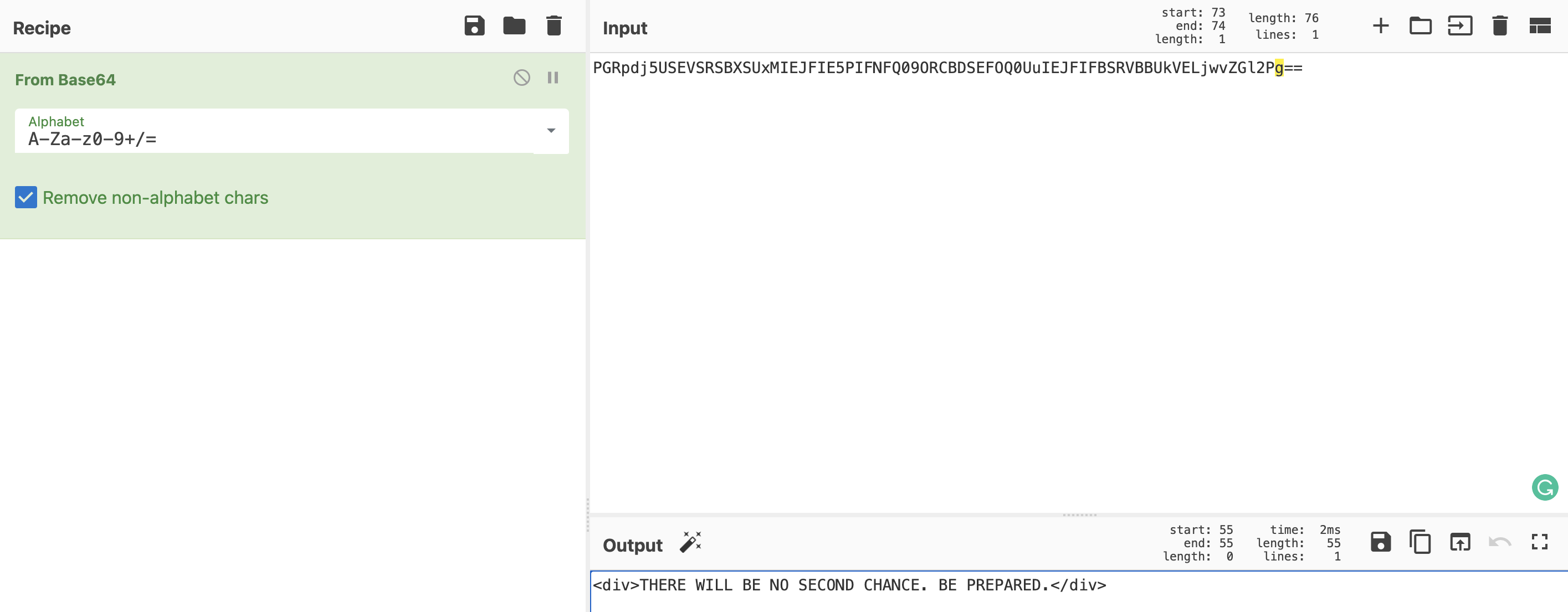
We can also see that there is a base64 encoded string, that when converted into ASCII, would give us the message of this email: "THERE WILL BE NO SECOND CHANCE. BE PREPARED."
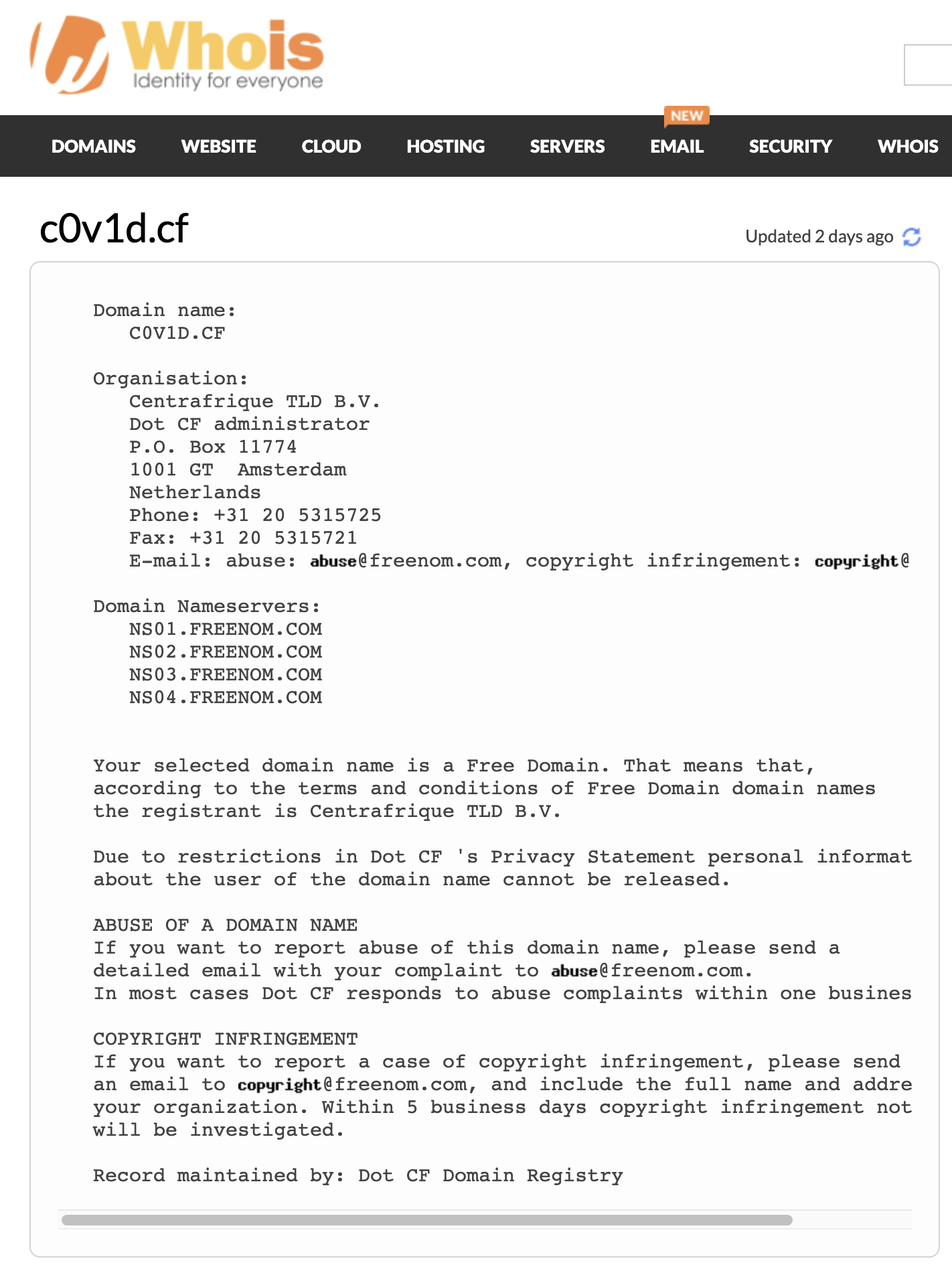
Now the goal of the challenge is to look for the information on the sender that is threatening us. The first avenue would be a simple whois lookup, that could hopefully give us details on the registrar of the c0v1d.cf domain. Unfortunately, this does not give us much.
Perhaps a DNS lookup might yield more information, and indeed it did. Going to dnsdumpster.com, we would then see a TXT record that gives us a potential lead.
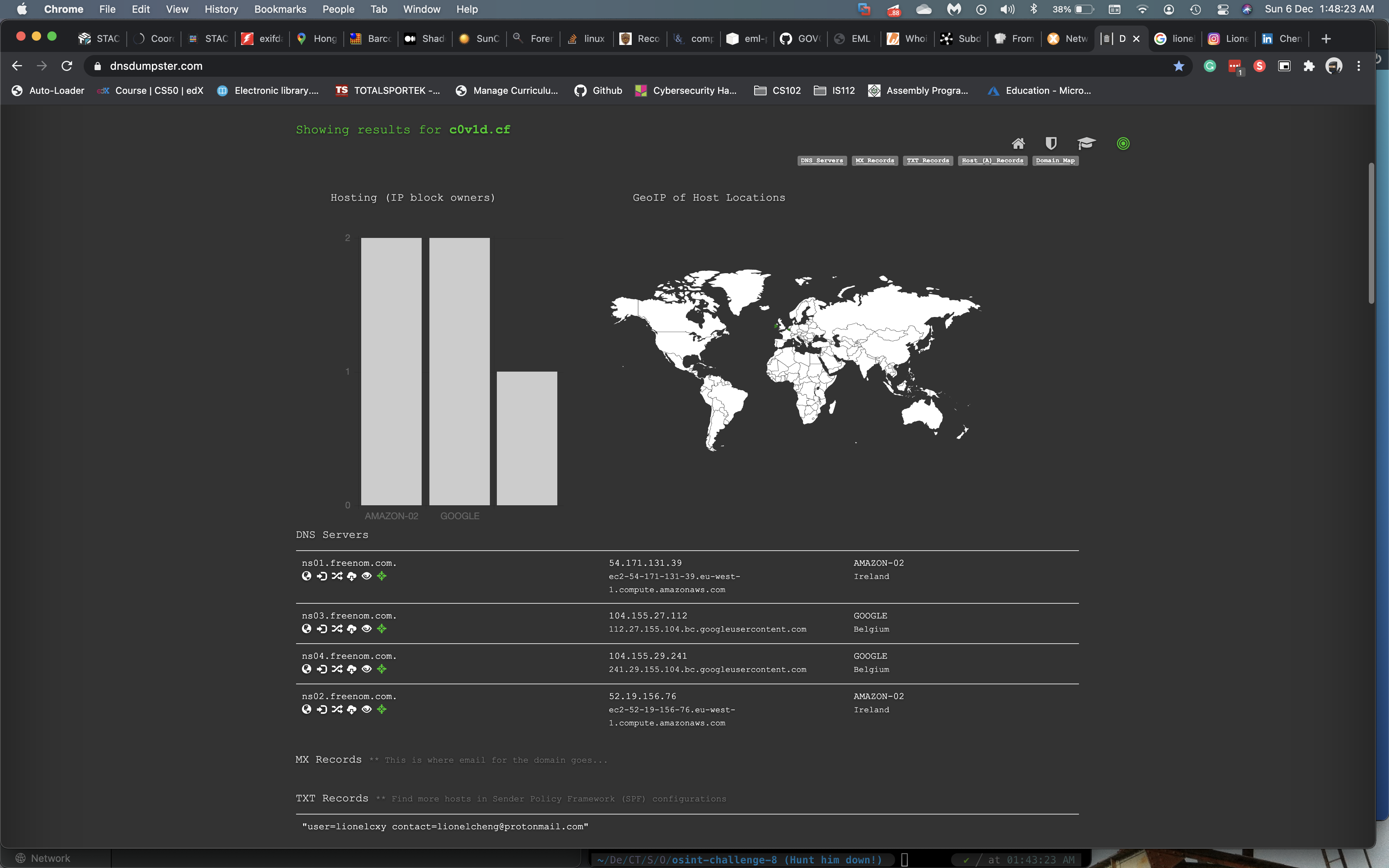
Now let us perform a Google search on this lionelcxy user.
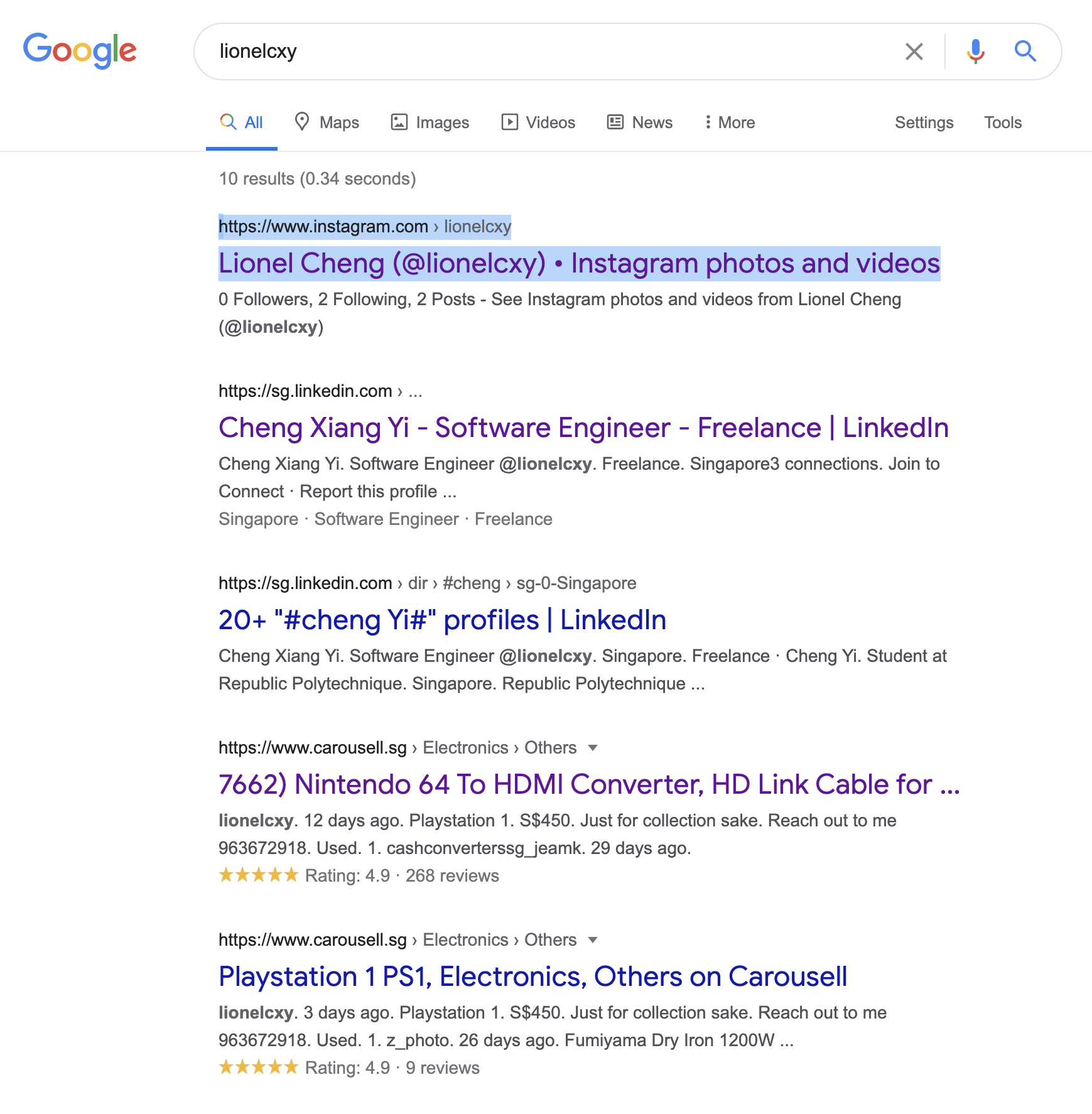
Off the bat, we are already getting a bunch of information that could be of use to us, we found 3 accounts that could belong to our suspect: Instagram, LinkedIn, Carousell.
Thankfully his Instagram page is public, and we can get some rudimentary information on his lifestyle. Below you will see two of his posts that would link us to some of his habits and interests.
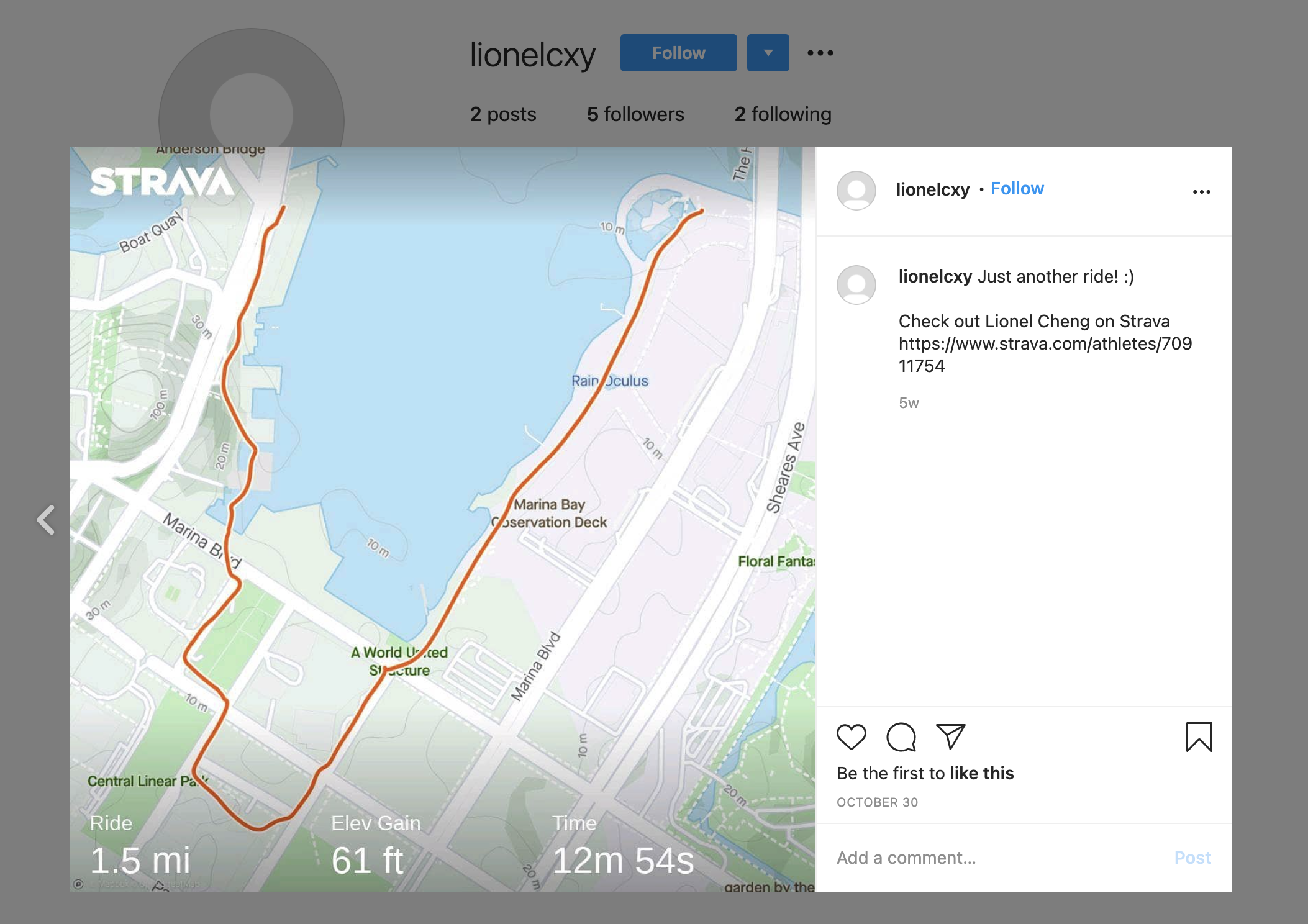
Looks like our guy Lionel enjoys cycling, and even included his Strava profile page, something to explore more later.
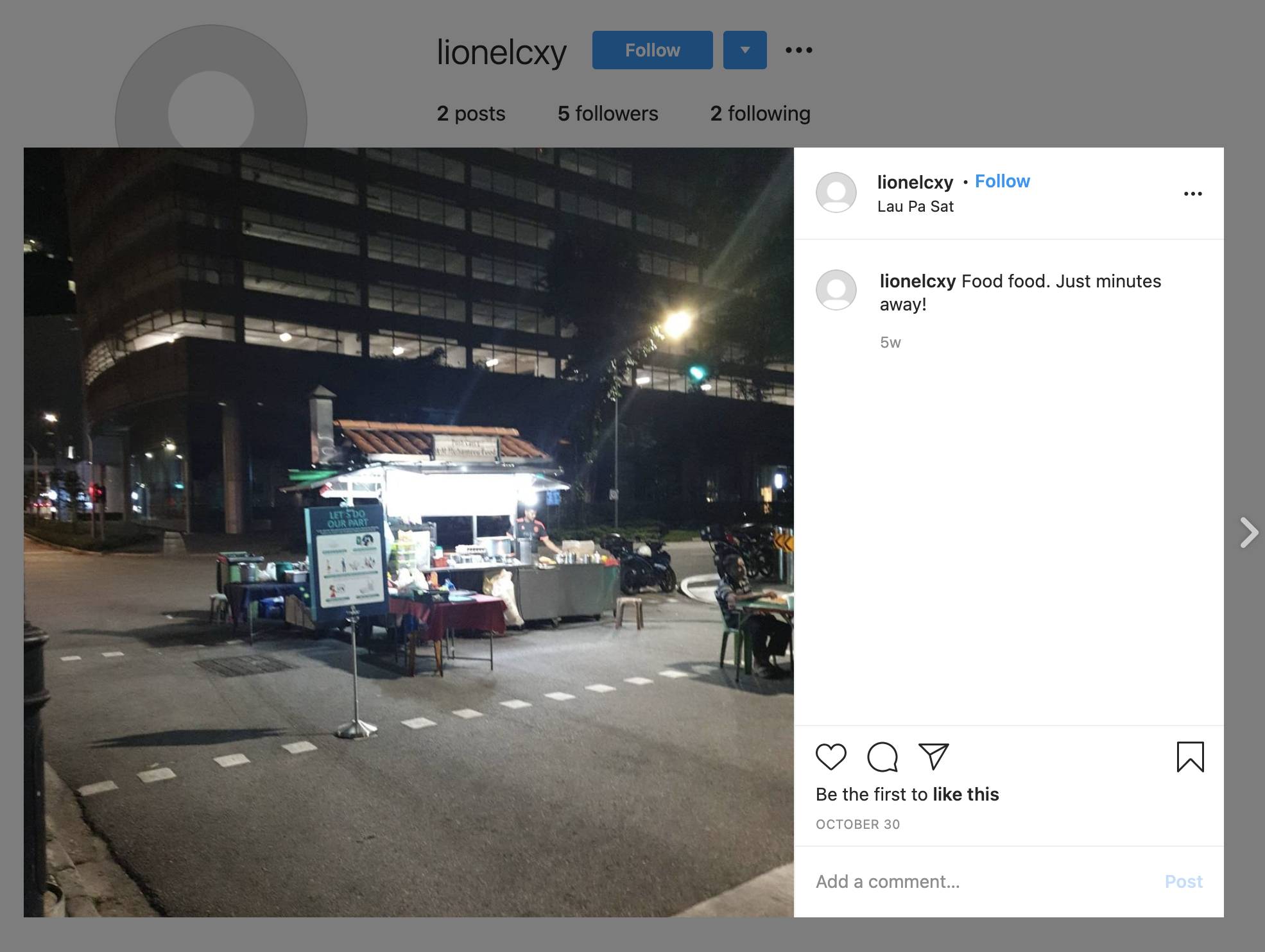
The geotag for this post tells us that he lives nearby LauPaSat, something that would be useful for us to identify his residential address/postal code.
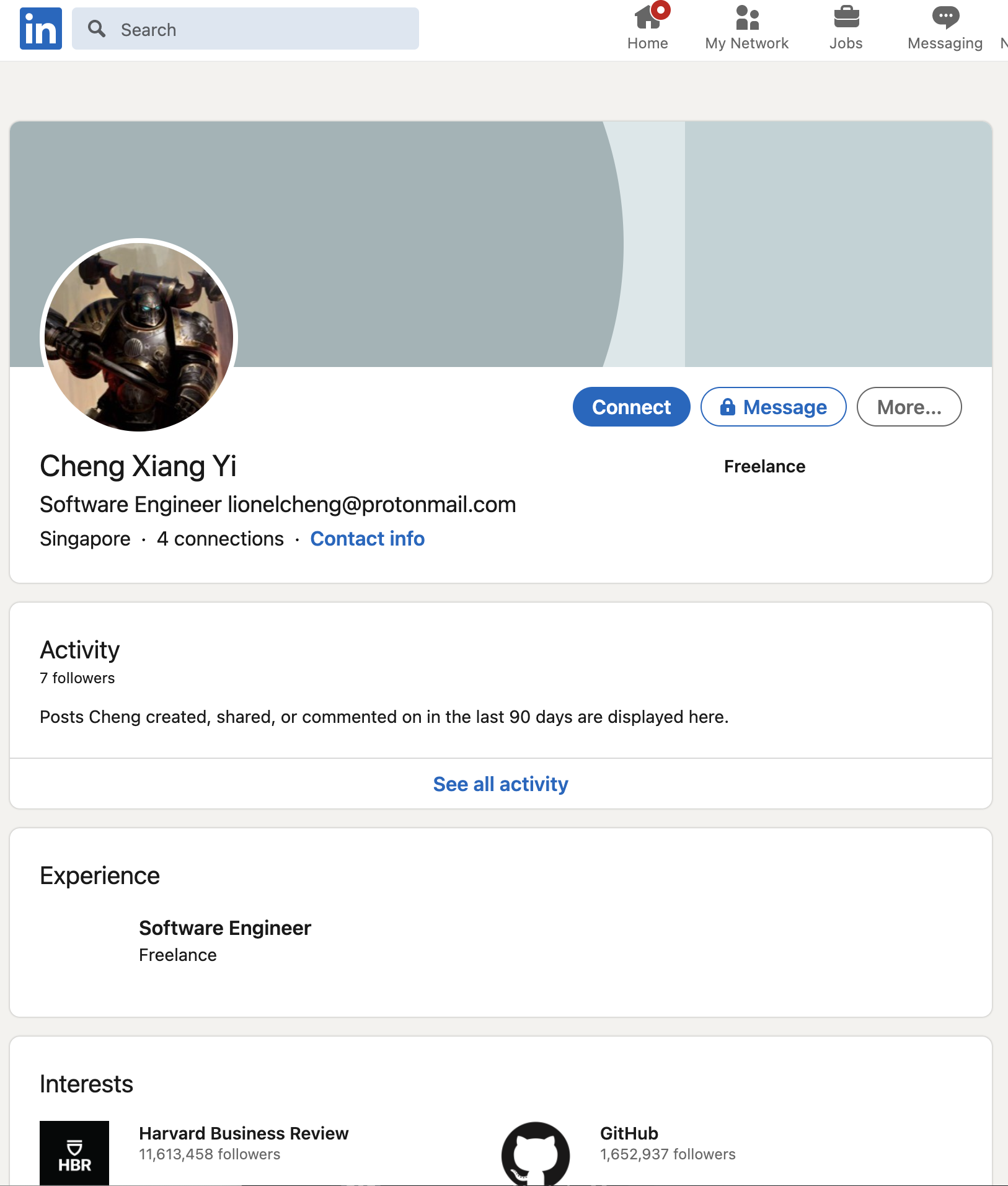
Taking a look at his LinkedIn profile, we now know his full name to be Lionel Cheng Xiang Yi.
Let us now shift our focus to his Strava profile.
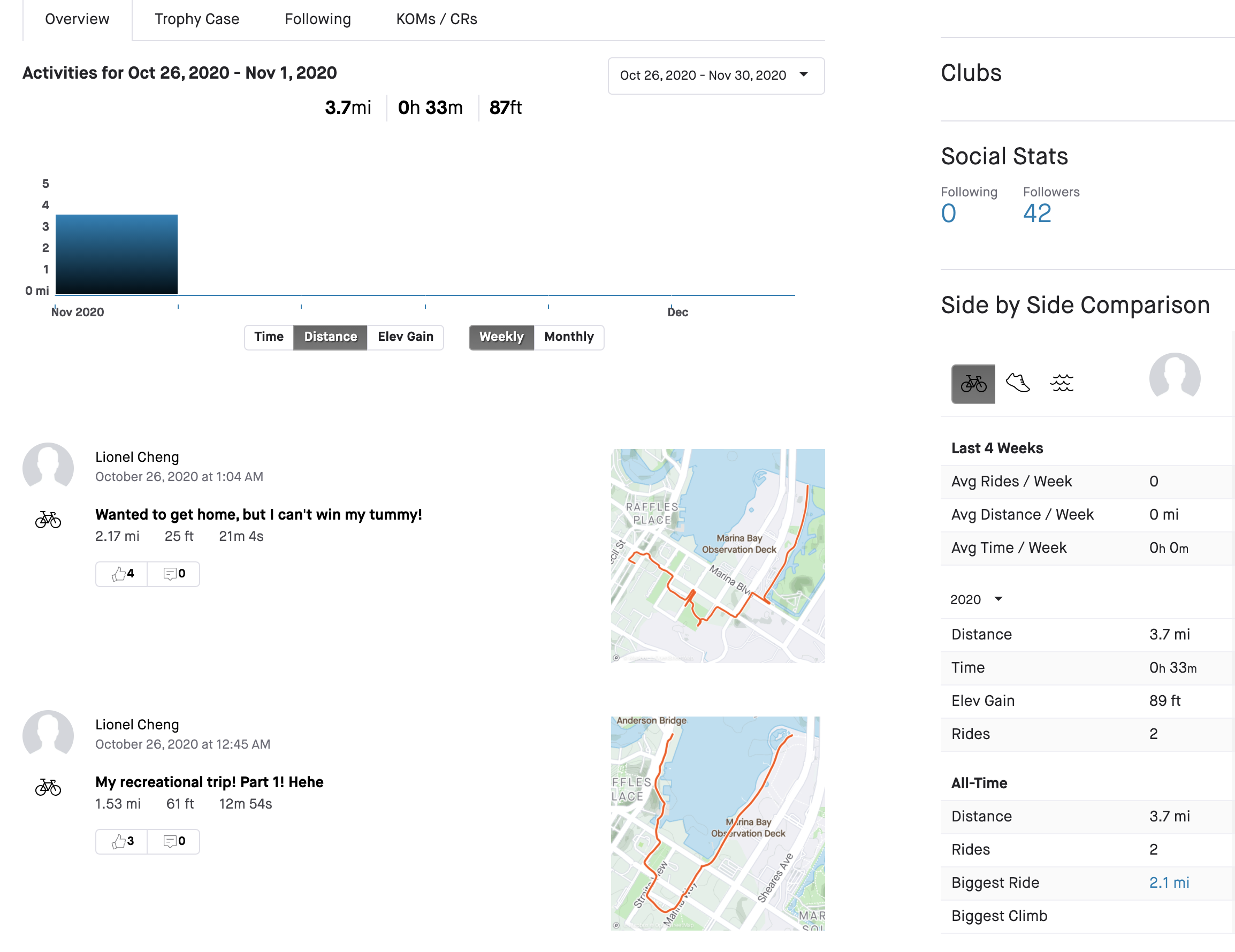
Here, we see that he has two public entries, though there may not seem like much, we can actually follow him to obtain more information of his posts, this was something that my teammate noticed, which led us to his postal code 018935 at Marina One Residences, of which postal code I previously tried but was incorrect.
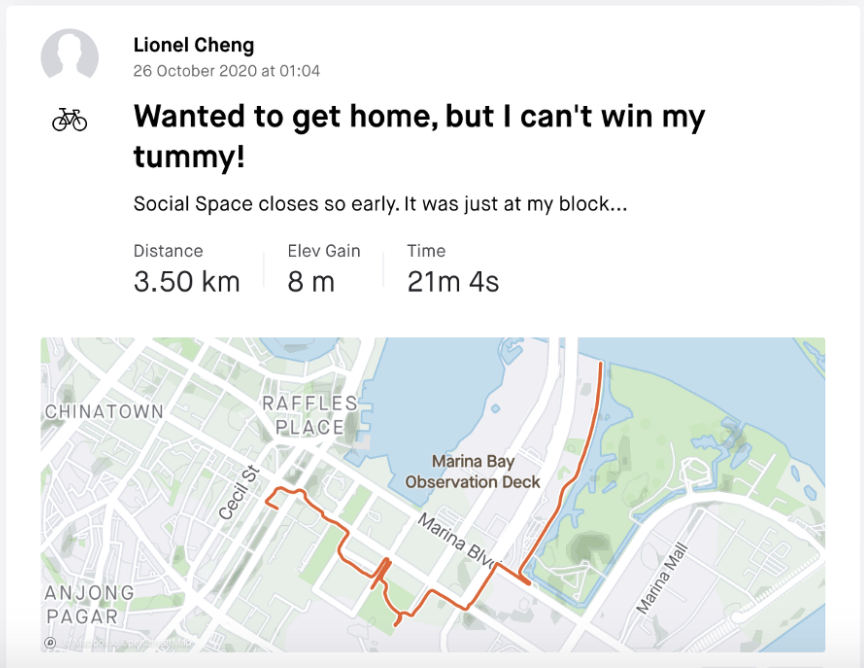
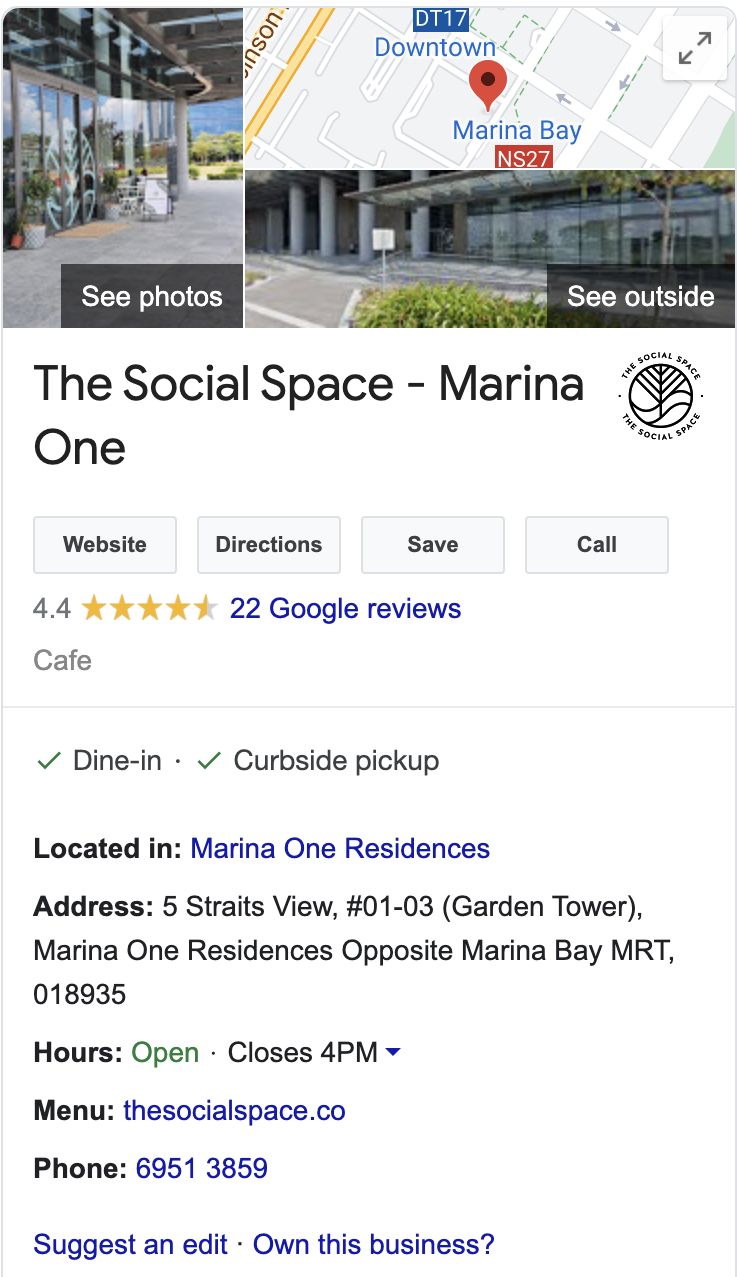
Now the last thing we need is his mobile number, initially I overlooked the results from Google search and missed his Carousell account. It was only when I went back to the results that I noticed his contact number was included in his Carousell listings.
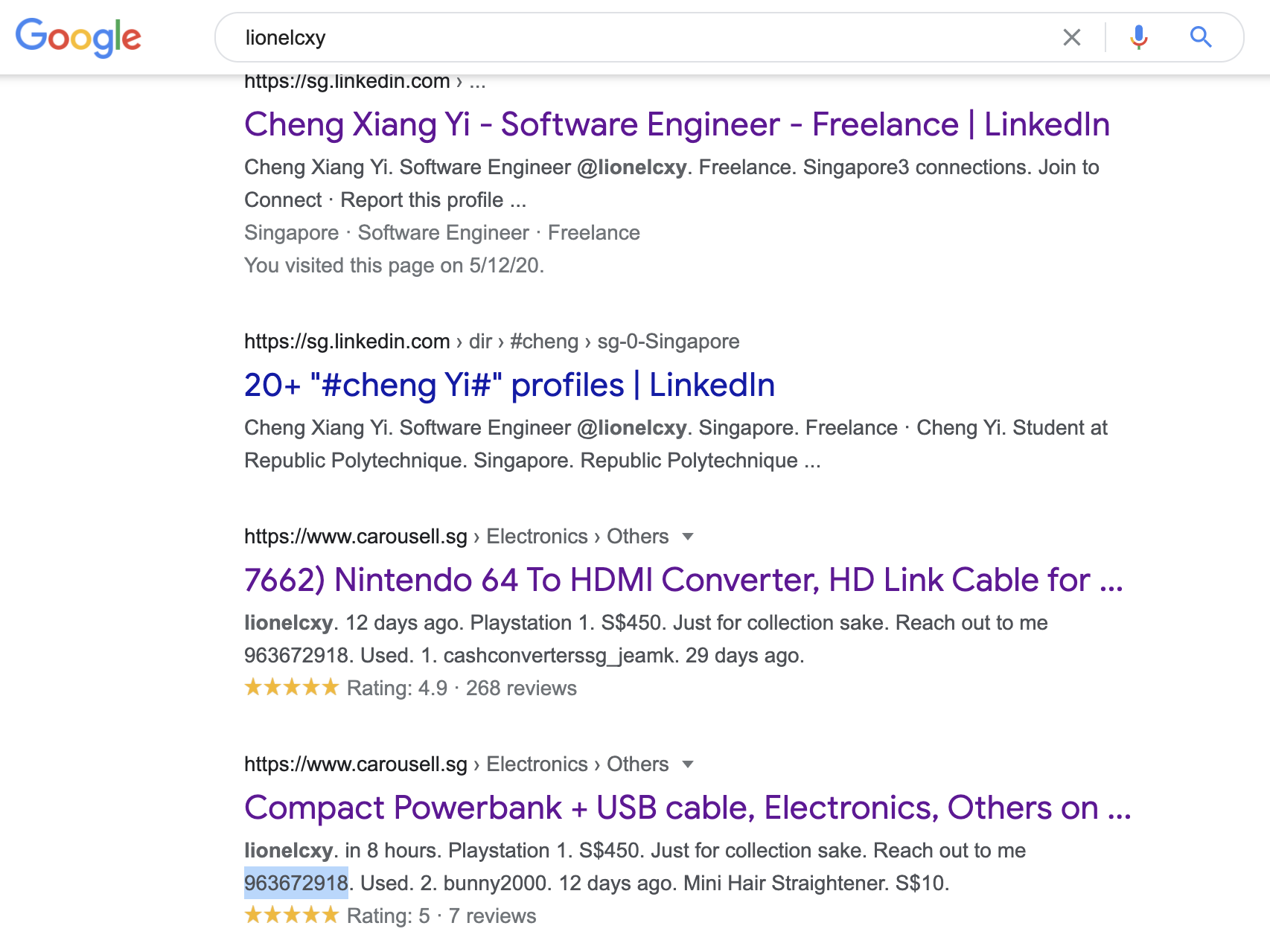
Hence we have the 9-digit contact number 963672918.
govtech-csg{LionelChengXiangYi-963672918-018935}
Learning Resources
For those interested in OSINT, sherlock is an interesting SOCMINT tool that allows you to enumerate a bunch of social media sites for a given username. Using lionelcxy as our example here, we can enumerate common social media sites with this username very quickly and efficiently, though it was not necessary for this challenge. Take note that there tends to be some false positives.
python3 sherlock lionelcxy
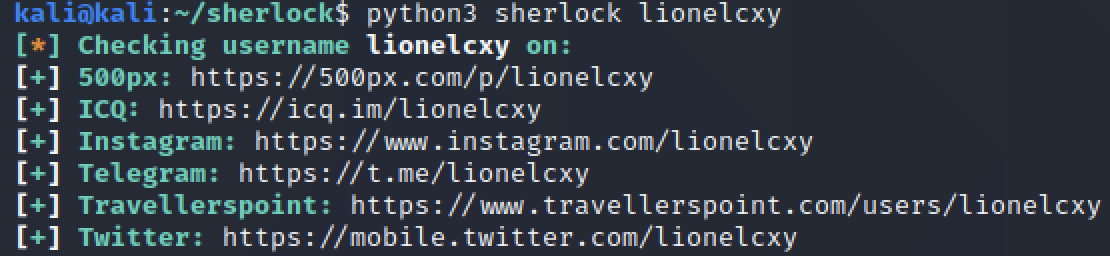
To make use of this results, we can go to his Twitter and take a look at his only post which actually links us to his Carousell listing and consequently his mobile number.
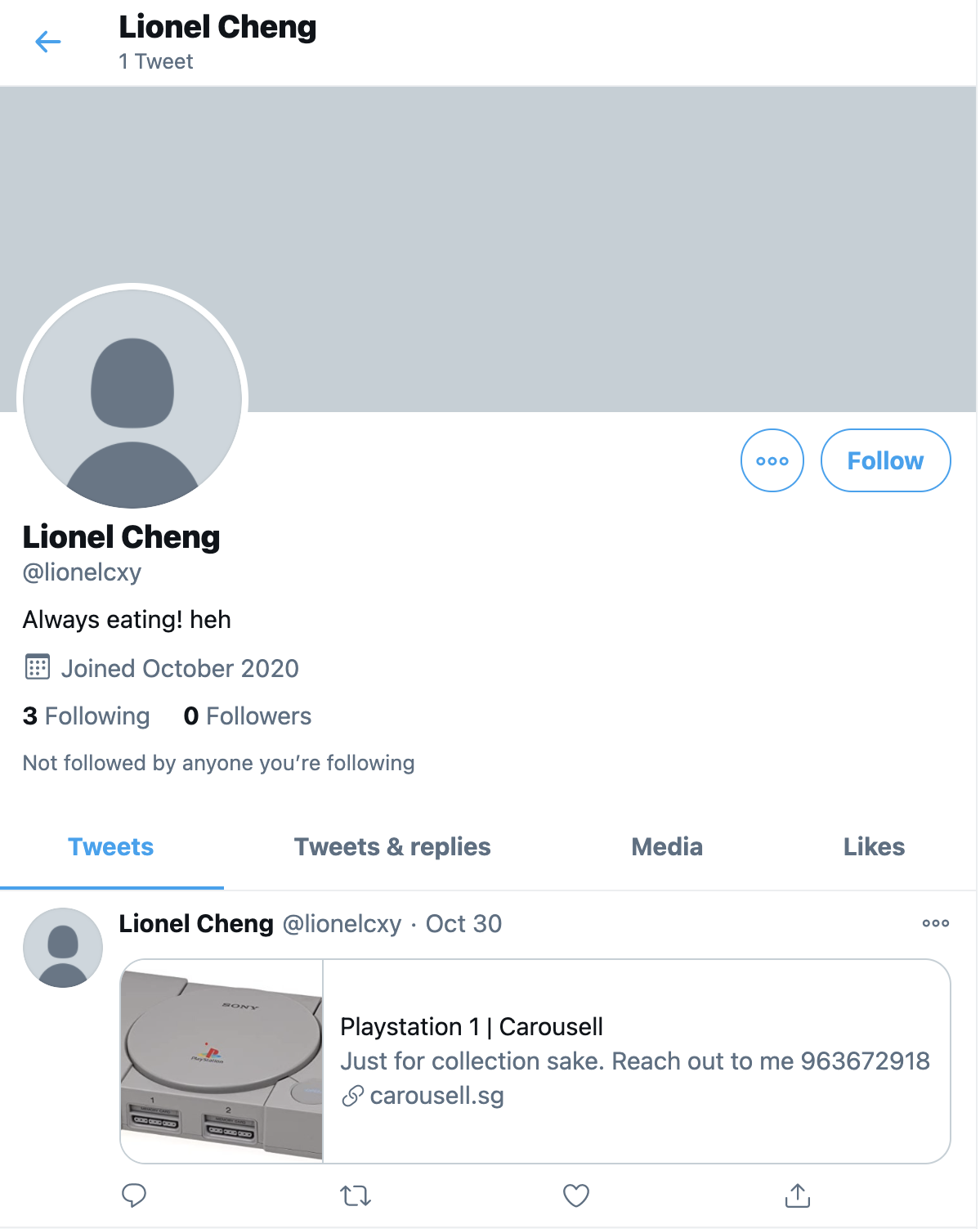
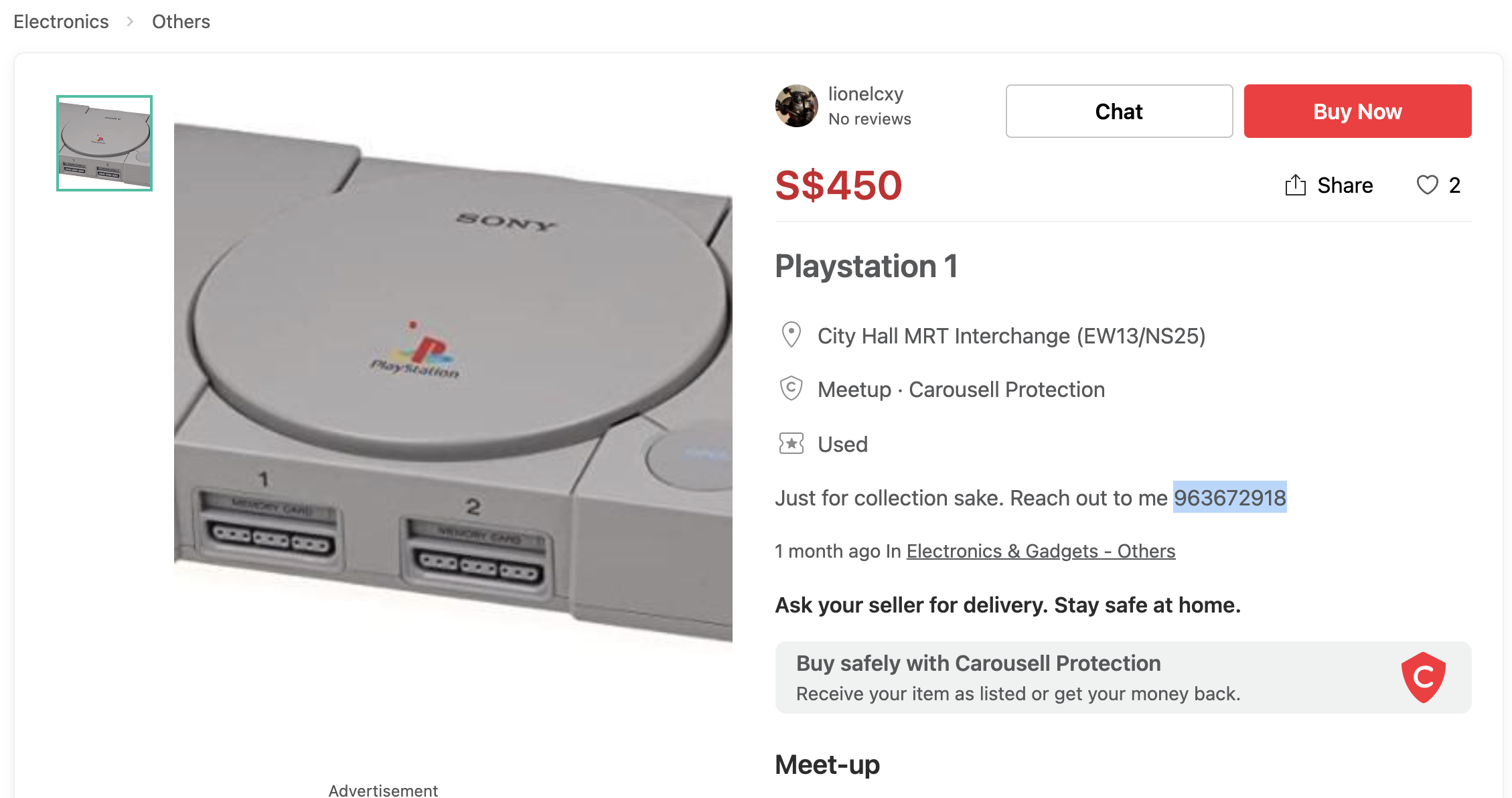
This aligns with and corroborates with our previous Google search results.